User Interface
72 03-11-24 1006en01
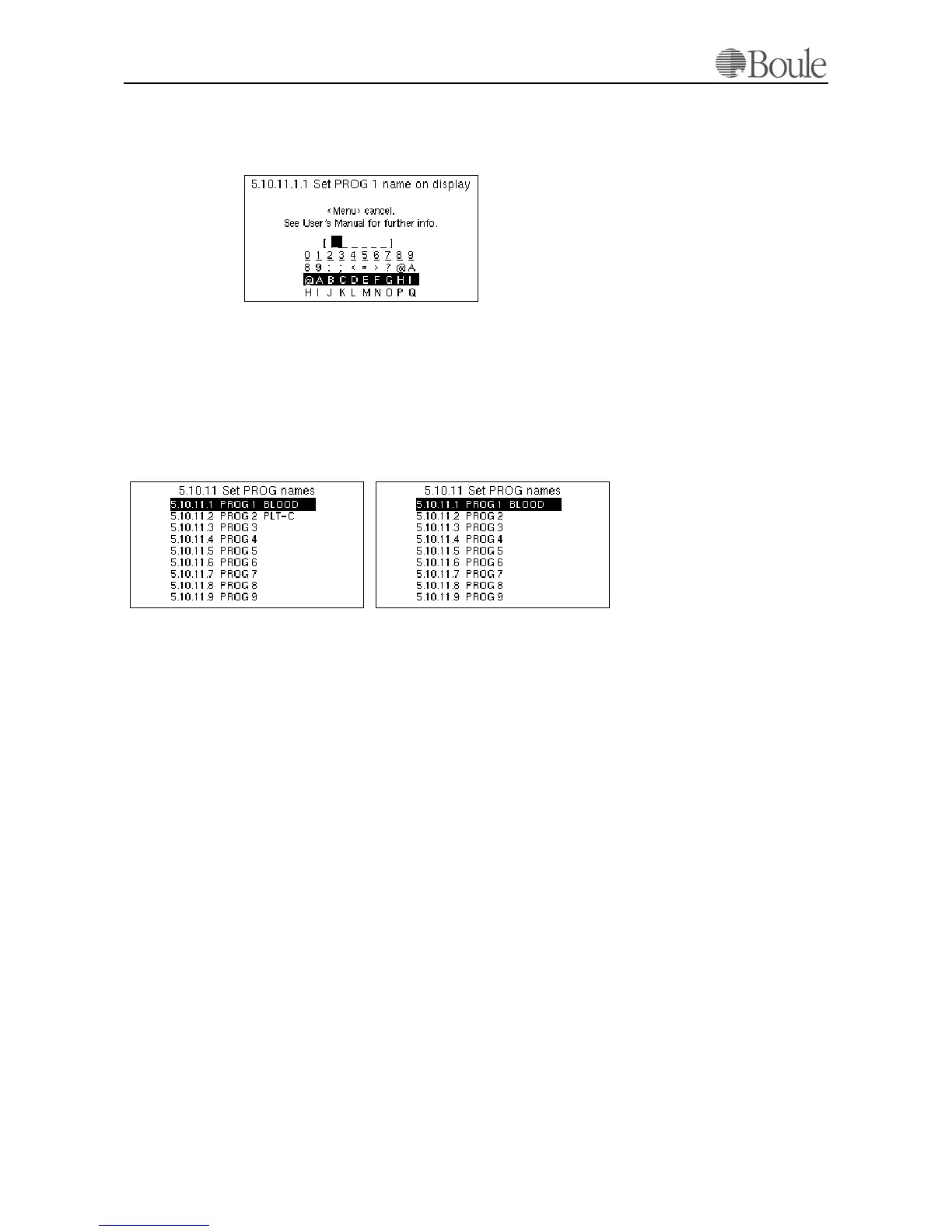
Press [Enter] to set the required text on the display or scroll to the next line to
alter the printed name on the printout instead.
The following is displayed.
1. Scroll with the “up/down” arrow keys through the displayed field.
2. Press any digit to select the required character.
3. Press [Enter] to return.
Changing both PROG1 and PROG2; the list will now show:
Note
That the PROG names are not changed in any menu to “Blood” or ”PLT-C” but
clarified only as shown above.
The display and printout however will show “Blood” or “PLT-C” instead of
PROG1 or PROG2.
Block parameters
The CA620 allows the operator to block certain parameters to be displayed and
printed. This is especially useful when the instrument is used for PLT concentrate
control only. Several parameters are of no interest in such case, like HGB, HCT,
MCHC etc.
To do so:
1. Scroll with the arrow keys to line 5.10.12 “Block parameters”.
2. Press [Enter]
1103en.gif
1104en.gif
1146en.gif
CA620-CellGuard CA620/530



 To Next Page