26 Operator's Manual English
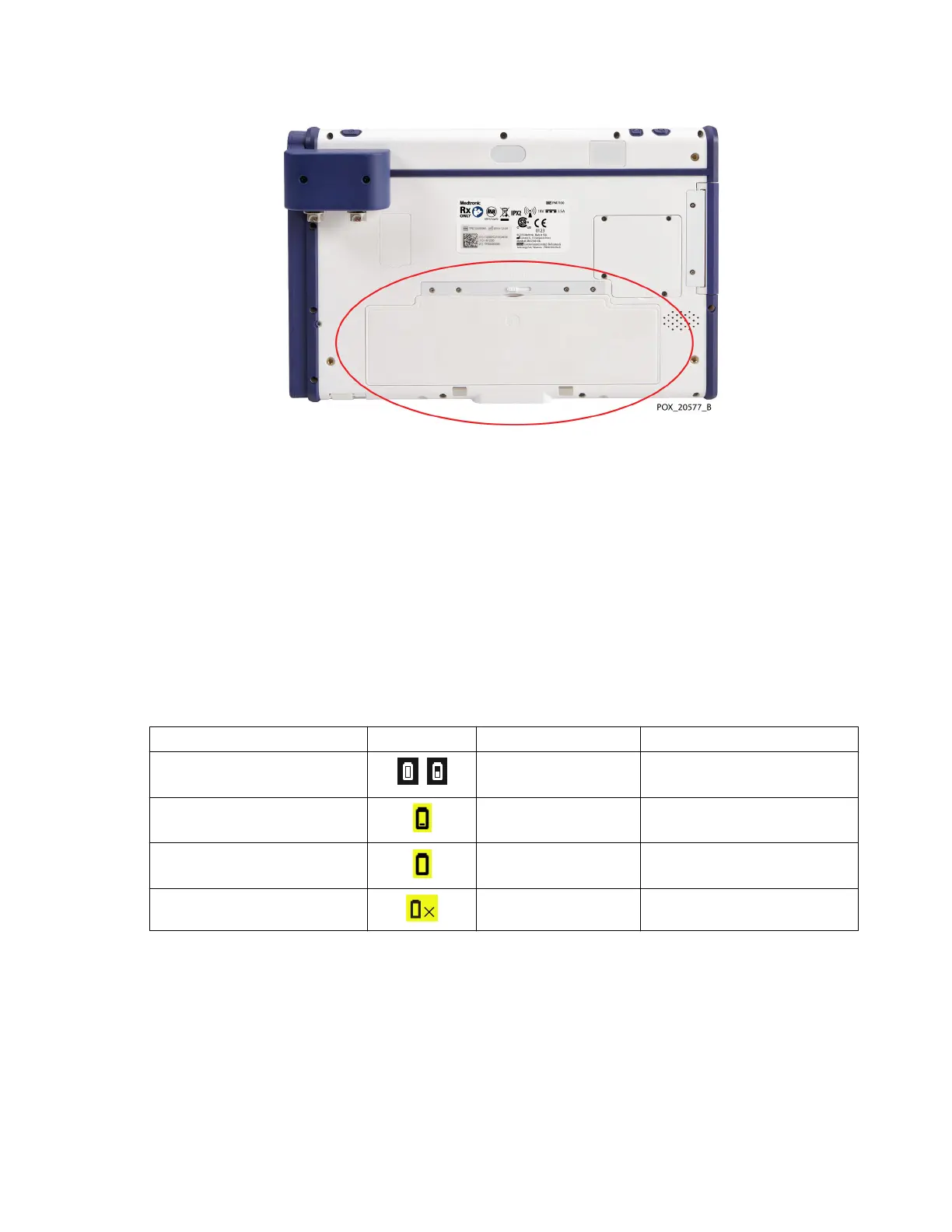
Figure 12. Battery Location at Back of Monitor
Medtronic strongly recommends using AC power during continuous operation. Use battery
power only when necessary, such as during transport within a facility. If the monitoring
system is operating on battery power, alarms are generated if the battery reaches low or
critical levels. When the battery is depleted, the monitoring system shuts down
immediately.
3.4.2.1. Battery Status Indicators
If using the monitoring system on battery power, be sure to frequently check the battery
status (Table 3).
Table 3. Battery Status Indicators - Monitoring System Operating on Battery Power
Battery status Screen icon Audible alarm Message
Charged
(33% - 100% remaining)
N/A N/A
Low
(<33% remaining)
Medium priority BATTERY LOW
Critically Low
(<5% remaining)
Medium priority BATTERY CRITICALLY LOW
Malfunctioning Low priority - no audible
alarm
BATTERY FAILURE
3.4.2.2. Battery Life
Caution: Dispose of the battery in accordance with local guidelines and regulations.
For maximum battery reliability, replace the battery on a regular basis. Medtronic
recommends replacing the battery once every 2 years. If the battery will not sustain
monitoring for more than approximately 1 hour when fully charged, replace the battery
immediately.
Contact Medtronic or a local Medtronic representative for information about obtaining
replacement batteries. See Technical Services, page 10.



 To Next Page
 Loading...

