28 Operator's Manual English
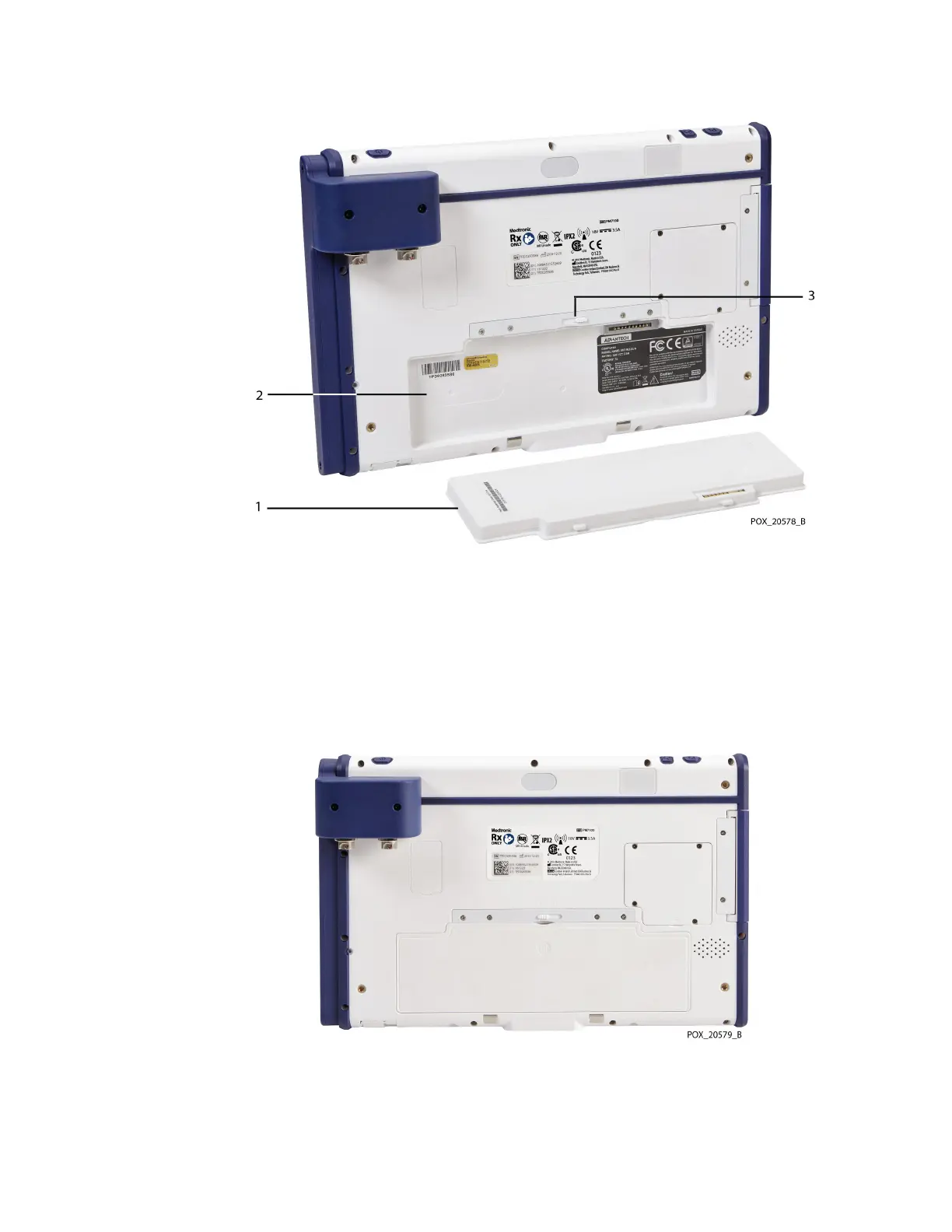
Figure 13. Battery Slot and Latch at Back of Monitor
1. Battery
2. Battery slot
3. Battery latch
3. Insert the battery into the slot, bottom edge (with three tabs) first.
4. With the battery completely inserted, slide the battery latch to the left to lock the
battery in place (Figure 14).
Figure 14. Battery Installed in Monitor
3.5.2. Insert the Monitor into the Docking Station
The docking station is intended to hold the monitor during typical use of the monitoring
system. You can mount the docking station on the provided stand or on other VESA™*-



 To Next Page
 Loading...

