78 Operator's Manual English
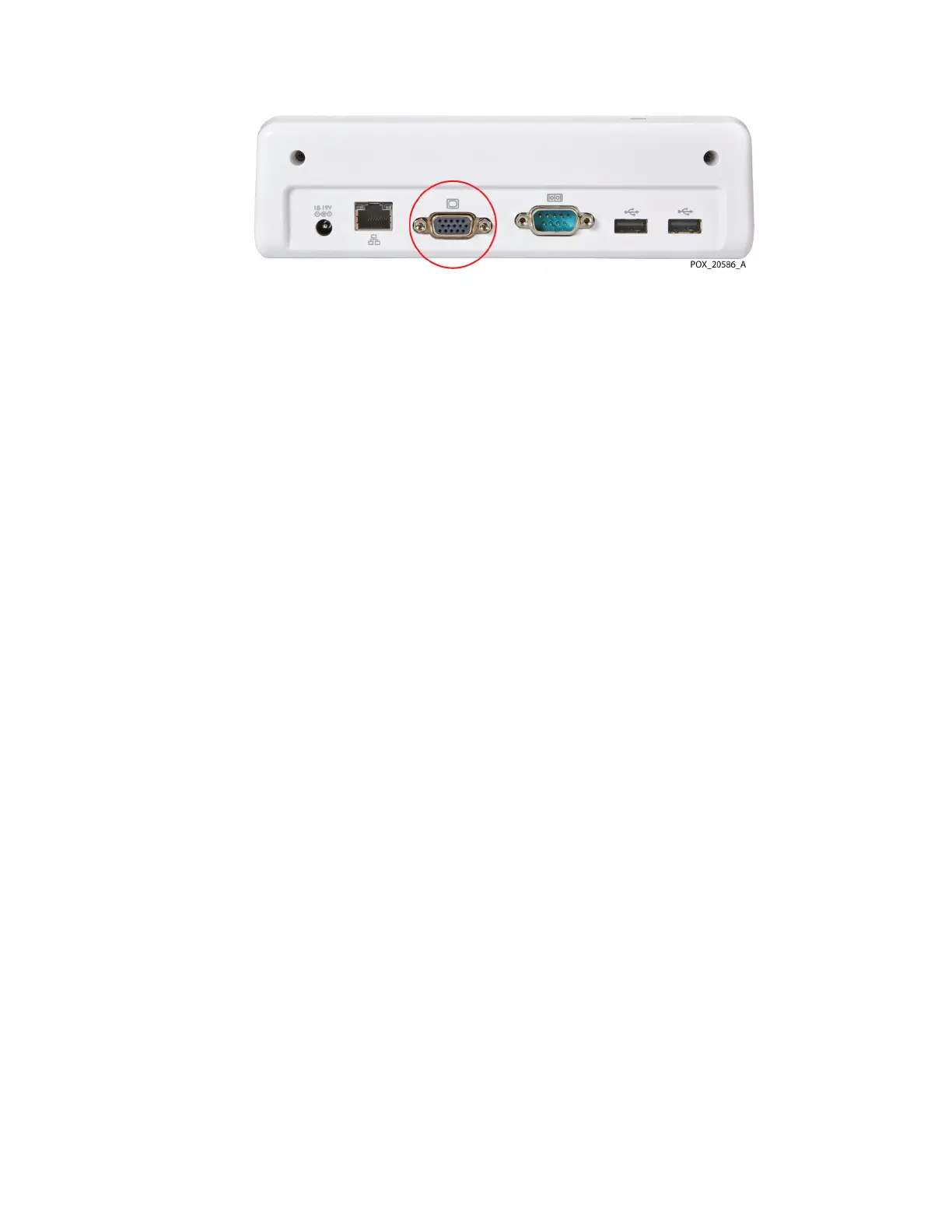
Figure 66. VGA Port on Docking Station
5.4. Downloading Case Histories to a USB Drive
Using a USB flash drive, you can download case histories from the monitoring system for
storage or later analysis on a computer. See Exporting Case Histories, page 75 for
instructions. Downloaded case history data can be graphed using a commercial
spreadsheet program. See Case Histories Downloaded via USB, page 82 for case history
data format and file name information.
Use any of the USB ports on the monitor or docking station to download case histories. The
monitor has one USB 2.0 and one USB 3.0 port (see Figure 4, page 16). The docking station
has two USB 2.0 ports (see Figure 7, page 19). Do not connect any device other than a USB
flash drive to the monitoring system's USB ports.
Note: Medtronic recommends incorporating appropriate security measures for any external
devices receiving patient data from the monitoring system.
5.5. Transmitting Monitoring System Data to External
Devices via the Serial Port
To transmit monitoring system data to devices such as a Philips IVOI module or a computer,
use the serial port on the docking station (Figure 67). As described in the following
sections, real-time data can be transmitted for display on a Philips multi-parameter system
or similar systems. Data can also be transmitted during a case to a computer for storage
and later analysis.
Note: The monitoring system will also interface with multi-parameter systems that accept
the Philips VOI B module specified in Transmitting Real-Time Data to a Philips
IntelliBridge™* and VueLink™* Open Interface (IVOI) Module, page 79. Contact Medtronic
Technical Services for information about compatibility with other commercial devices.
See Technical Services, page 10.


 To Next Page
 Loading...


