52 Operator's Manual English
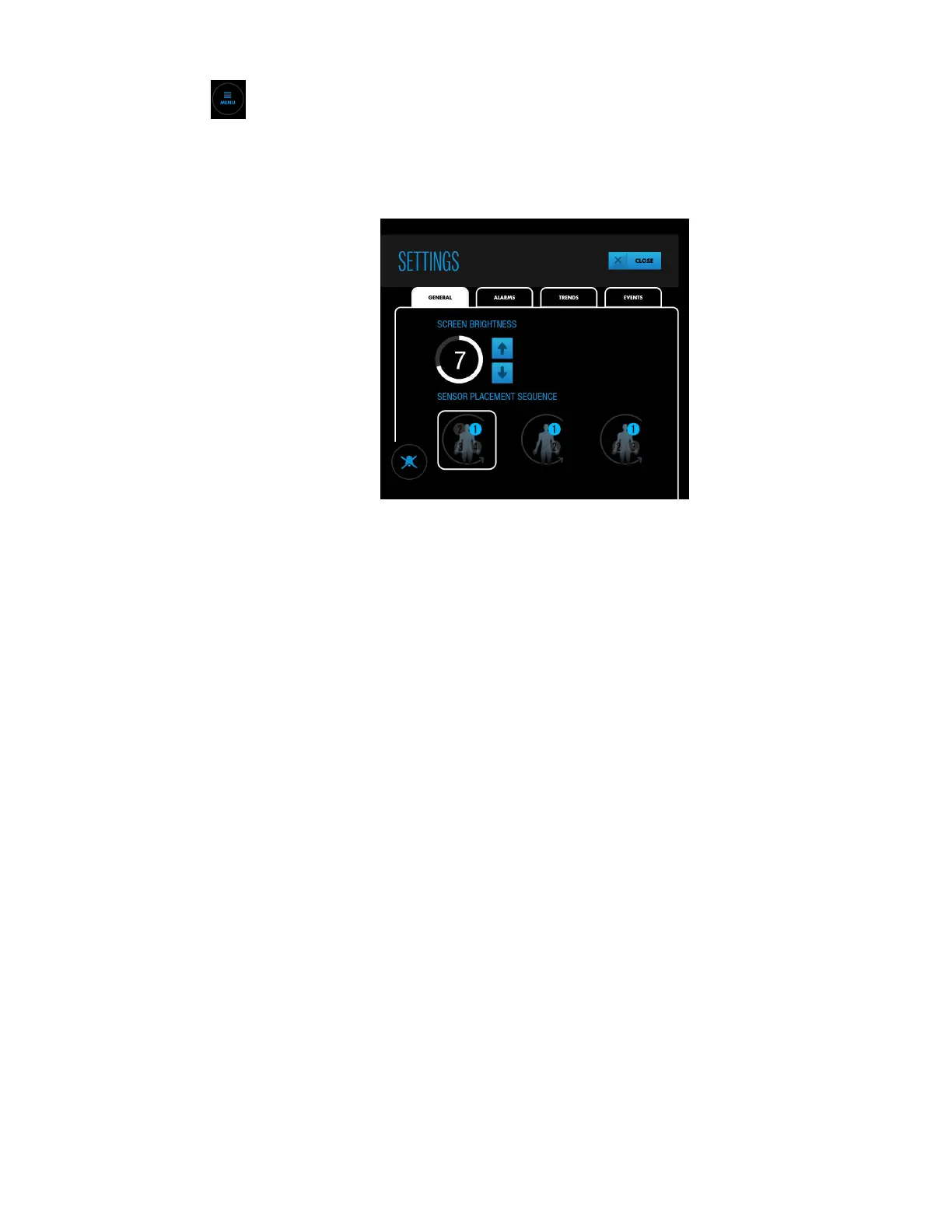
2. Press SETTINGS.
3. Press GENERAL.
Figure 35. SETTINGS - GENERAL - SCREEN BRIGHTNESS
4. Press an arrow key to increase or decrease the screen brightness.
5. Press CLOSE.
4.9. Baselines
The monitoring system requires an rSO
2
baseline for each tissue region being monitored so
that changes from the baseline can be reported. Changes in rSO
2
values of >20% from
baseline are considered clinically significant and cause for concern and possible
interventions.
When measured rSO
2
values are below or above specific limits, the monitoring system
issues an alarm. You can use the monitoring system’s default alarm limits or set custom
limits, as described in Setting Alarm Limits, page 62.
It is recommended that you obtain baselines while the patient is stable and awake (for
example, prior to surgical induction). You can set baselines for all sensors at once or for
individual sensors. If necessary, you can retake baselines at any time during monitoring.
Automatic Baselines: If you do not actively set baselines, the monitoring system
automatically sets them approximately five minutes after monitoring begins. You can use
these automatic baselines, or retake the baselines. Be aware that sudden large changes in a
patient’s saturation values during the initiation of monitoring can result in
unrepresentative automatically calculated baseline values. If you use automatic baselines,
be sure to check the values to make sure they are appropriate. Manually retake the
baselines, if necessary.
Note: If you reposition or replace a sensor during monitoring, be sure to retake the baseline
for that sensor to ensure a valid representation of rSO
2
at that location.



 To Next Page
 Loading...

