48 Operator's Manual English
2. Drag the on-screen sensor to a new position and release.
3. Confirm the new position by touching each highlighted on-screen sensor.
To reposition the on-screen sensors while monitoring:
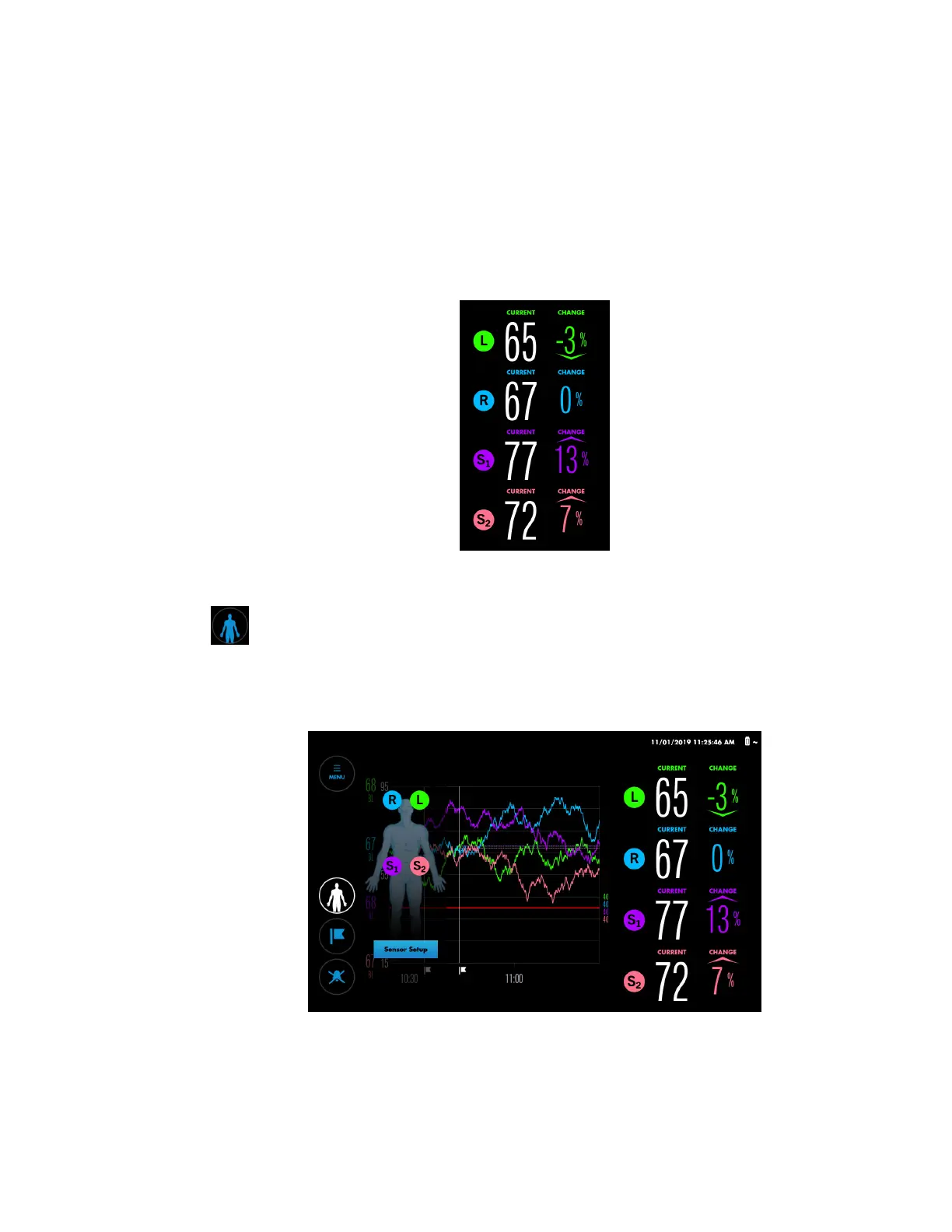
1. At the monitoring screen, briefly press a sensor icon next to the CURRENT values to
determine the corresponding sensor’s location on the patient. The blue LEDs on
the RSC and preamplifier flash to indicate the corresponding sensor.
Figure 29. Sensor Icons Next to CURRENT Values (Press to Locate Sensor on Patient)
2. Press the Patient button.
The patient icon appears.
Figure 30. Patient Icon
3. Press Sensor Set-up.
4. At the Set-up screen, drag the on-screen sensor to a new position and release.
5. Confirm the new position by touching each highlighted on-screen sensor.
6. Press APPEND OLD DATA to resume monitoring. Note that there will be a brief gap
in the data on the trend graph.



 To Next Page
 Loading...

