3
Operator's Manual English 29
compatible equipment capable of supporting at least 5.1 lb (2.3 kg) (VESA™* FDMI MIS-D,
75).
Monitor stand use: If you intend to use the monitor stand, attach the docking station to the
stand using the provided hardware. Refer to the instructions provided with the monitor
stand.
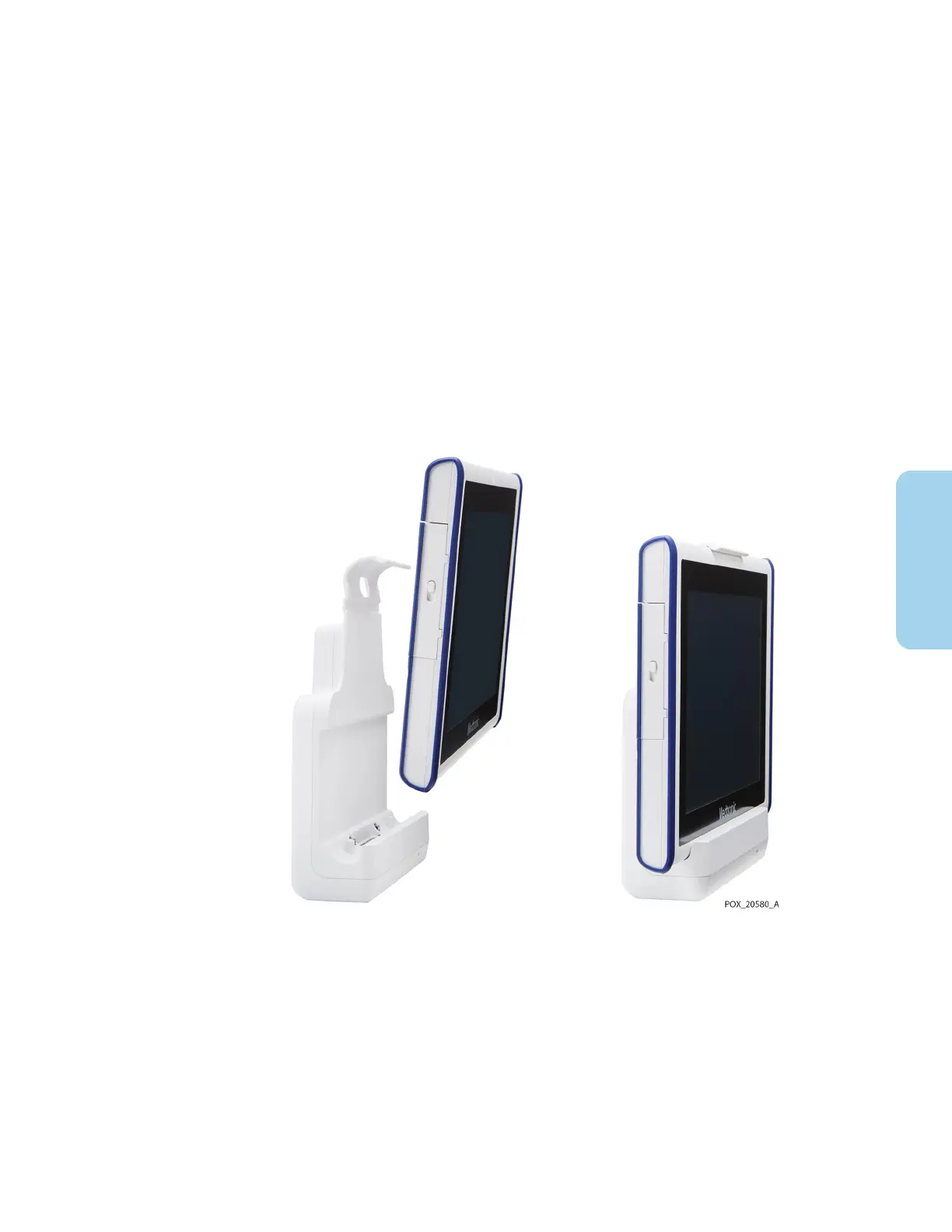
To insert the monitor into the docking station:
1. Align the connector at the bottom of the monitor with the connector in the
docking station (Figure 15).
2. Press the monitor down into the docking station until the connectors engage. Pegs
and guide holes in the docking station and monitor ensure proper alignment.
3. Press the monitor back into the clip at the top of the docking station until it fully
engages.
Figure 15. Monitor Mounted in Docking Station
3.5.3. Connect the Preamplifier(s)
Caution: Make sure all connectors are fully engaged and free from moisture. Moisture
intrusion may cause poor performance or no readings at all.
To connect the preamplifier(s) to the monitor:
1. Align the red dot on the preamplifier cable connector with the red marking on the
monitor input connection (Figure 16).



 To Next Page
 Loading...

