4 - COMMANDS AND INSTRUMENTS
4 - 11
CONTROL PANEL (P) DESCRIPTION
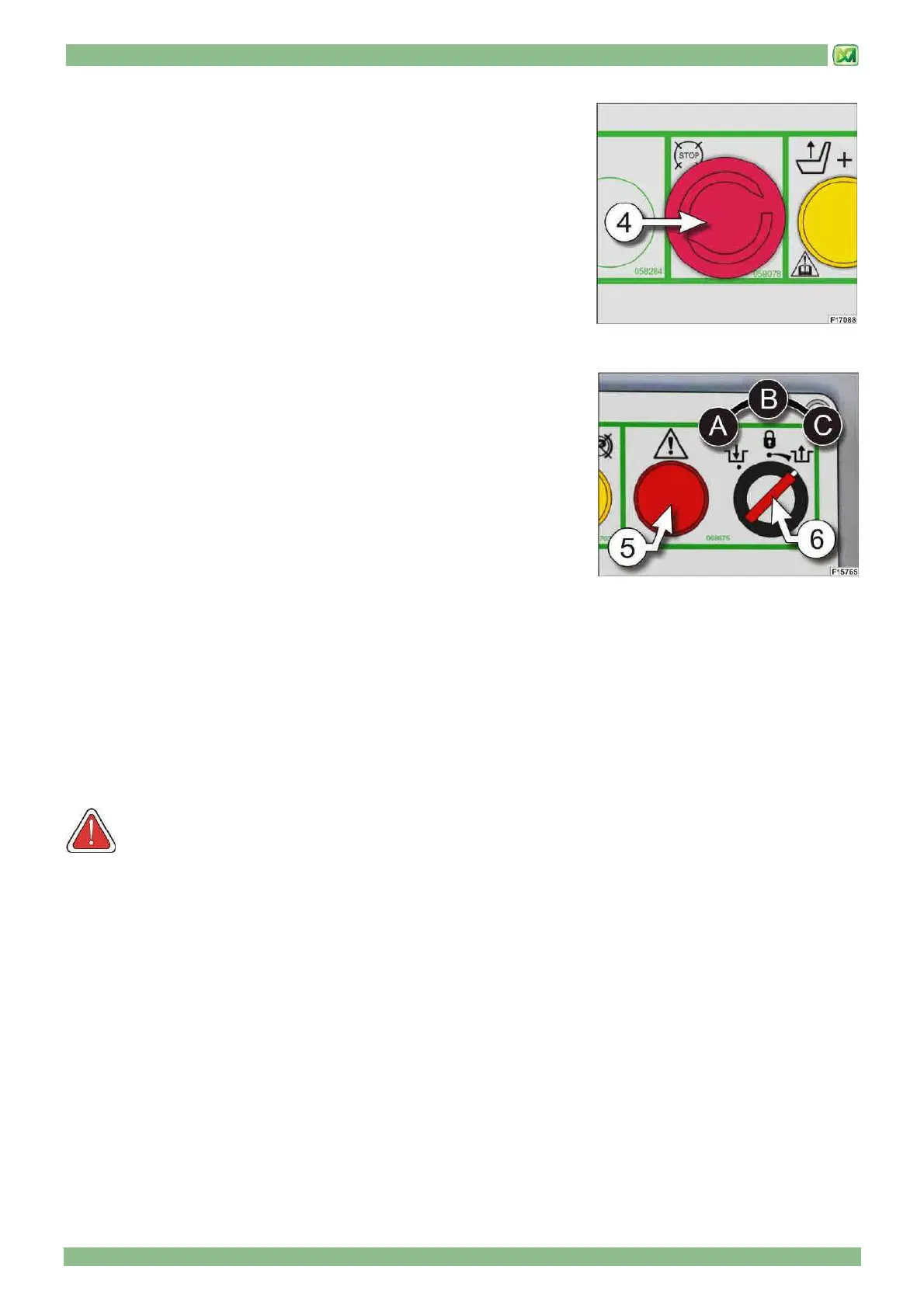
• EMERGENCY PUSH BUTTON (4)
These can be used to stop the diesel engine with subsequent disconnection of
the controls.
Before starting the engine again, the button has to be reset rotating it in direction
of the arrow.
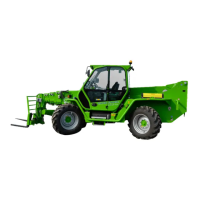
• OPERATING MODE SELECTOR SWITCH (6)
When your machine is delivered to you, the key (6) can be found in the
document pocket behind the seat. When using the key, observe the following
instructions scrupulously:
A) Movement engagement.
Material or personnel hoisting use. The machine can be used as a lifting
equipment (e.g. using forks, fly jib...) and the key must be removed from its
location.
B) Running on the road.
Isolation of all hydraulic controls except steering. This prevents accidental control operation whilst driving the machine on
the road.
When this operating mode is selected, the system switches off the display (D) in the cab.
C) Emergency movements (command with spring return to position B)
Position "C" of the selector (6) allows you to make all the movements to bring the machine back into acceptable driving
conditions in the event of a fault on one of the safety devices.
When emergency movements are being performed, the red indicator light (5) on the "P" command panel flashes while the
buzzer is deactivated.
The safety bypass function can be activated in any machine configuration or operating condition
ATTENTION! The correct and safe use of the key described in this paragraph is ultimately the responsibility of
the person in charge of the operation (owner, foreman, etc.). Never leave the key inserted, to avoid any improper use
during normal operation. The key can only be taken out when the selector (6) is in position "A".


 To Next Page