Quadra-Chek
®
QC200
3-103
Step 4
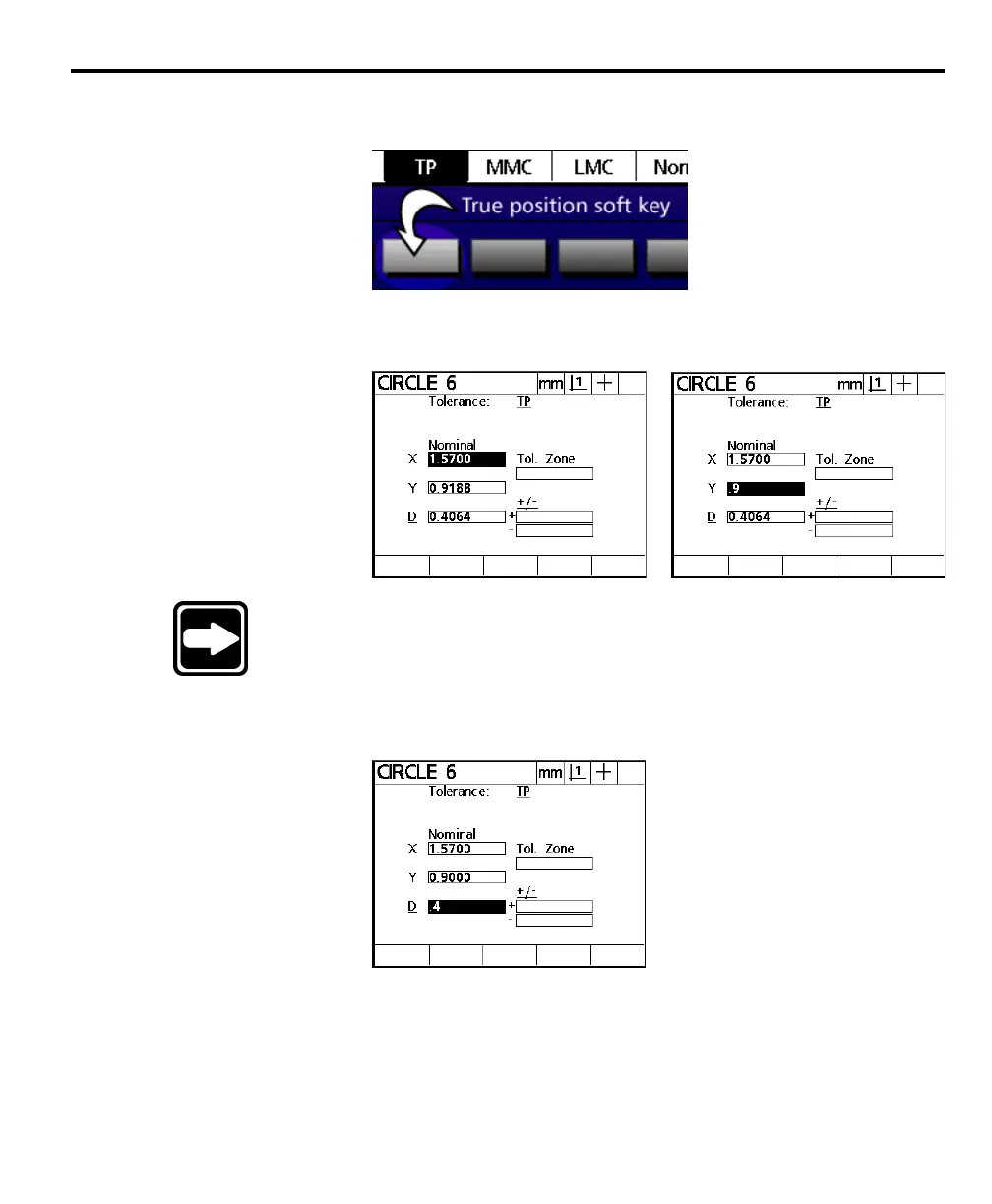
Press the true position soft key.
Step 5
Enter the nominal values for X and Y.
NOTENOTE
NOTENOTE
NOTE
Until the user enters nominal values, the QC200 displays theUntil the user enters nominal values, the QC200 displays the
Until the user enters nominal values, the QC200 displays theUntil the user enters nominal values, the QC200 displays the
Until the user enters nominal values, the QC200 displays the
actual coordinates in the nominal X and Y fields.actual coordinates in the nominal X and Y fields.
actual coordinates in the nominal X and Y fields.actual coordinates in the nominal X and Y fields.
actual coordinates in the nominal X and Y fields.
Step 6
Enter the nominal radius or diameter.



 To Next Page