Chapter 3 Operation
3-104
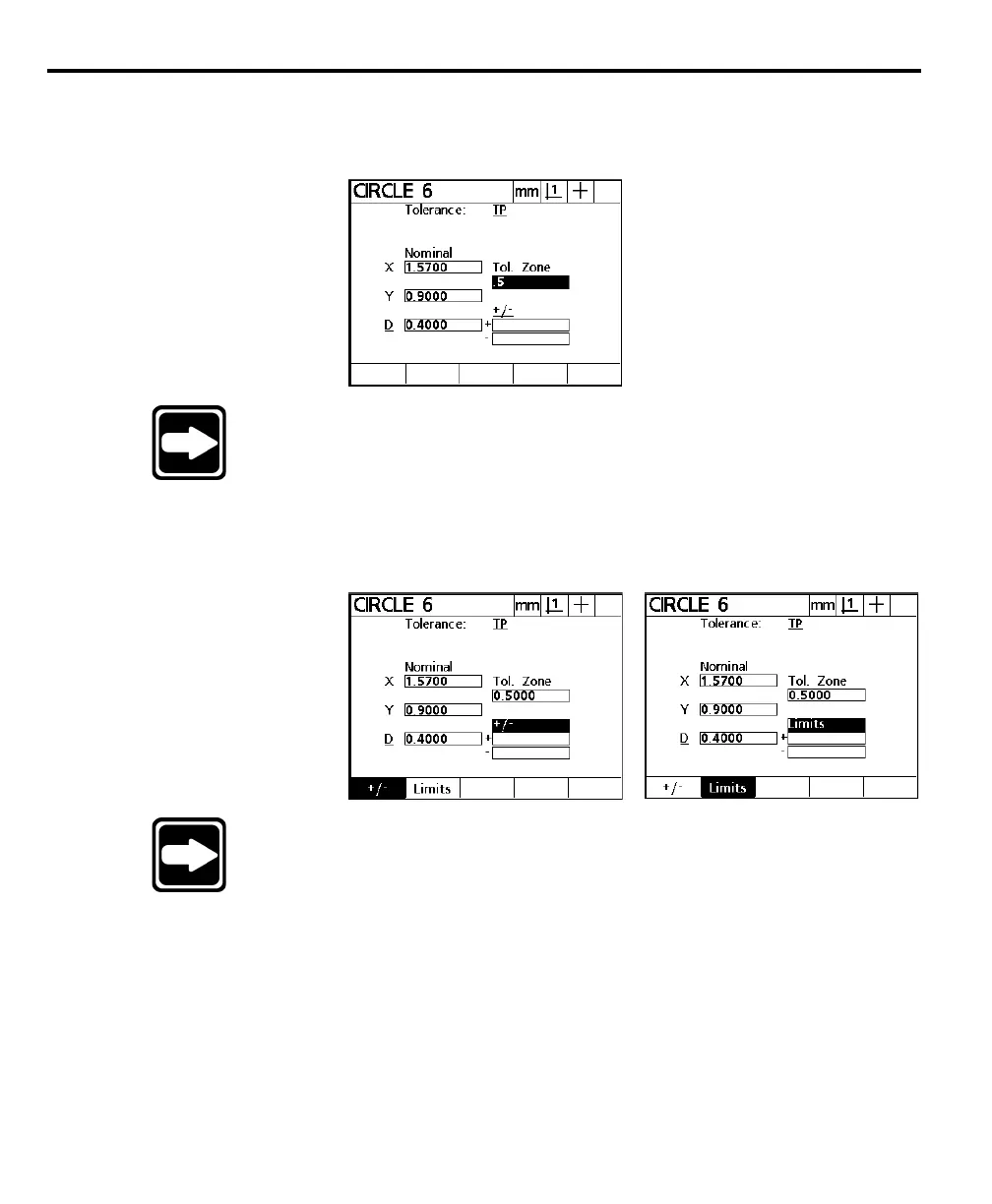
Step 7
Use the numeric keypad to enter the desired tolerance zone in the tol zone field as
shown.
NOTENOTE
NOTENOTE
NOTE
The The
The The
The
tol zone (tolerance zone)tol zone (tolerance zone)
tol zone (tolerance zone)tol zone (tolerance zone)
tol zone (tolerance zone)
of the circle is the radius within of the circle is the radius within
of the circle is the radius within of the circle is the radius within
of the circle is the radius within
which the center point of the circle must be. If the center pointwhich the center point of the circle must be. If the center point
which the center point of the circle must be. If the center pointwhich the center point of the circle must be. If the center point
which the center point of the circle must be. If the center point
lies outside this radius the tolerance fails.lies outside this radius the tolerance fails.
lies outside this radius the tolerance fails.lies outside this radius the tolerance fails.
lies outside this radius the tolerance fails.
Step 8
Select limits or +/-.
NOTENOTE
NOTENOTE
NOTE
Limits allows the user to set upper and lower limits on a value.Limits allows the user to set upper and lower limits on a value.
Limits allows the user to set upper and lower limits on a value.Limits allows the user to set upper and lower limits on a value.
Limits allows the user to set upper and lower limits on a value.
For example, a nominal value of 10.3250 might have an upperFor example, a nominal value of 10.3250 might have an upper
For example, a nominal value of 10.3250 might have an upperFor example, a nominal value of 10.3250 might have an upper
For example, a nominal value of 10.3250 might have an upper
limit of 10.3260 and a lower limit of 10.3240. Select +/- tolimit of 10.3260 and a lower limit of 10.3240. Select +/- to
limit of 10.3260 and a lower limit of 10.3240. Select +/- tolimit of 10.3260 and a lower limit of 10.3240. Select +/- to
limit of 10.3260 and a lower limit of 10.3240. Select +/- to
enter the actual tolerance value. For example, if a part drawingenter the actual tolerance value. For example, if a part drawing
enter the actual tolerance value. For example, if a part drawingenter the actual tolerance value. For example, if a part drawing
enter the actual tolerance value. For example, if a part drawing
gives a +/- tolerance of 0.005, simply enter 0.005 in the plusgives a +/- tolerance of 0.005, simply enter 0.005 in the plus
gives a +/- tolerance of 0.005, simply enter 0.005 in the plusgives a +/- tolerance of 0.005, simply enter 0.005 in the plus
gives a +/- tolerance of 0.005, simply enter 0.005 in the plus
and minus fields.and minus fields.
and minus fields.and minus fields.
and minus fields.



 To Next Page