Quadra-Chek
®
QC200
2-23
Step 8
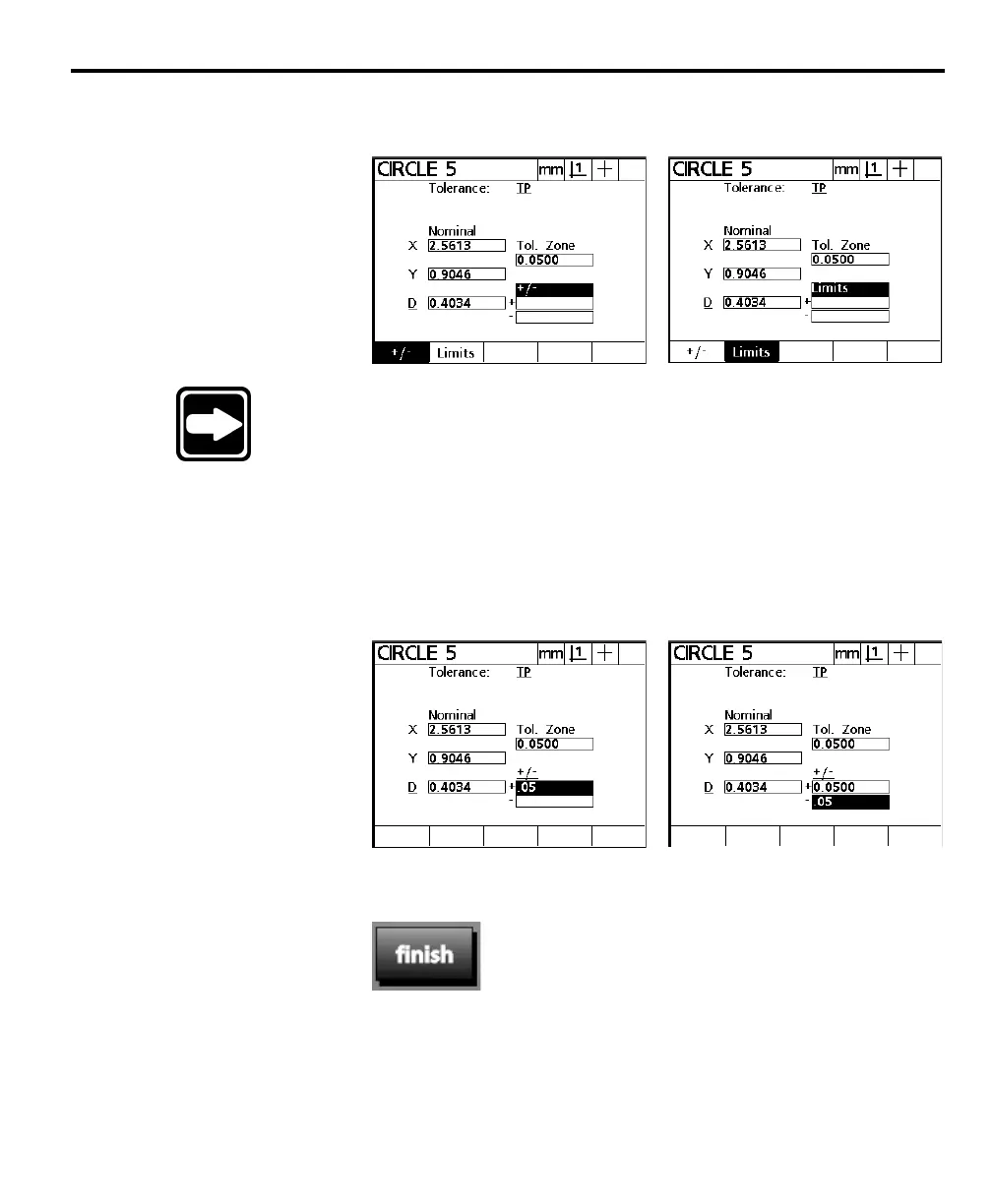
Select limits or +/-.
NOTENOTE
NOTENOTE
NOTE
Use the Use the
Use the Use the
Use the
limits fieldlimits field
limits fieldlimits field
limits field
to set upper and lower limits on a value. For to set upper and lower limits on a value. For
to set upper and lower limits on a value. For to set upper and lower limits on a value. For
to set upper and lower limits on a value. For
example, a nominal value of 10.3250 mm might have an upperexample, a nominal value of 10.3250 mm might have an upper
example, a nominal value of 10.3250 mm might have an upperexample, a nominal value of 10.3250 mm might have an upper
example, a nominal value of 10.3250 mm might have an upper
limit of 10.3260 mm and a lower limit of 10.3240 mm. Selectlimit of 10.3260 mm and a lower limit of 10.3240 mm. Select
limit of 10.3260 mm and a lower limit of 10.3240 mm. Selectlimit of 10.3260 mm and a lower limit of 10.3240 mm. Select
limit of 10.3260 mm and a lower limit of 10.3240 mm. Select
+/-+/-
+/-+/-
+/-
to enter the actual tolerance value. For example, if a part to enter the actual tolerance value. For example, if a part
to enter the actual tolerance value. For example, if a part to enter the actual tolerance value. For example, if a part
to enter the actual tolerance value. For example, if a part
drawing gives a +/- tolerance of 0.05 mm, simply enter 0.05drawing gives a +/- tolerance of 0.05 mm, simply enter 0.05
drawing gives a +/- tolerance of 0.05 mm, simply enter 0.05drawing gives a +/- tolerance of 0.05 mm, simply enter 0.05
drawing gives a +/- tolerance of 0.05 mm, simply enter 0.05
mm in the plus and minus fields. This example uses +/-.mm in the plus and minus fields. This example uses +/-.
mm in the plus and minus fields. This example uses +/-.mm in the plus and minus fields. This example uses +/-.
mm in the plus and minus fields. This example uses +/-.
Step 9
Enter the diameter tolerance (+/-) or limits.
Step 10
Press the finish key.



 To Next Page