Chapter 11 Homepage Functions
103
11.1 Oscilloscope (see Chapters 2~13)
11.2 Contact us
Tap on the home page to find out the contact information of MICSIG.
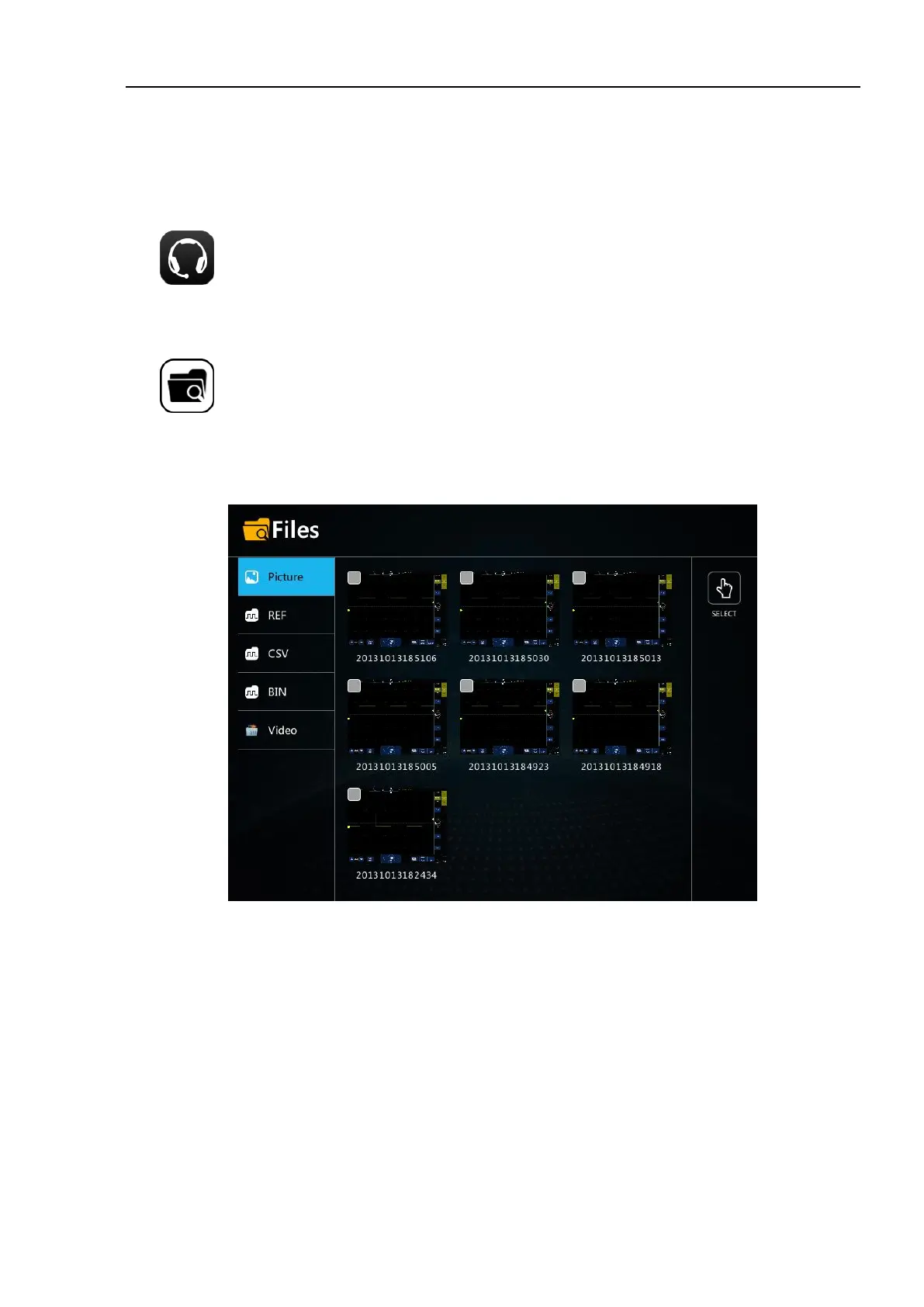
11.3 File Manager
Tap on the home page to enter the file manager interface. The file format includes picture, ref (reference
waveform), CSV, bin and video. When the U disk is not inserted, the local file will be displayed; when the U disk
is inserted, the "local" and "U disk" soft keys will appear. Tap to select and manage the files in the "local" or "U
disk". The functions of naming, deleting and exporting can be realized.
Figure 11-2 File Manager
picture
Tap "picture" to open the picture list and enter the picture management interface.
Tap the picture. The picture is selected. Click again to cancel the selection. If you select a single picture file, you
can delete and rename the picture file. When you insert a U disk, you can export the file to the U disk. If you
select multiple picture files, you can delete the file. When you insert a U disk, you can export the file to the U
disk.
Tap the "select all" button on the right, quickly select all picture files, click again to cancel the selection, delete
the files in all selected status, and export the files to the U disk when inserting the U disk.
REF, CSV, BIN and Video files
File management is the same as picture file



 To Next Page