148
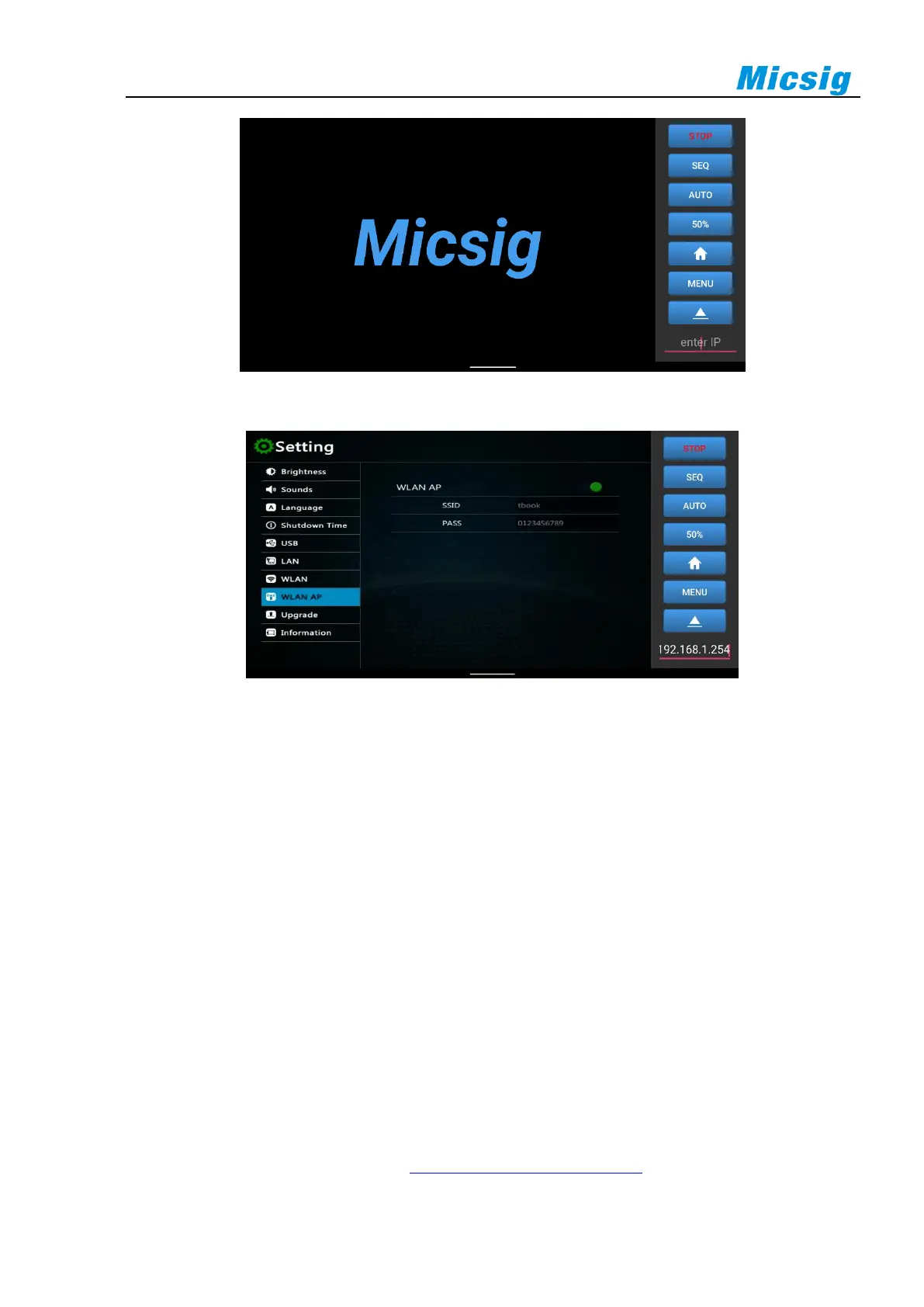
Figure 13-6 Android APP
Figure 13-7 Successful Connection of Android APP
Android APP can be connected by two methods:
1. Use oscilloscope portable hotspot: Mobile phone can be connected to the hotspot of oscilloscope. Enter the
oscilloscope IP 192.168.1.254 in the IP box at the lower right corner of the screen to connect successfully
for control;
2. Connect mobile phone and oscilloscope to the network segment under the same router: view the IP address
of the oscilloscope, and enters such IP address in the lower right corner of the mobile phone to connect
successfully.
The first connection method is recommended.
13.3 FTP
Through FTP, internal files of oscilloscope can be quickly viewed, called and managed from PC or mobile phone.
The tBook mini series oscilloscopes can open FTP via WIFI, oscilloscope portable hotspot, LAN, etc.
WLAN
Turn on WLAN on oscilloscope (refer to 11.4 Settings - WLAN Connection), check and ensure that PC and



 To Next Page