126
12.3 CAN Bus Trigger and Decode
For correctly decoding CAN bus data and making trigger stable, the bus configuration, trigger mode set and
trigger level need to be adjusted.
⚫ Bus configuration
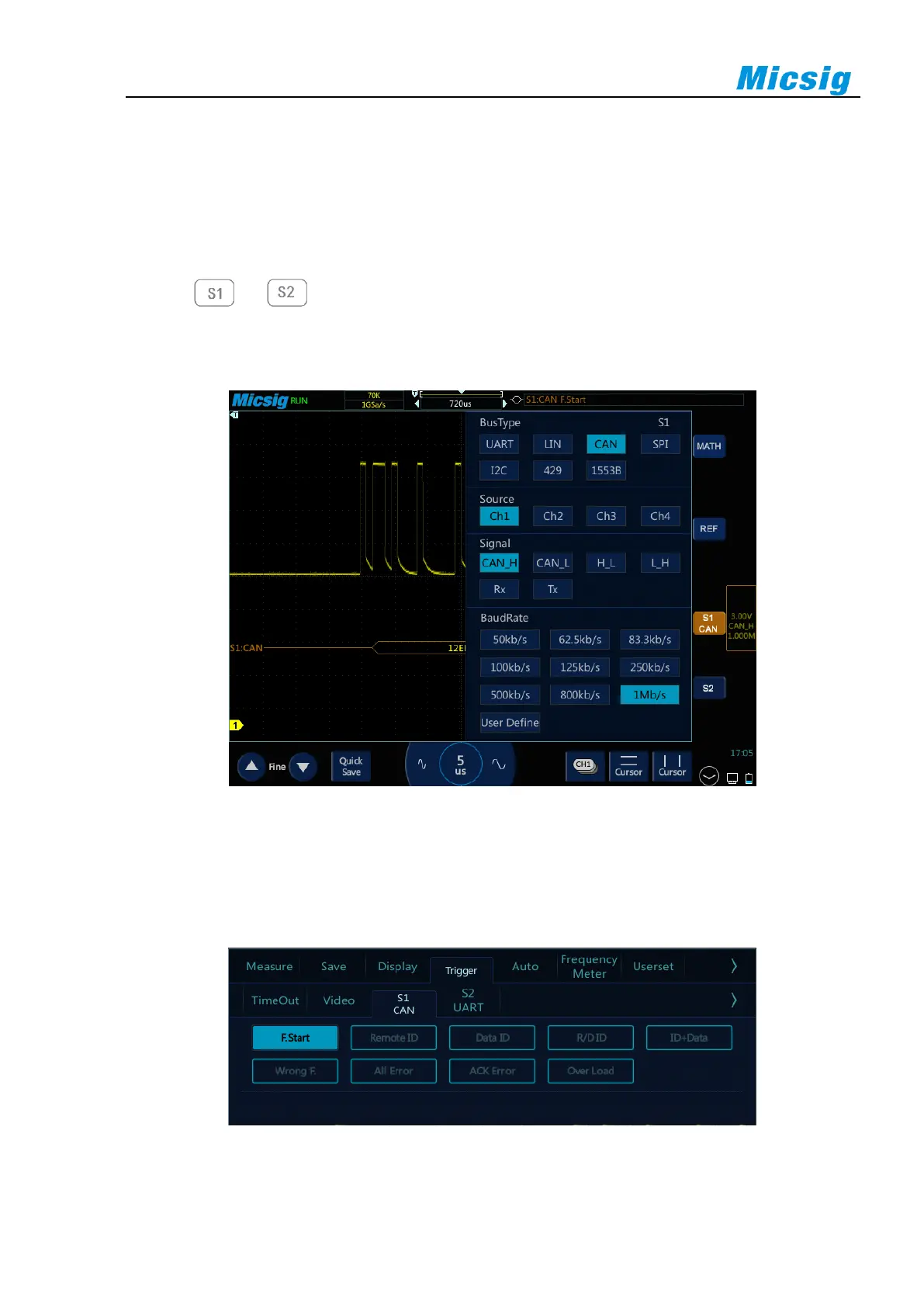
Tap or to open the bus configuration menu, the signal source needs to be set, and the signal
type and baud rate are set according to measured signal; the setting method is the same as that of UART and
will not be repeated here. See Figure 12-14:
Figure 12-14 CAN Bus Configuration Menu
⚫ Trigger mode
Open the trigger configuration menu and select the appropriate trigger type; when S1 CAN bus trigger is
selected, as shown in Figure 12-15:
Figure 12-15 CAN Trigger Mode Configuration Menu



 To Next Page