Chapter 12 Serial Bus Trigger and Decode (Optional)
133
12.5 I2C Bus Trigger and Decode
For correctly decoding I2C bus data and making trigger stable, the bus configuration, trigger mode set and trigger
level need to be adjusted.
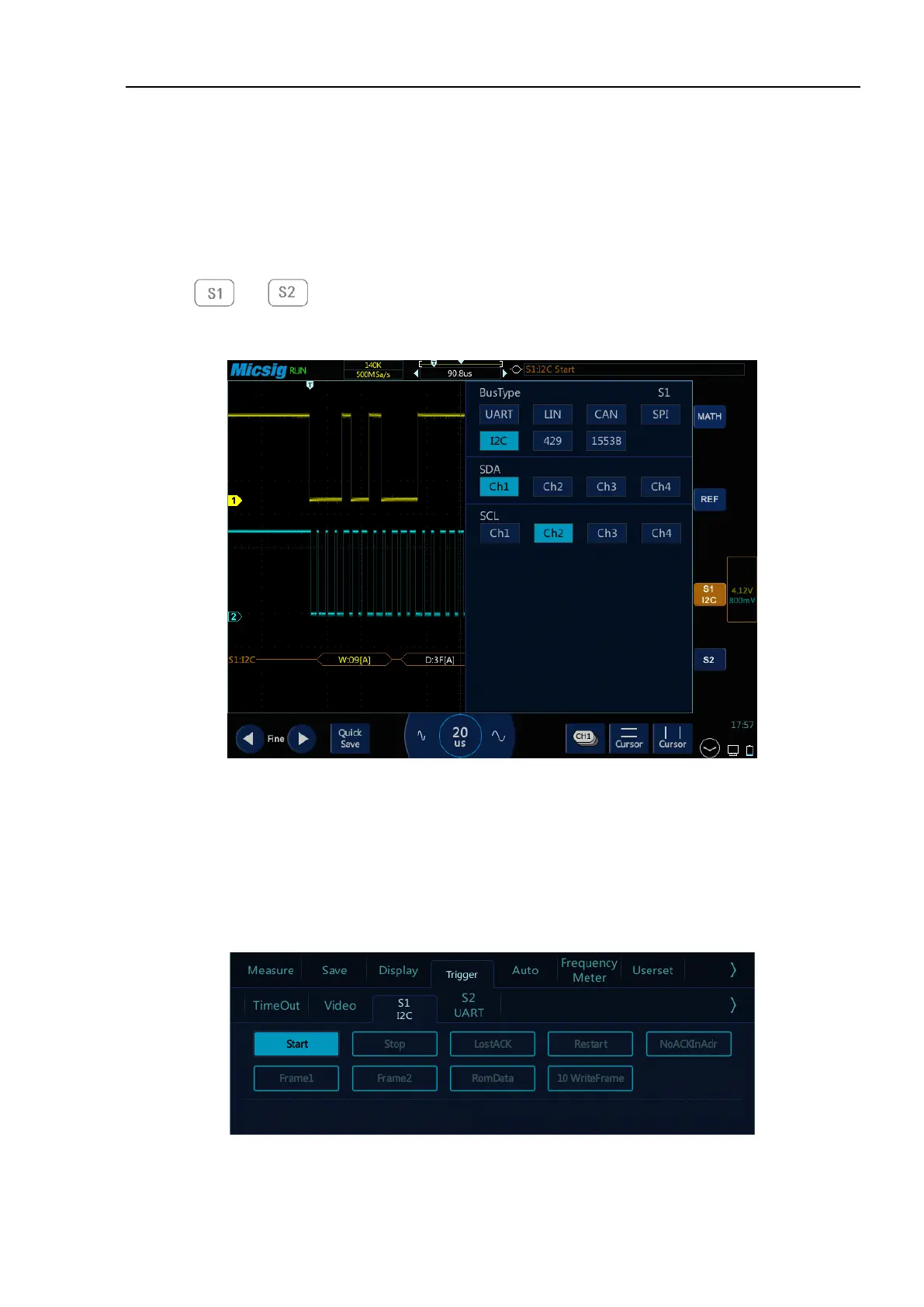
⚫ Bus configuration
Tap or to open the bus configuration menu, Bus configuration includes the serial clock
(SCL) and the serial data (SDA) corresponding to the channel settings. See Figure 12-22:
Figure 12-22 I2C Bus Configuration Menu
Notes: When SCL or SDA channel is set, the system will automatically set other channels.
⚫ Trigger mode
Open the trigger configuration menu and select the appropriate trigger type. When the I2C bus trigger is
selected, click the trigger type and relationship on the screen, as shown in Figure 12-23:
Figure 12-23 I2C Trigger Mode Configuration Menu



 To Next Page