26
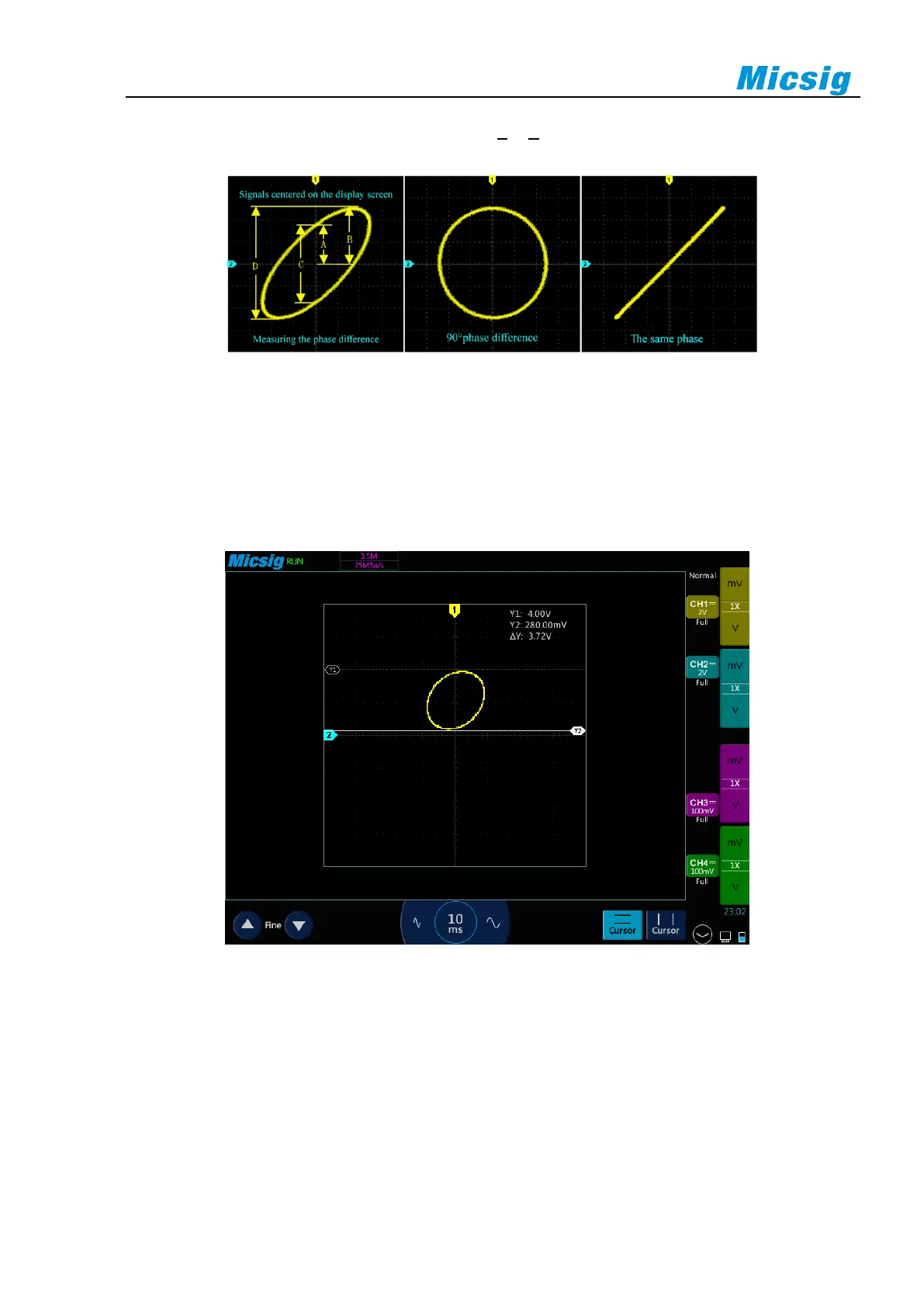
Figure 3-9 XY Time Base Mode Signal, Center on the Display Screen
4) Tap the “Cursor” button to open the horizontal cursor.
5) Set the cursor y2 at the top of the signal and the cursor y1 at the bottom of the signal. Record the Δy value
in the upper right corner of the screen.
6) Move y1 and y2 cursors to the intersection point of the signal and the y-axis. Record the Δy value again.
Figure 3-10 Phase Difference Measurement and Using the Cursor
7) The following formula is used to calculate the phase difference.
For example, if the first Δy value is 9.97V, the second Δy value is 5.72V:
Error! Reference source was not found. ; phase difference error! Reference source was not found.
3.5 Zoom Mode
Zoom is a horizontally expanded version of the normal display. Open the zoom function, the display is divided



 To Next Page