8
2.1 Inspect Package Contents
When you open package after receipt, please check the instrument according to the following steps.
1) Inspect if there is any damage caused by transportation
If the package or foam is found to be severely damaged, please retain it until the instrument and accessories
pass the electrical and mechanical properties test.
2) Inspect the accessories
A detailed description is given in “Annex C” of this manual. You can refer it to check if the accessories are
complete. If the accessories are missing or damaged, please contact Micsig’s agent or local office.
3) Inspect the instrument
If any damage to oscilloscope is found by the appearance inspection or it fails to pass the performance test,
please contact Micsig’s agent or local office. If the instrument is damaged due to transportation, please retain
the package and contact the transportation company or Micsig’s agent, and Micsig will make arrangement.
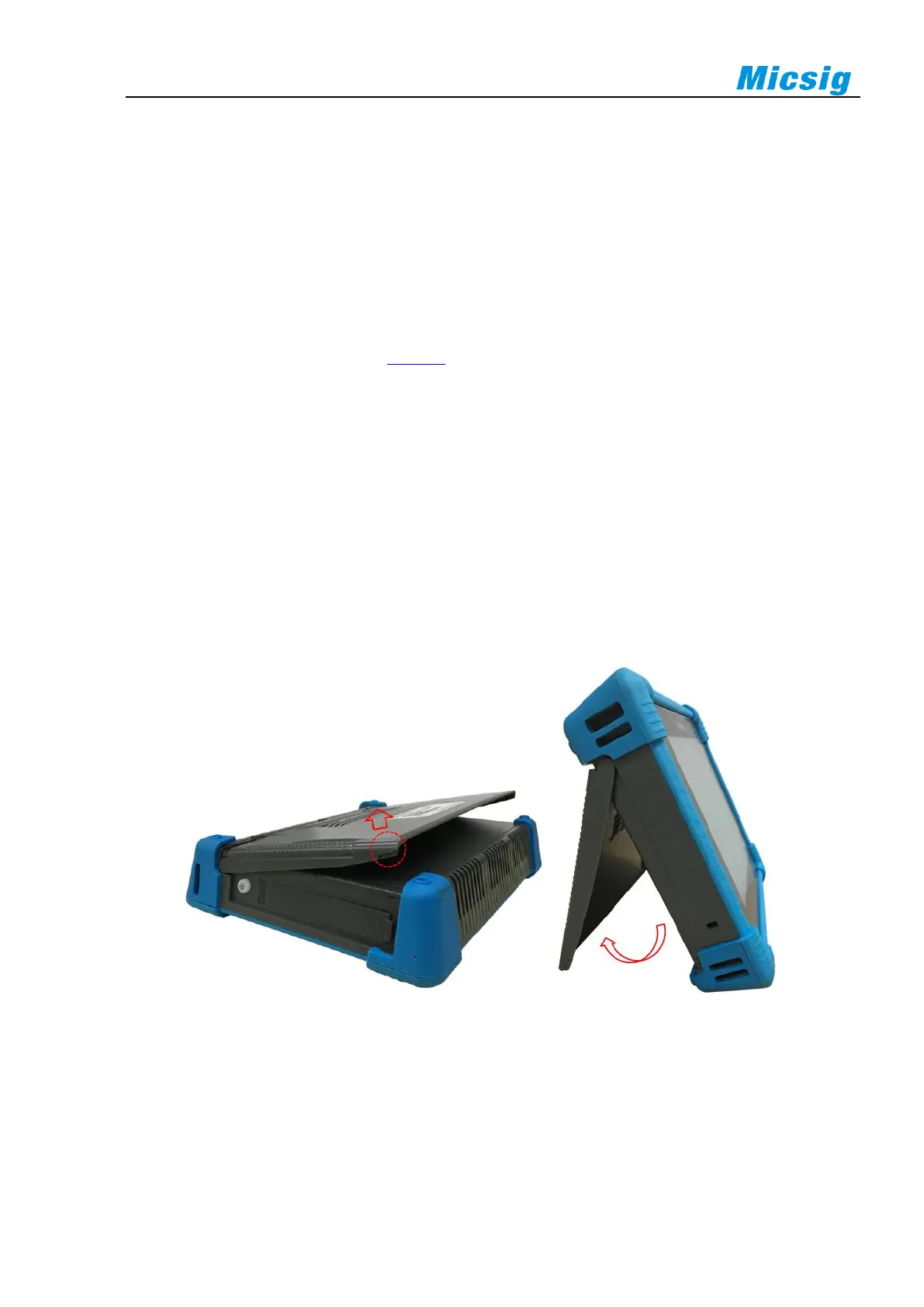
2.2 Use the Bracket
Put the front panel of the oscilloscope flatly on the table. Use your two index fingers to hold the underside of the
bracket and open the bracket by slightly upwards force, as shown in Figure 2-1.
Figure 2-1 Open Bracket



 To Next Page