Chapter 8 MATH and Reference
85
Vertical sensitivity
Tap or on the right side of the screen to set the vertical sensitivity (V/div or dB/div) for the channel
so that waveform is displayed on the screen at an appropriate size. The vertical sensitivity factor is stepped in 1-
2-5 (using 1:1 probe).
Note: FFT waveform does not support automatic parameter measurement.
8.3 Reference Waveform Call
Reference waveform call and close
Tap in the bottom right corner of the screen to enter the second channel selection area. Tap
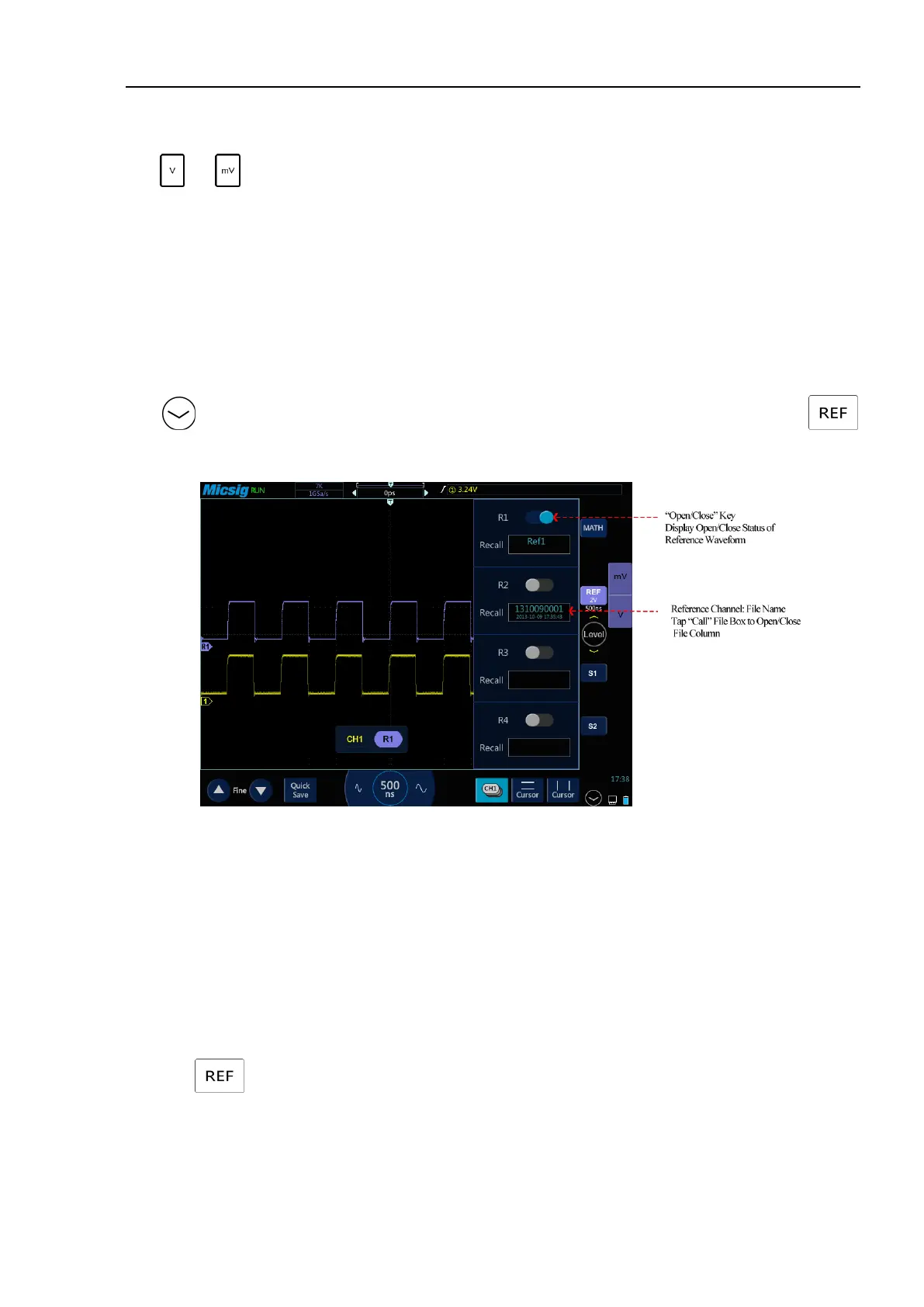
button to open the reference menu, see Figure 8-5.
Figure 8-5 Reference Channel Menu
When there are already waveforms loaded into the reference channel, click “Open/Close” button to open or close
the reference channel; the reference waveform is displayed in blue-violet, and the four stored waveforms can be
displayed simultaneously, wherein the current reference waveform is brighter than non-current reference
waveforms.
When there are no waveforms loaded into the reference channel, turn on the “Call” switch to call waveforms.
Take R1 as an example, with operation steps as follows:
1) Tap to open the reference menu.
2) Tap the “Call” file box under R1 to open the reference file column.
3) Click the name of the reference waveform file to be called. The file is loaded into R1 channel. Then, R1



 To Next Page