Chapter 9 Display Settings and Function Buttons
89
9.1 Waveform Settings
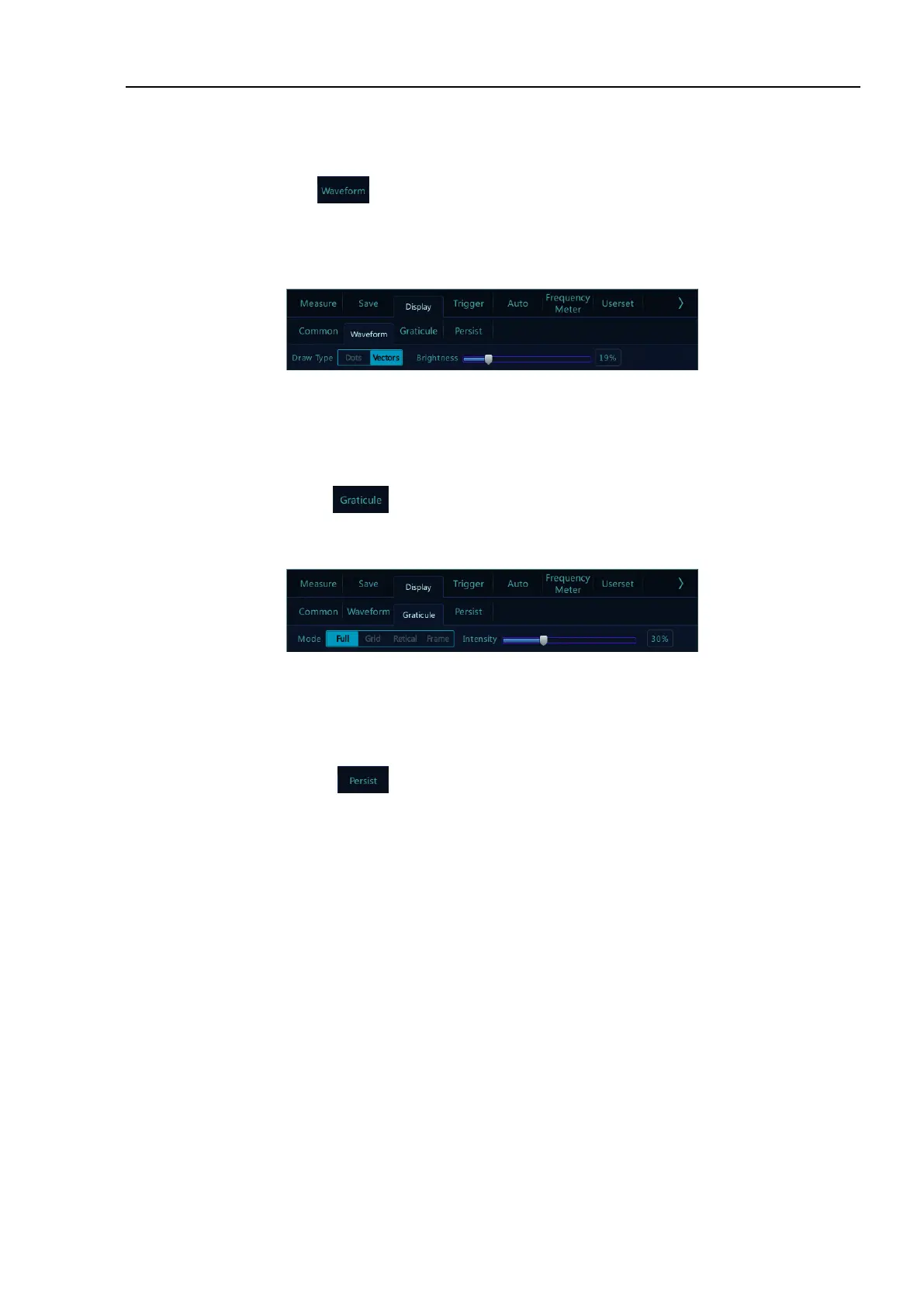
Open the display menu, tap button to open the waveform display menu. This menu is used to set the
display mode and brightness of waveform. The waveform display mode is divided into two types: dots and vectors.
The waveform brightness percentage is adjustable, and the waveform display setting is shown in Figure 9-2.
Figure 9-2 Waveform Display Menu
9.2 Graticule Setting
Open the display menu and tap button to open the graticule setting menu (Figure 9-3). Graticule display
mode includes: “Full”, “Grid”, “Retical” and “Frame”, and the brightness percentage is adjustable.
Figure 9-3 Graticule Menu Display
9.3 Persistence Setting
Open the display menu and tap key to open the persistence settings menu.
1) Persistence setting
In the persistence setting menu, select:
⚫ None: None - no persistence.
⚫ Auto: Auto — automatic persistence.
⚫ Normal: Normal - set the persistence time — After selecting the variable persistence, tap the box on
the right of “Adjust” to pop up the persistence time selection box (Figure 9-4) and set the persistence
time. It can be set between 10ms and 10s.
⚫ ∞: Infinite persistence - never erase the results of previous acquisitions
Infinite persistence can be used to measure noise and jitter, display the worst-case extremes of varying
waveforms, find time violations, capture events that occur infrequently.



 To Next Page