80
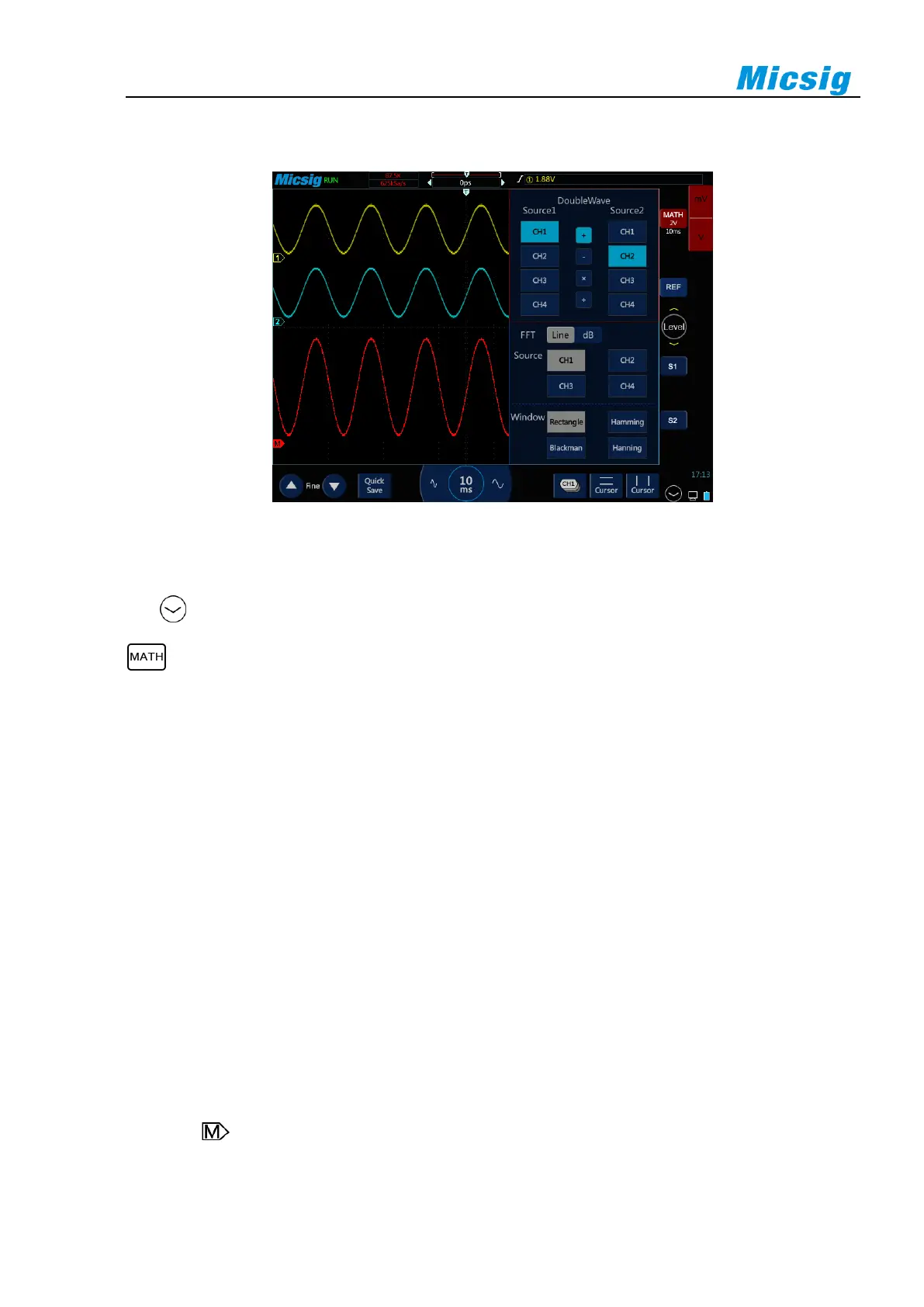
8.1 Dual Waveform Calculation
Figure 8-1 MATH Channel Waveform
Display math waveform
Tap on the lower right corner of the screen to enter the second channel selection area. Tap the soft key
to open the math channel. After the math waveform is opened, the current channel selector is automatically
opened.
Tap the math channel icon, open the math channel, and tap again to open the math channel menu. While opening
math for the first time, the math operation is defaulted as the dual channel calculation.
Math operation prompt
If the analog channel or math function is clipped (not fully displayed on the screen), the resulting math function
will also be clipped.
Once the math waveform is displayed, tap the channel icon to close the source channel for a better view of the
math waveform.
The vertical sensitivity and offset of each channel participating in the math function can be adjusted to facilitate
viewing and measuring of the math waveform.
The math function waveform can be measured using “Cursor” and “Measure”.
Adjust the math waveform
1) Press the math channel vertical sensitivity icon, directly tap the math waveform or math channel indication
icon , and set the math channel as the current channel.
2) For details of movement, vertical sensitivity adjustment and time base adjustment of the math channel,



 To Next Page