Chapter 4 Vertical System
31
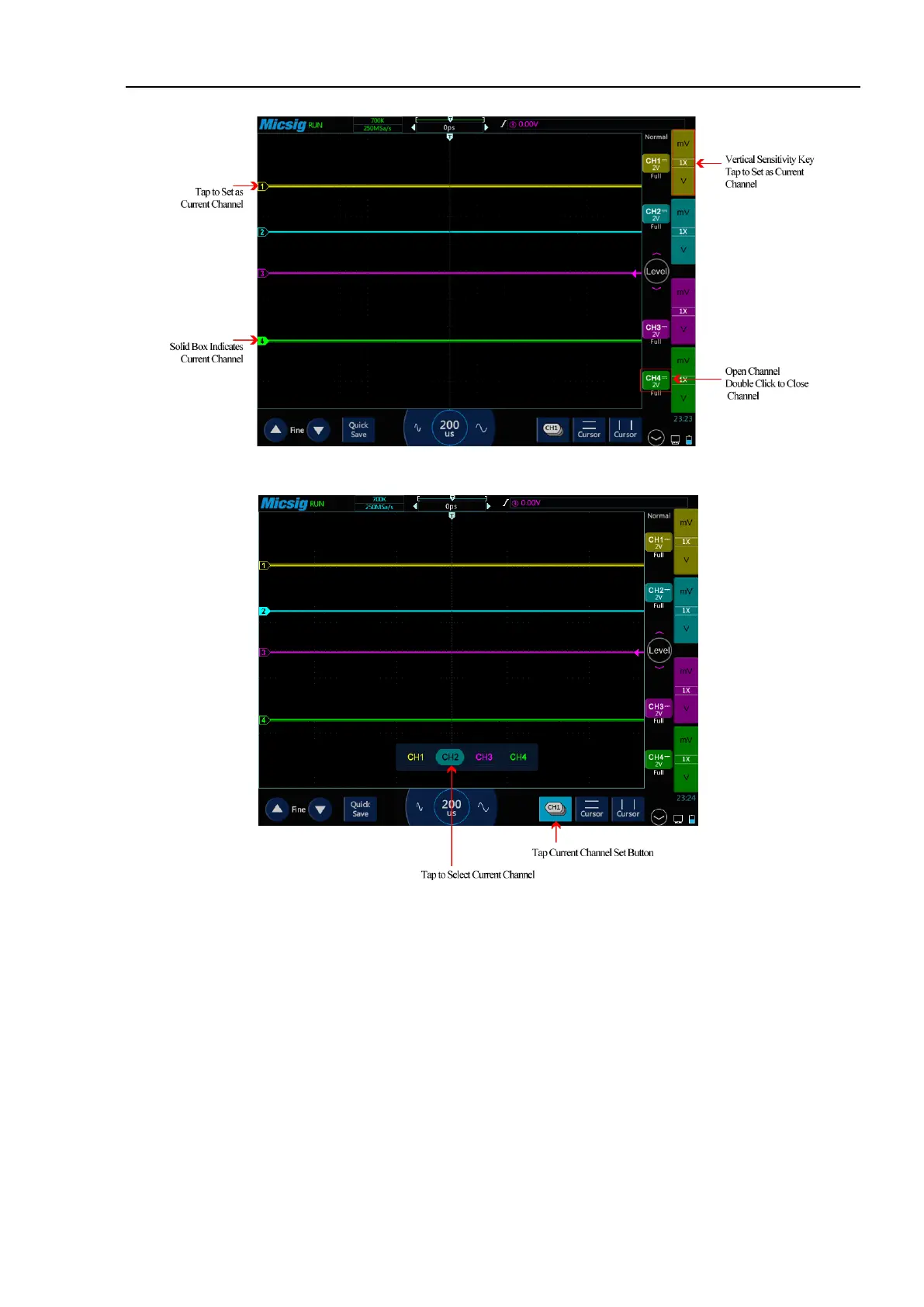
Figure 4-4 Channel Open, Close and Switching
Figure 4-5 Using the Current Channel Selection Button
Tap the current channel icon at the bottom of the screen to pop up the current channel switching menu and press
the button to light it up, as shown in Figure 4-5. Tap the button in the menu to switch the current channel. When
this function is opened:
a. the current channel may be switched in the channel switching menu;
b. the current channel menu can be moved anywhere on the screen;
c. only the open channel is displayed in the channel switching menu;
d. when the math or reference waveform is opened, the current channel switching menu is automatically
opened.



 To Next Page