46
namely the intersection point of the trigger level line and the signal edge. The stable waveform can be obtained
by correctly setting the edge trigger coupling mode. Edge trigger menu is shown in the table below:
Set CH1 as trigger signal source
Set CH2 as trigger signal source
Set CH3 as trigger signal source
Set CH4 as trigger signal source
Set signal trigger on the rising edge
Set signal trigger on the falling edge
Set signal trigger on either rising edge or falling edge
AC and DC components getting through trigger signals
Filter out the DC component of trigger signals
Suppress signals above 50KHz in trigger signals
Suppresses signals below 50KHz in trigger signals
Low-sensitivity DC coupling to suppress high-frequency noise
in trigger signals
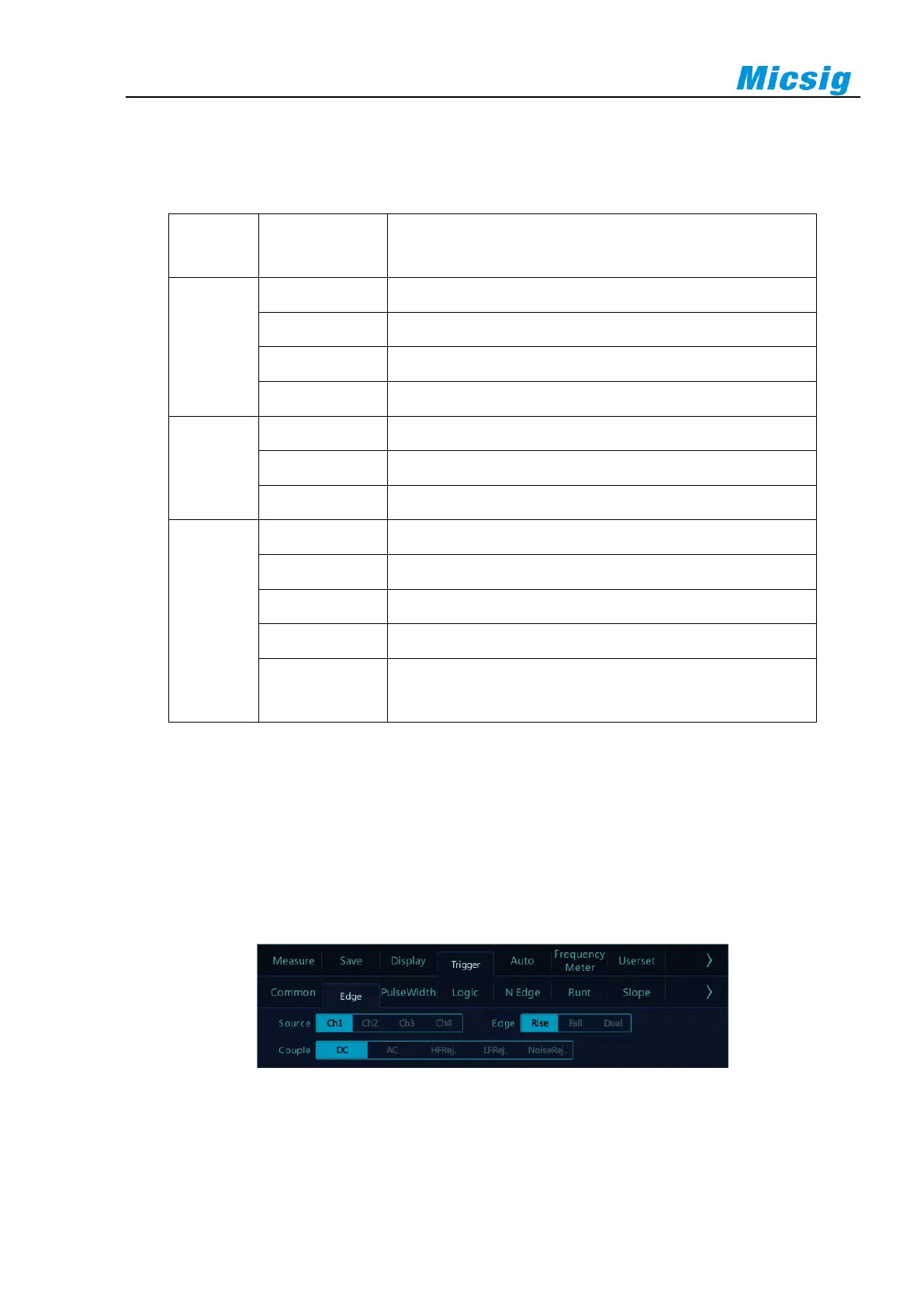
Set CH1 rising edge trigger and coupling as DC with operation steps as follows:
1) Tap “Trigger” on the main menu to open the trigger menu, select edge trigger in the trigger type, and set
edge trigger as follows, as shown in Figure 5-11:
⚫ Trigger source: CH1;
⚫ Trigger coupling mode: DC;
⚫ Trigger edge: rising.
Figure 5-11 Edge Trigger Setting Menu
2) Adjust the trigger level to ensure that the waveform can be triggered stably, for example, the trigger level
is set to 1V.



 To Next Page