Chapter 6 Analysis System
69
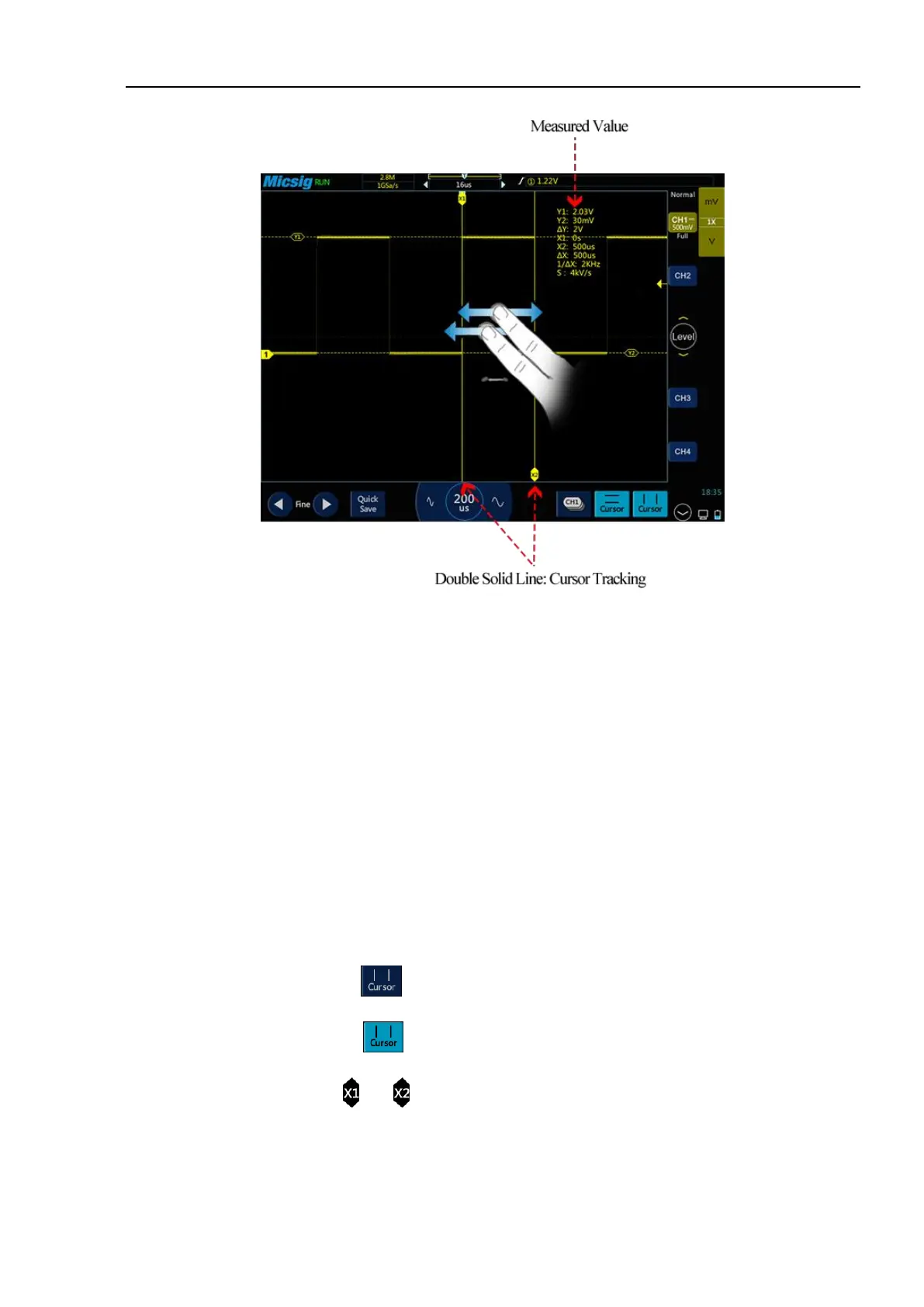
Figure 6-7 Cursor Measurement Description
Note:
reading: indicates the difference between two cursor positions.
Voltage readings after Y1, Y2: indicate the position of activated horizontal cursors relative to the zero potential.
Time readings after X1, X2: indicate the position of activated vertical cursors relative to the trigger point.
1/X: frequency
S reading. Indicates the quotient of (voltage difference) of horizontal cursors and Δ (time difference) of vertical cursors,
that is, the slope of the intersection of the four cursors.
Vertical cursor on/off and activation
Vertical cursor on/off
Vertical cursor on: Tap cursor icon to open vertical cursors and the icon is on and activated.
Vertical cursor off: Tap cursor icon to turn off vertical cursors.
Tap the vertical cursor indicator (or ) to switch the cursors.



 To Next Page