personalization directly ties an end-device to a specific
network bypassing the join request - join accept
procedure.
Device type is Class A by default. Users can check the
box of Class B or Class C to add the class type.
Note: Beacon period should be set to nonzero value in
Packet Forwarder->Advanced if you use Class B.
Table 3-2-2-6 Device Profiles Setting Parameters
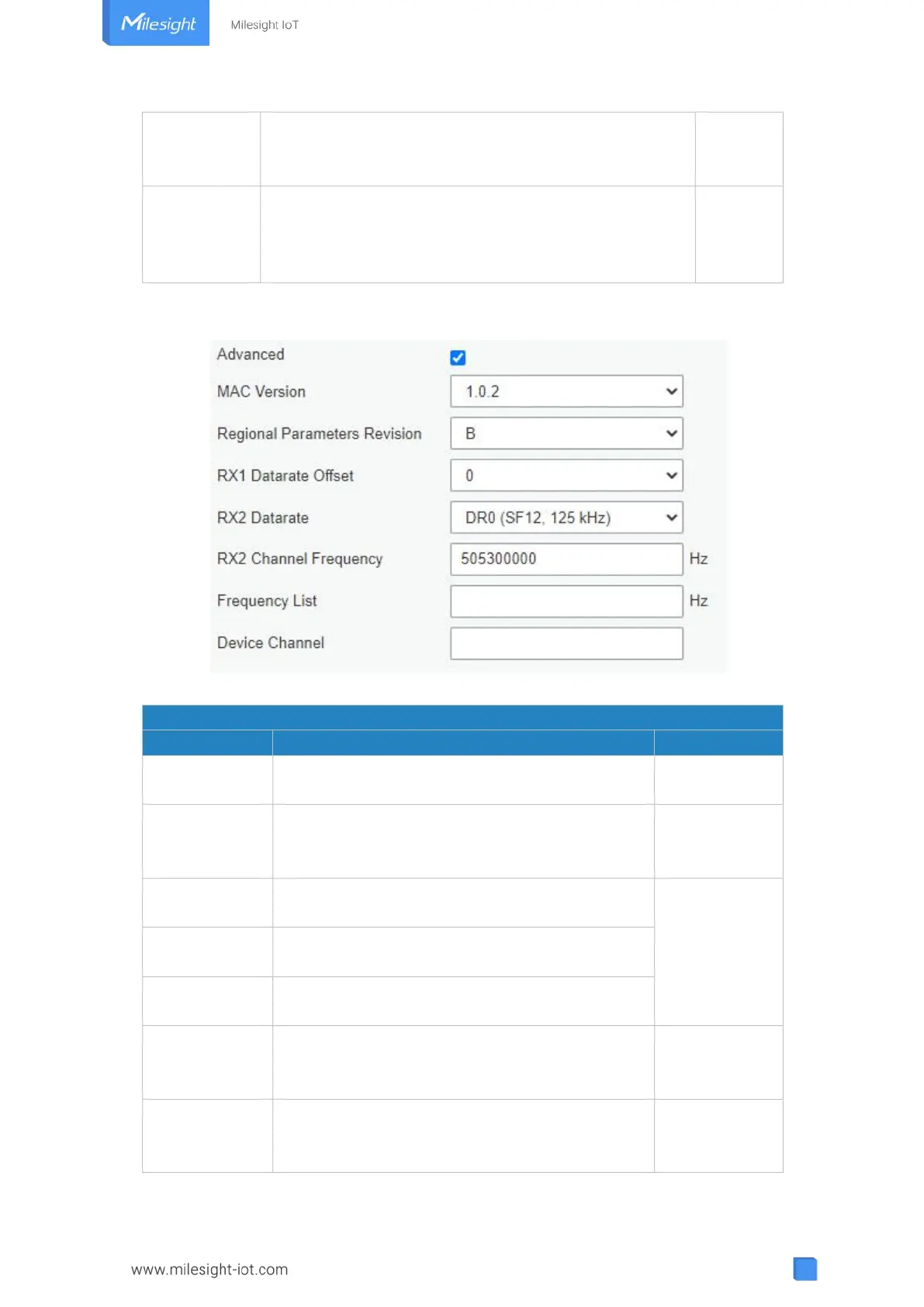
Figure 3-2-2-9
Device Profile Advanced Settings
Choose the version of the LoRaWAN
®
supported
by the end-device.
Regional
Parameter
Revision
Revision of the Regional Parameters document
supported by the end-device.
The offset which used for calculating the RX1
data-rate, based on the uplink data-rate.
Based on what
is specified in
the LoRaWAN
®
regional
parameters
document
Enter the RX2 datarate which used for the RX2
receive-window.
RX2 channel frequency which used for the RX2
receive-window.
List of factory-preset frequencies. The range is
based on what is specified in the LoRaWAN
®
regional parameters document.
Change this device frequency channel by typing
the channel indexs. When configured, it takes
precedence over the global channel. This setting



 To Next Page