106 Milli-Q® Direct 8/16 System
Alert information, Continued
Alert Message
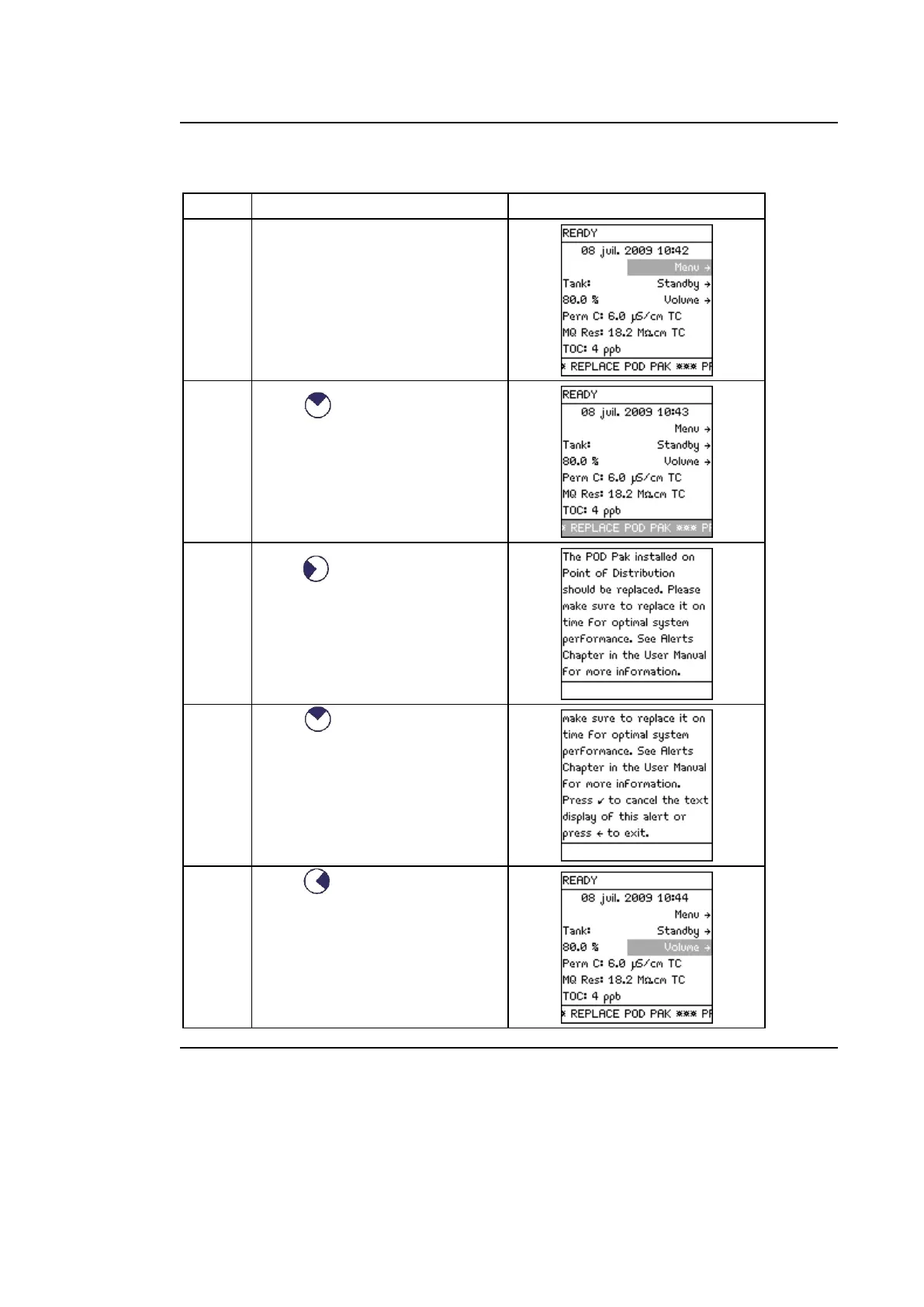
Follow the steps below to view an Alert message.
Alert messages appear on the
bottom line of the screen when
the system is in READY mode or
in STANDBY mode.
Press as many times as
required to reach the bottom
line.
Press to access detailed
information about the alert.
Press to view full
information about the alert if
needed.
Press .
Continued on next page



 To Next Page