Milli-Q® Direct 8/16 System 39
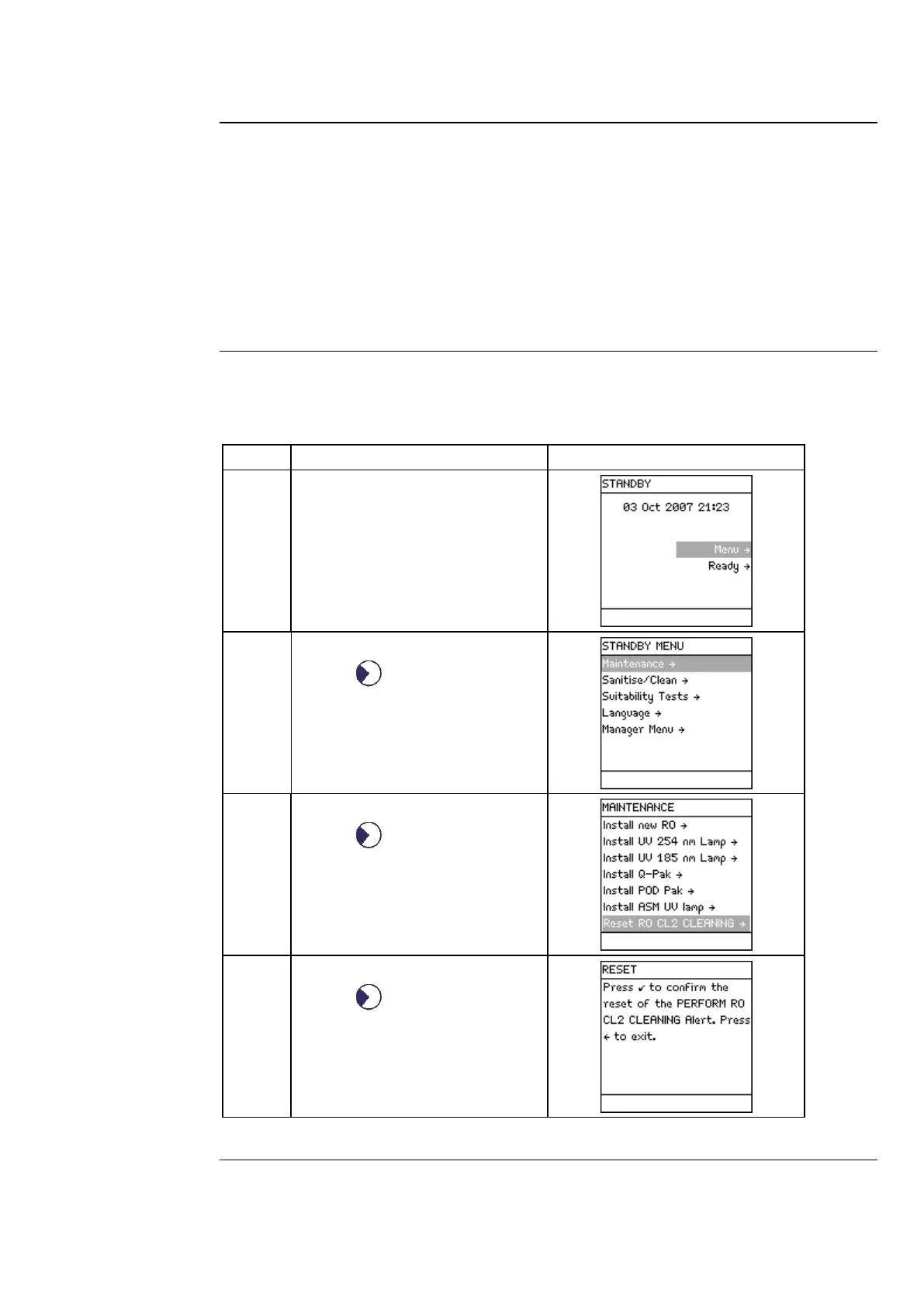
Registering PERFORM RO CL2 CLEANING message timer
• The timer used to perform RO Cl2 cleaning must be reset when the Water System is
installed.
• If this is not done, then the message indicating that the message PERFORM RO CL2
CLEANING is shown too early.
Note
This is only done once, at installation. In the future, this timer is reset automatically
after an RO Cl2 cleaning is performed.
This procedure shows how to reset the timer used for the message PERFORM RO CL2
CLEANING.
Select Menu.
• Press .
Select Maintenance.
• Press .
• Select Reset RO CL2 Cleaning.
• Press .
Continued on next page



 To Next Page