Milli-Q® Direct 8/16 System 71
Viewing Information
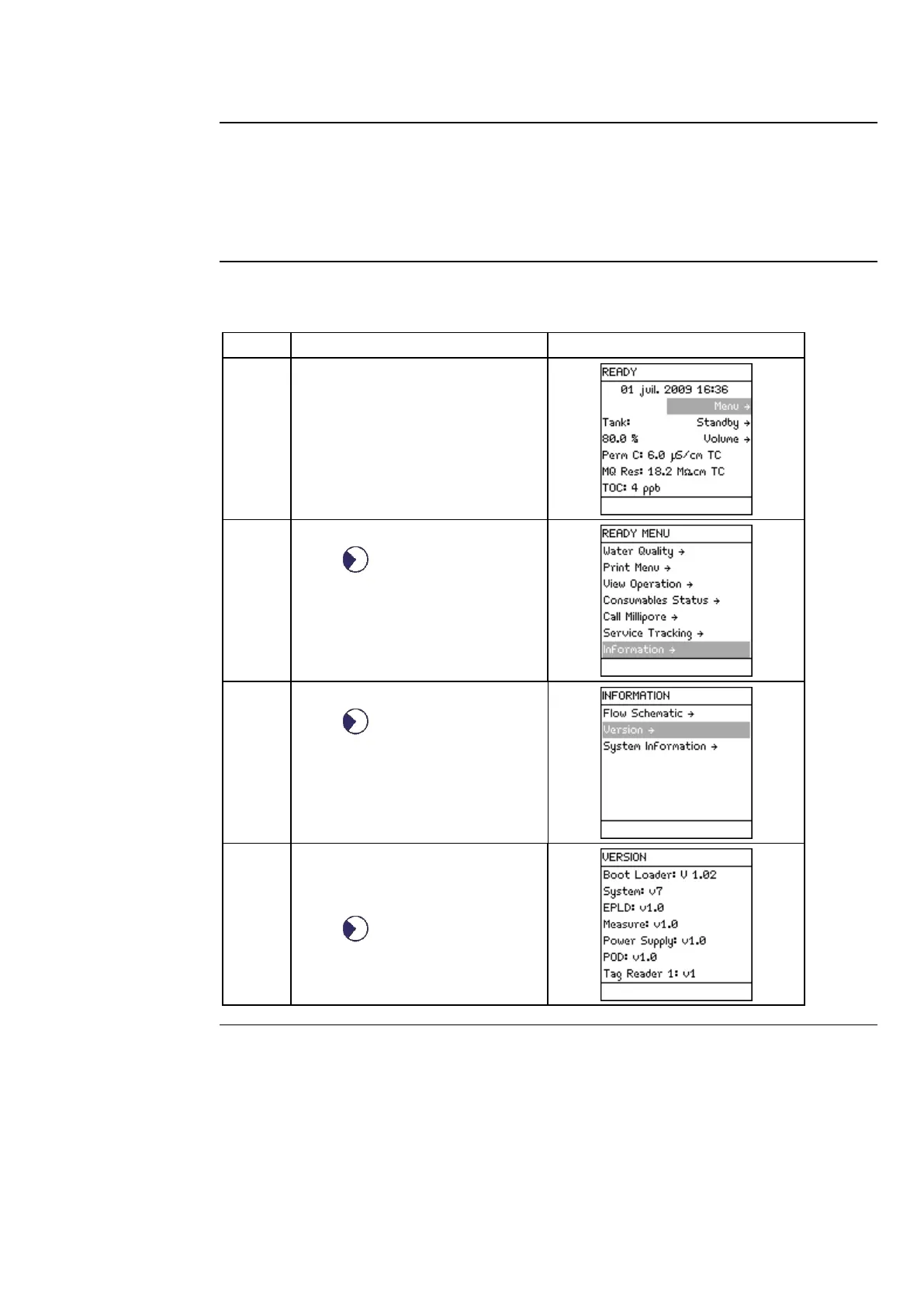
INFORMATION allows you to view:
• flow schematic information,
• version information, and
•
serial number and other information.
Follow the steps below to see information about the System.
Press .
Press .
Select the type of information
you wish to view. Two examples
are shown below.
Press .
Continued on next page



 To Next Page