Milli-Q® Direct 8/16 System 45
Performing a TOC Curve Check
The indication of TOC values is performed with information supplied with a TOC Curve
Check. In order to update this information, perform a TOC Curve Check by following the
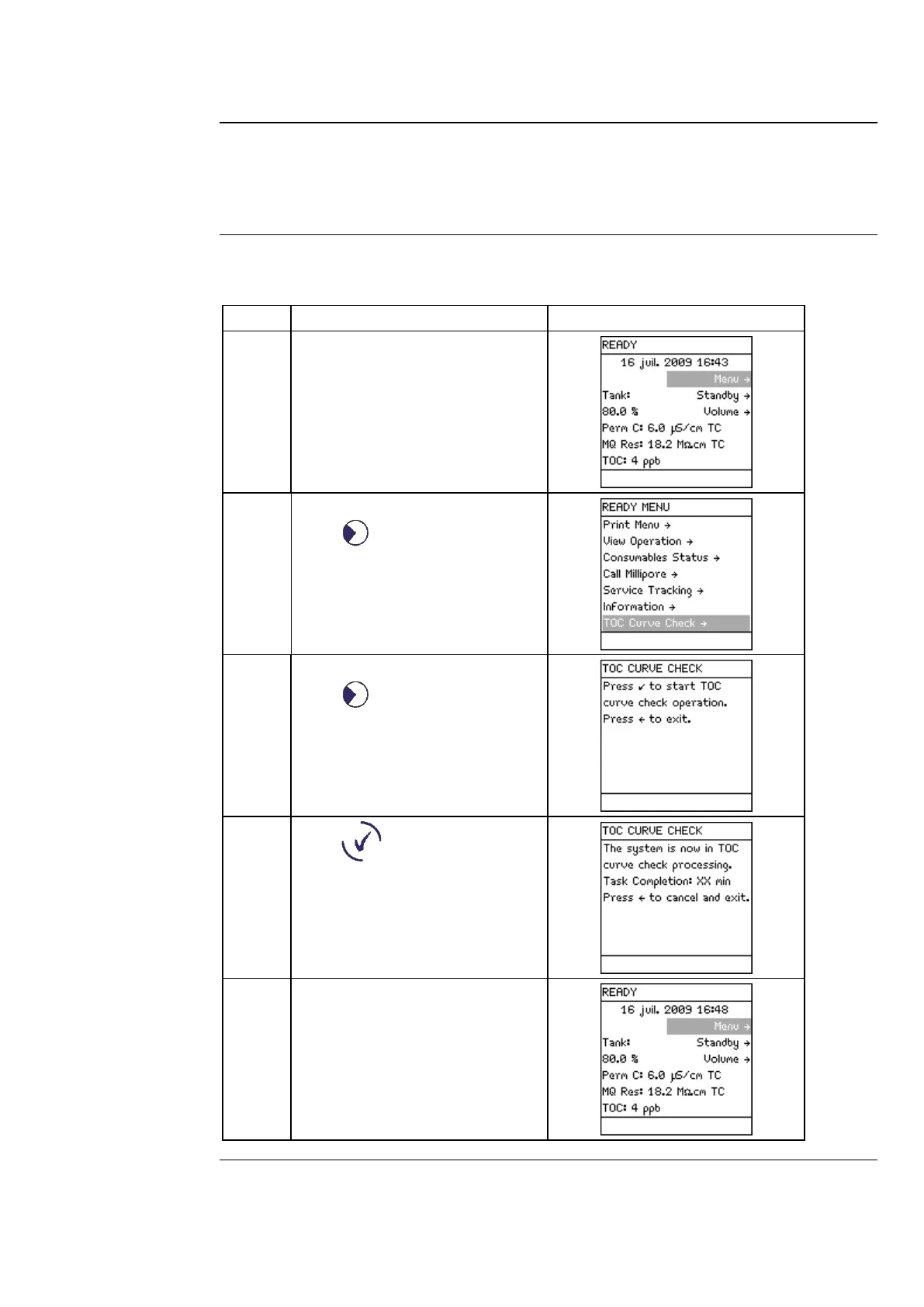
Follow the steps below to perform a TOC Curve Check.
Press .
Press .
Press .
After approximately 10 minutes,
the System returns to READY
Mode.



 To Next Page