Milli-Q® Direct 8/16 System 69
Viewing Consumable Status
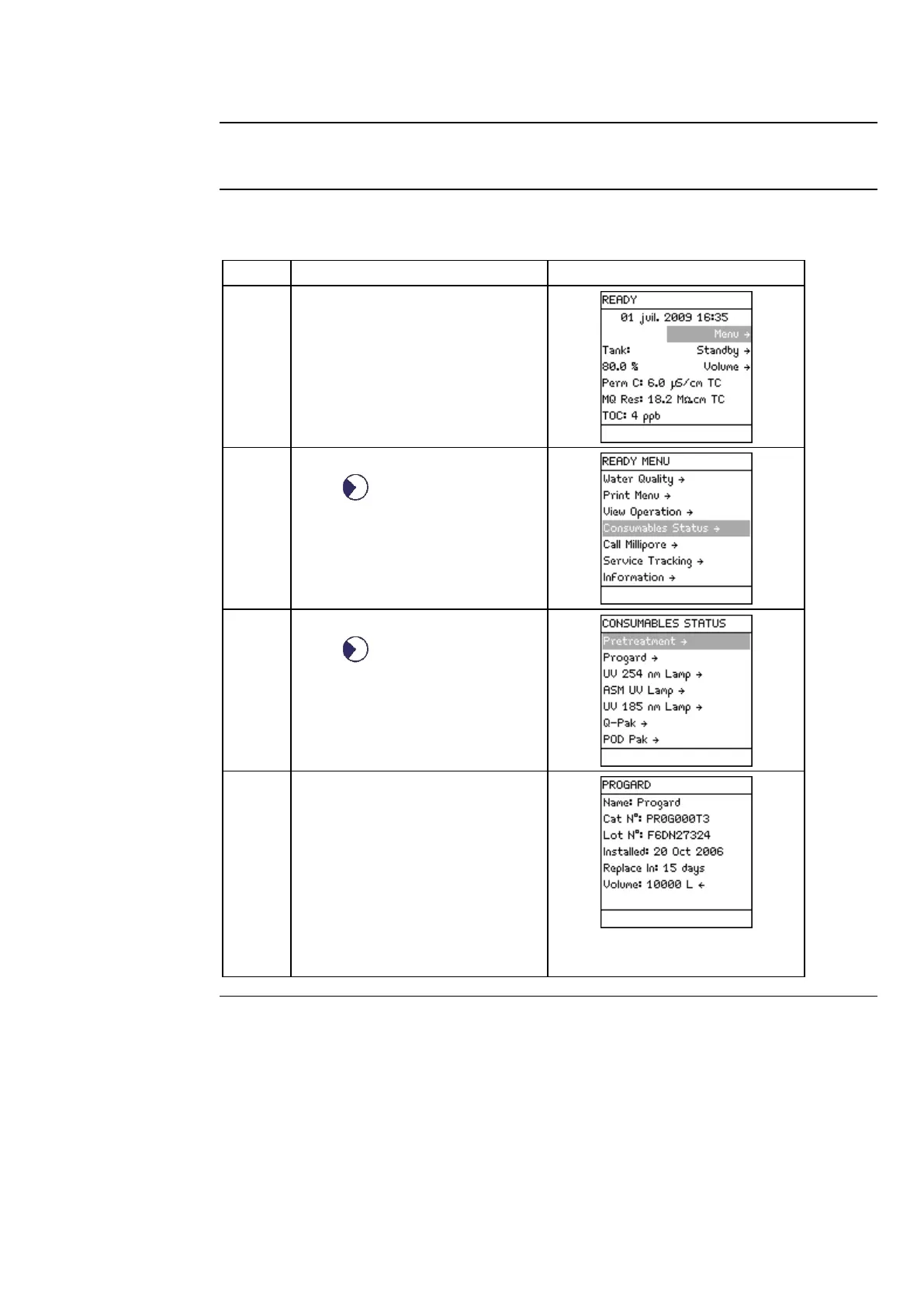
Consumables Status allows you to see information related to the various consumables.
Follow the steps below to view Consumables Status.
Press .
Select Consumables Status.
Press .
Select the consumable that you
would like to see information
about.
Example
The Progard® Cartridge status is
shown here.
Choose other consumables to



 To Next Page