44 Milli-Q® Direct 8/16 System
Calibrating the Flow rate, Continued
(continued)
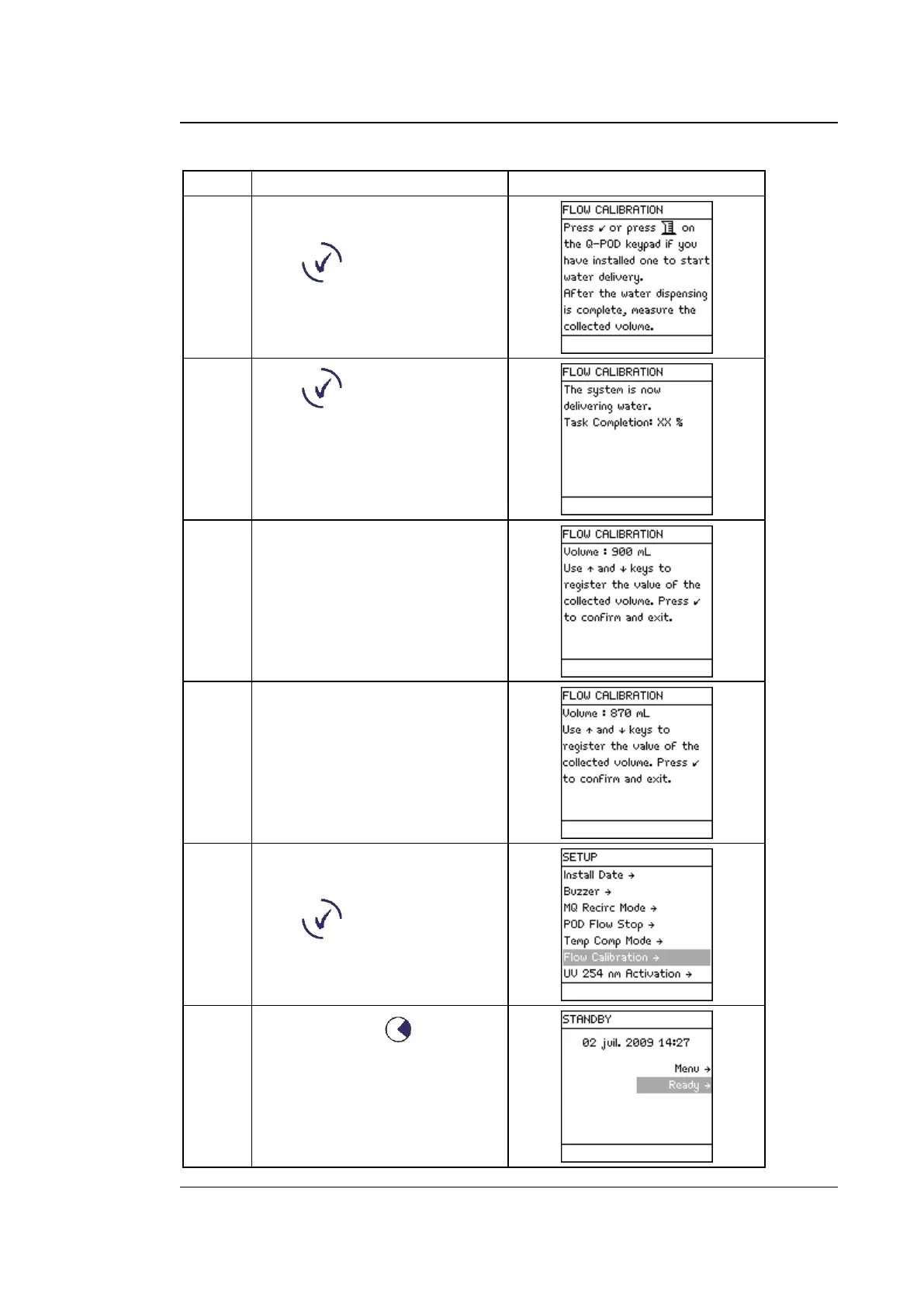
Place a 1 L Graduated Cylinder
under the POD Unit.
Press .
Press .
Water dispenses automatically
from the POD Unit.
Wait until it stops dispensing
water.
Measure the amount of water
(in ml) that was dispensed.
Suppose 870 ml was collected.
Input this using the Keypad.
Perform the flow calibration
again to improve accuracy.
Press .
Press 3 times on .



 To Next Page