Milli-Q® Direct 8/16 System 13
Cabinet, Continued
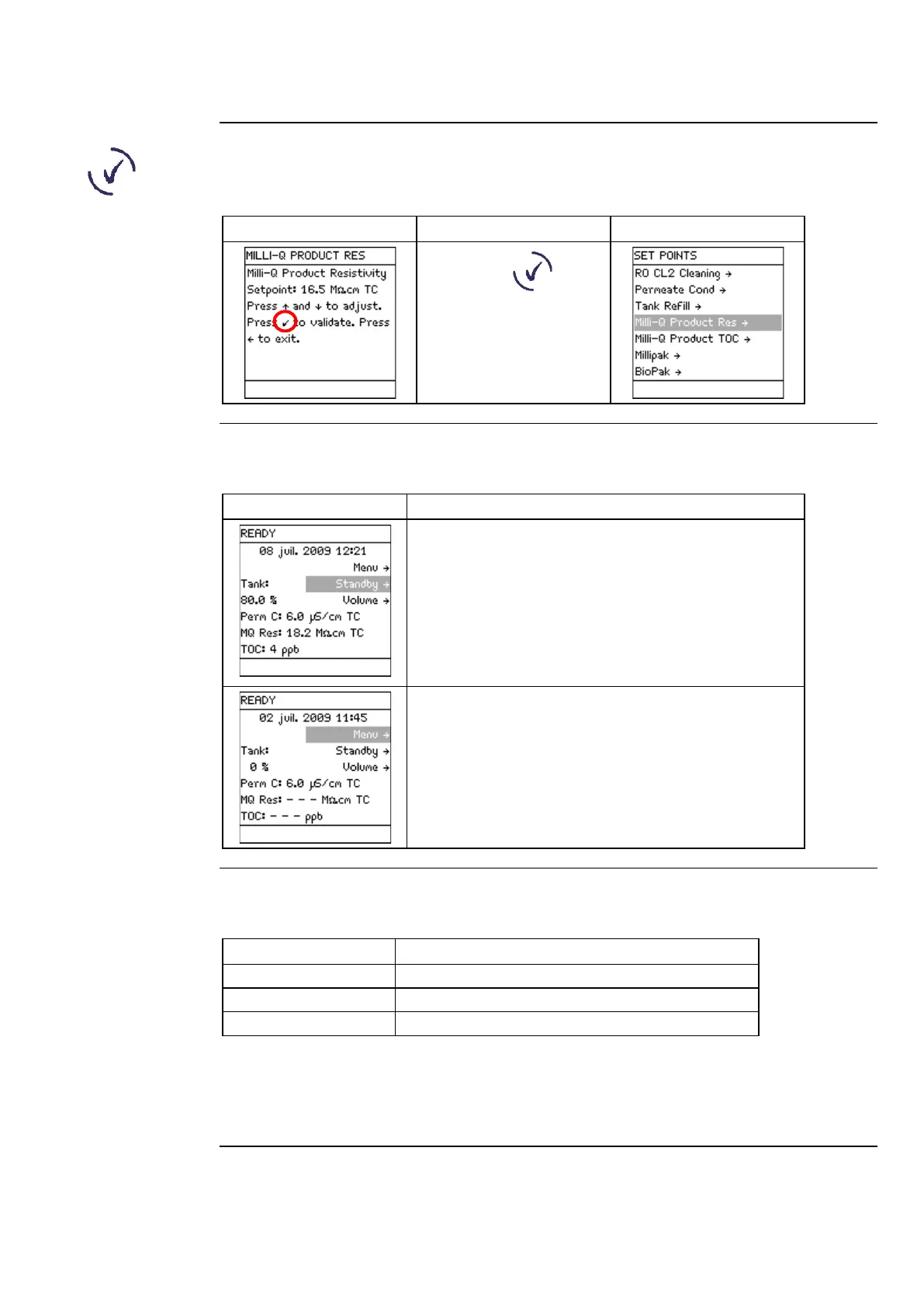
Validate
The use of the Validate Keypad button is shown below. It is used to confirm a
parameter modification.
Press .
water quality
values
The READY Mode screen display is explained below.
• the water filling the tank has a permeate
conductivity of 6 µS/cm.
• the water dispensed from the POD Unit has:
− a resistivity of 18.2 MΩ.cm,
− is temperature compensated (TC) at 25°C, and
−
In this example, there are no Milli-Q® water quality
measurements to display. The water quality is only
displayed when it is actually measured during water
delivery or recirculation.
The LEDs are described below.
System is operating within specifications.
NOTE:
If an Alarm and an Alert are present at the same time, then only the red LED is lit.
The red and yellow LEDs are never lit at the same time.
Continued on next page



 To Next Page