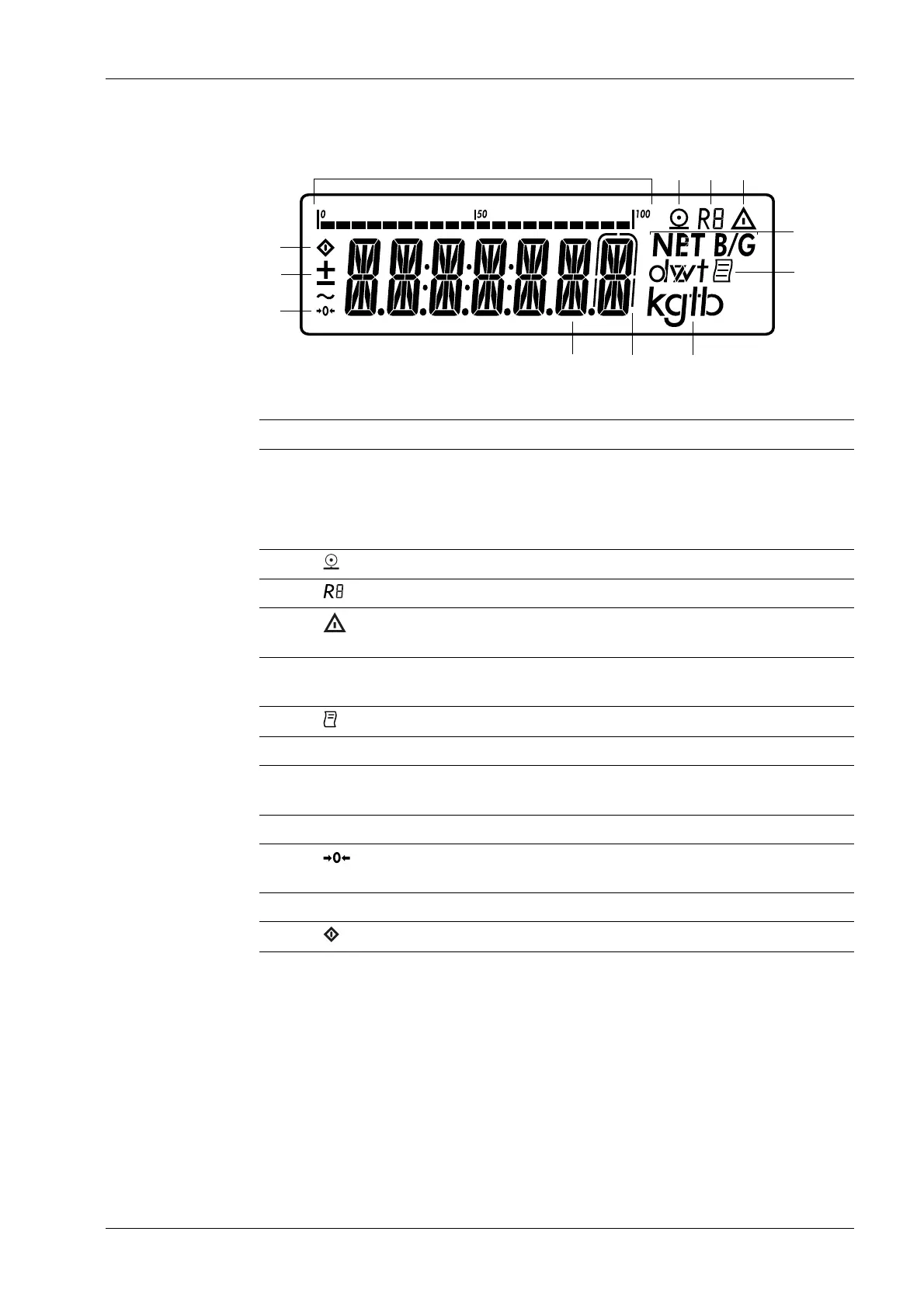
3.3.3.2.1 View in the measurement mode
Legend
Pos. Description
1 Bar graph with 10% marks
- Displays the percentage at which the weighing range is uti-
lized to capacity by the applied gross weight (0% = lower load
limit, 100% = upper load limit)
2 Symbol for active printing process
3 Display of the active range for multi-range weighing
4 Note about a calculated value in the main display (not calibrated
value)
5 NET B/G Net/gross weight in the main display (with assigned tare memo-
ry/preset tares)
6 Symbol for activated GMP protocol
7 Unit of the displayed value
8 In calibration mode with devices where e is not equal to d, the po-
sition marked with an outline must not be considered
9 Measured value line: Measured value or calculated value
10 Zeroing symbol appears after zeroing the scale or the active
weighing platform (only in calibrated models)
11 + – Algebraic sign for the displayed value
12 Busy symbol indicates an ongoing process (internal processing)
3.3.3.2.2 Display in the menu mode
To describe the menu settings, in some cases text designations are used and in some
cases only the number structure of the menu, which allows experienced users to get their
bearings quicker (e.g. "menu item 1.9" contains the parameter settings for the calibration/
adjustment).
The following diagrams show all important elements and symbols that may be visible in
the menu mode.
3 Device description Ex Indicator Midrics 1 (MIXS1)
Minebea Intec EN-15


 To Next Page