Key is used to start the character selection from A in alphabetical order, key
is used to start the character selection from the gure 0 in ascending order( see
Chapter 3.3.3.4).
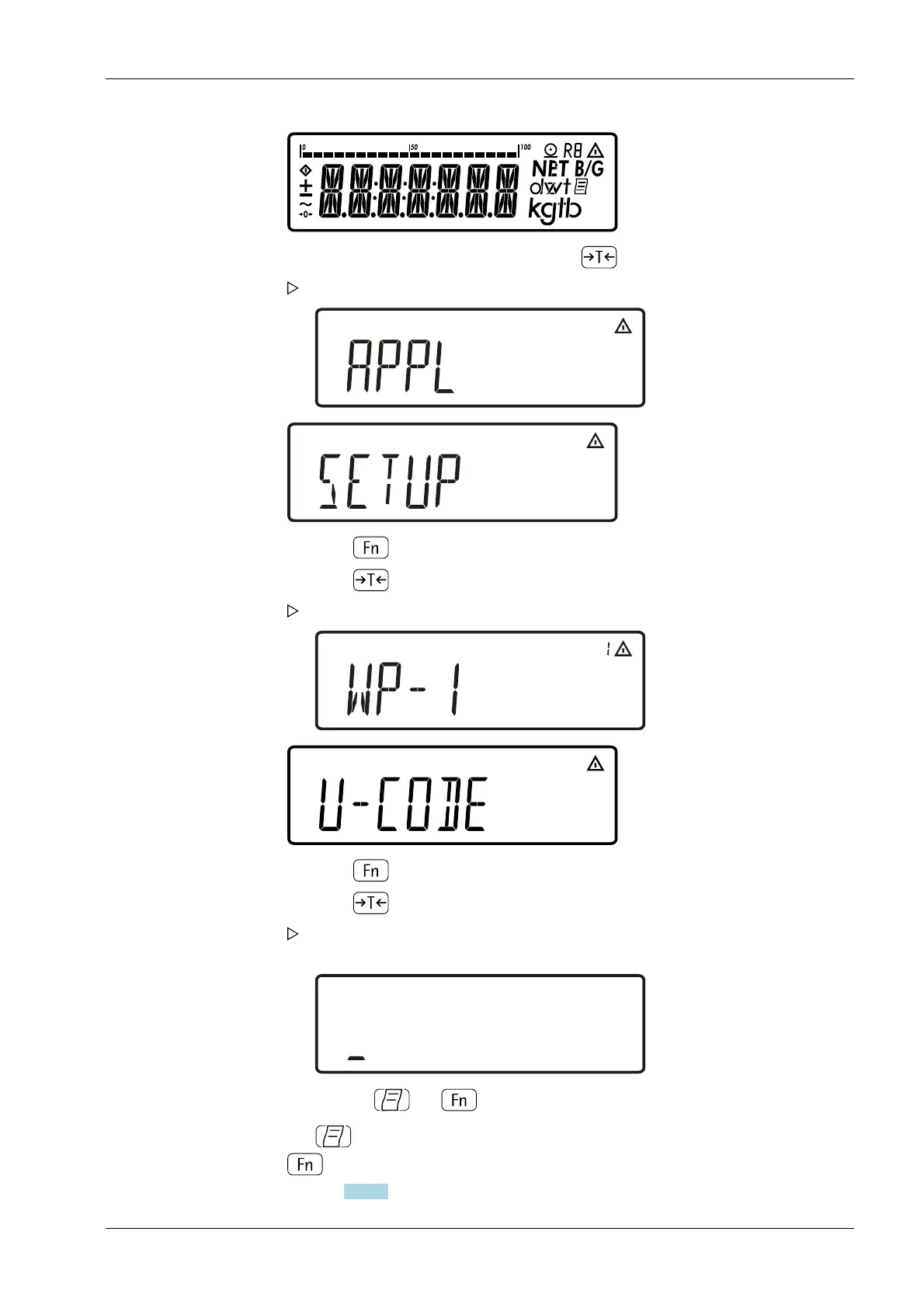
2. During the display test, briey press the key .
The menu is opened. The top level is displayed.
3. Press key until the menu item [SETUP] is displayed.
4. Press key to access the sub-menu [SETUP].
The rst parameter in the sub-menu [SETUP] is displayed: [WP-1].
5. Press key until [U-CODE] is displayed.
6. Press key to open the menu item [U-CODE].
The position in which the rst character needs to be entered ashes in the
display.
7. Use the keys and to select the desired character.
5 Getting started Ex Indicator Midrics 1 (MIXS1)
Minebea Intec EN-31



 To Next Page