12. Usage
MiR250 User Guide (en) 11/2020 - v.1.3 ©Copyright 2020: Mobile Industrial Robots A/S. 174
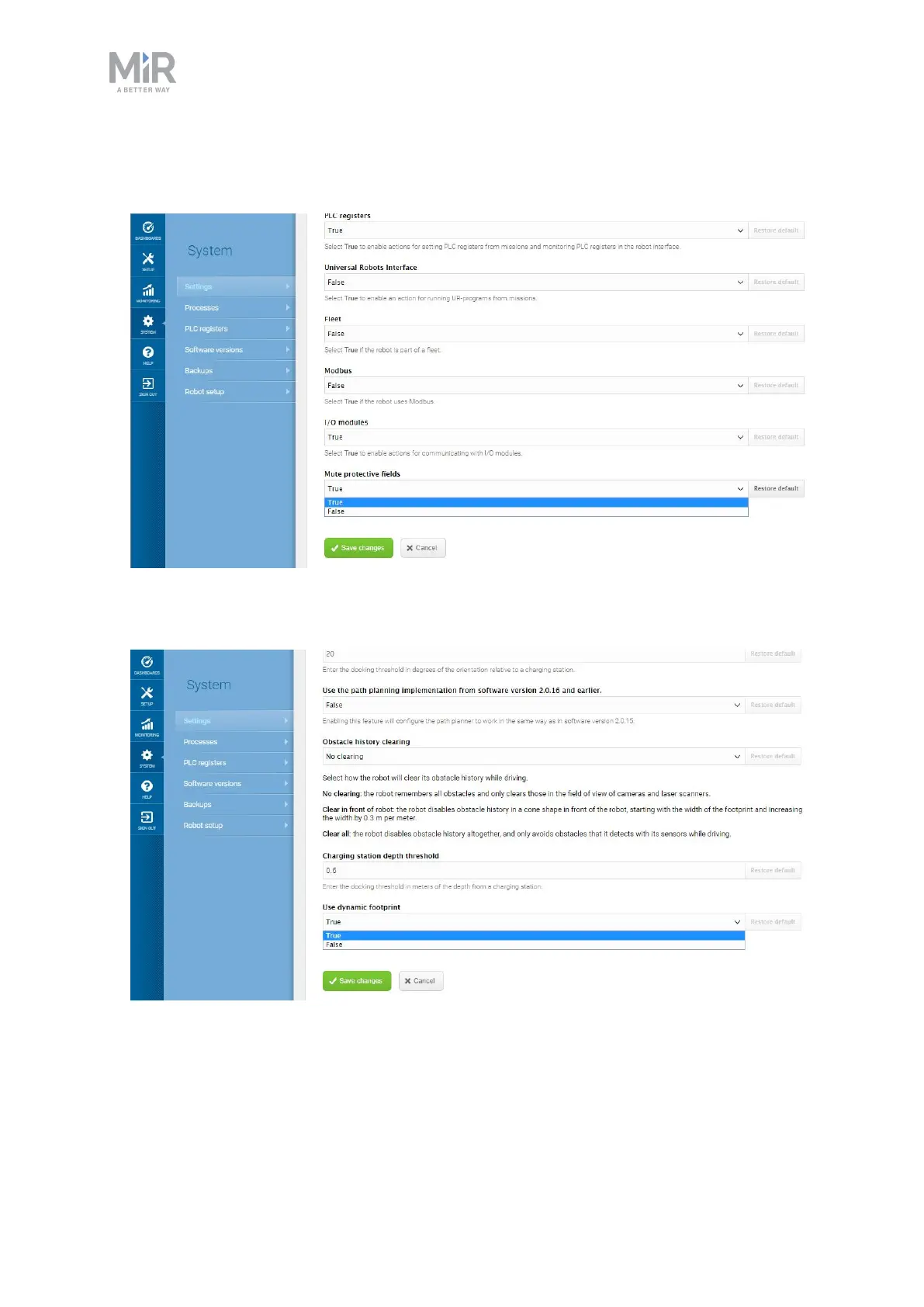
• Enabled the muting of Protective fields. Go to System > Settings > Features, and set
Mute protective fields to True.
• Enabled the use of dynamic footprints. Go to System > Settings > Planner > Show
advanced settings, and set Use dynamic footprint to True.



 To Next Page