18. Interface specifications
MiR250 User Guide (en) 11/2020 - v.1.3 ©Copyright 2020: Mobile Industrial Robots A/S. 200
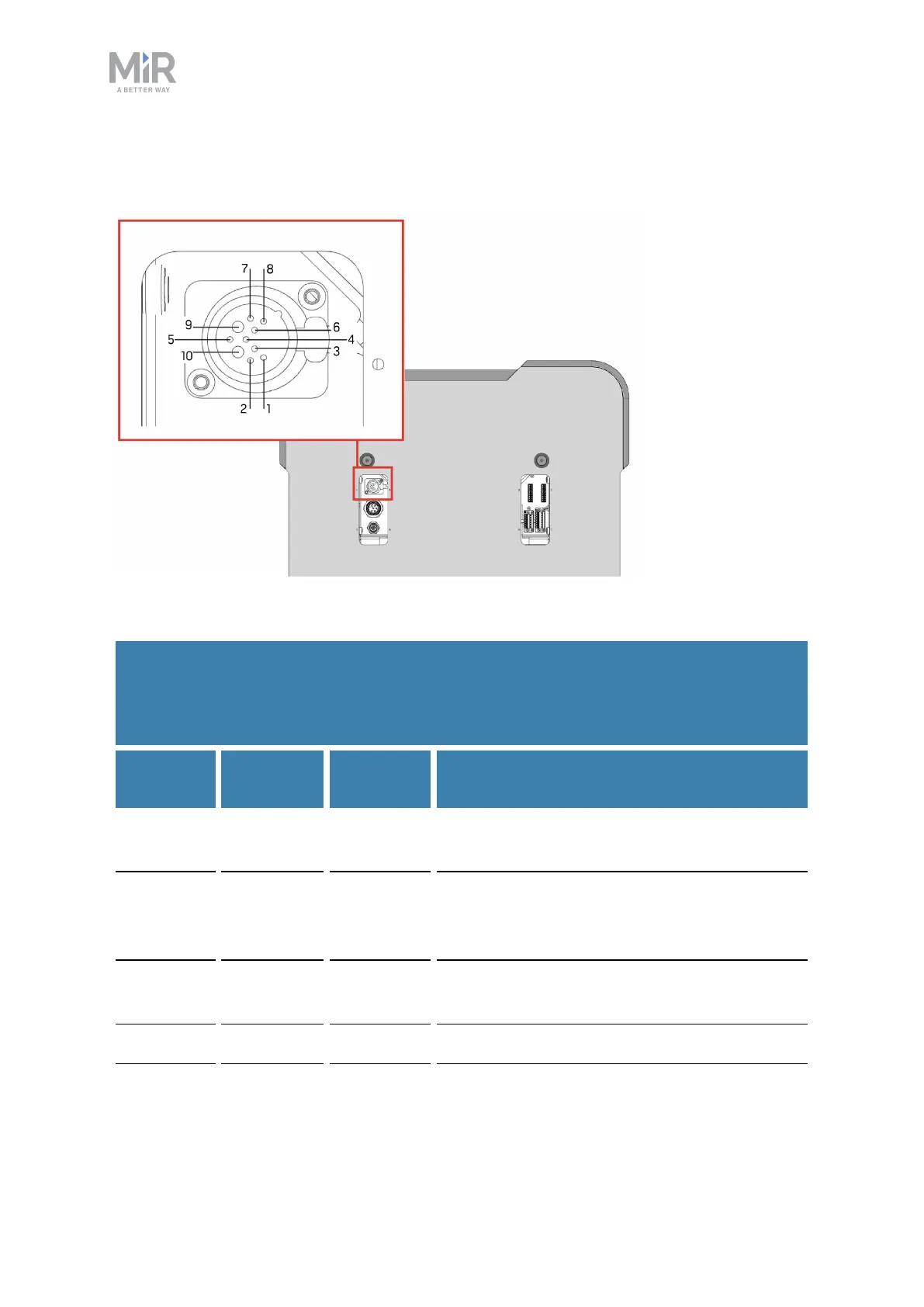
Emergency stop
Figure 18.1. The pins of the Emergency stop interface.
Pin no.
Signal
name
Type Description
1 SAFE_
RETURN
Ground Return for lamp signal.
2 Test
output 1
Output Safety output 1. Should be connected
throughEmergency stop buttons to input 1
and 3.
3 Test
output 2
Output Safety output 2. Should be connected through
Emergency stop buttons to input 2.
4 E-stop 1 Input Safety input 1
Table 18.1.
Description of pins in the Emergency stop interface in The pins of the Emergency stop
interface. above. For more information on how to use the Emergency stop interface, see
Emergency stop circuit on page95


 To Next Page
 Loading...













