5-22 Mx100/200 Series Operation Manual
• Logon
The Logon button is activated only if Password Protection is predefined. The SMT Application is
redefined according to the logon user ID and privilege. The title bar of HWIF shows the current
logon user group.
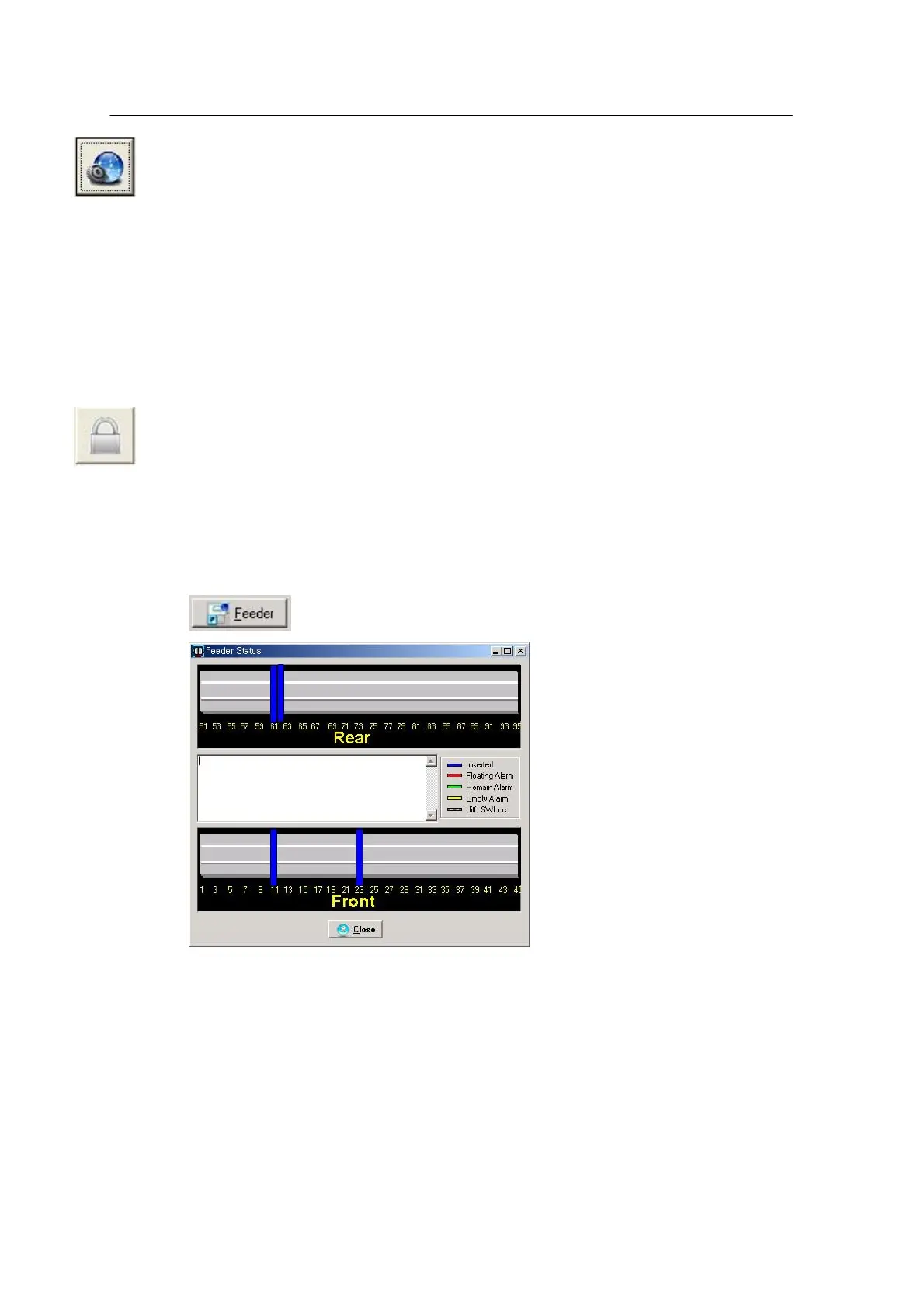
• Feeder Status
Shows the status of feeder mounted on the system. The following window appears when this
button is pressed while communication is connected.
<Figure 3-15 가 Feeder Status window >
The window above shows the real-time feeder status. The upper part shows the current feeder
information and automatically updates the feeder information whenever each feeder is equipped or
unequipped.
Feeder status includes Floating Alarm, Remain Alarm, Empty Alarm and Diff SWLoc.
* Floating Alarm: The feeder is not exactly equipped on the feeder base or the feeder cover is
open.
* Remain Alarm: The parts remaining in the feeder is less than the specified quantity.



 To Next Page