Chapter 5 Preparation for Programming 5-25
Using HWIF -Setup (Mx100/200)
Move from the HWIF main window to the Setup window.
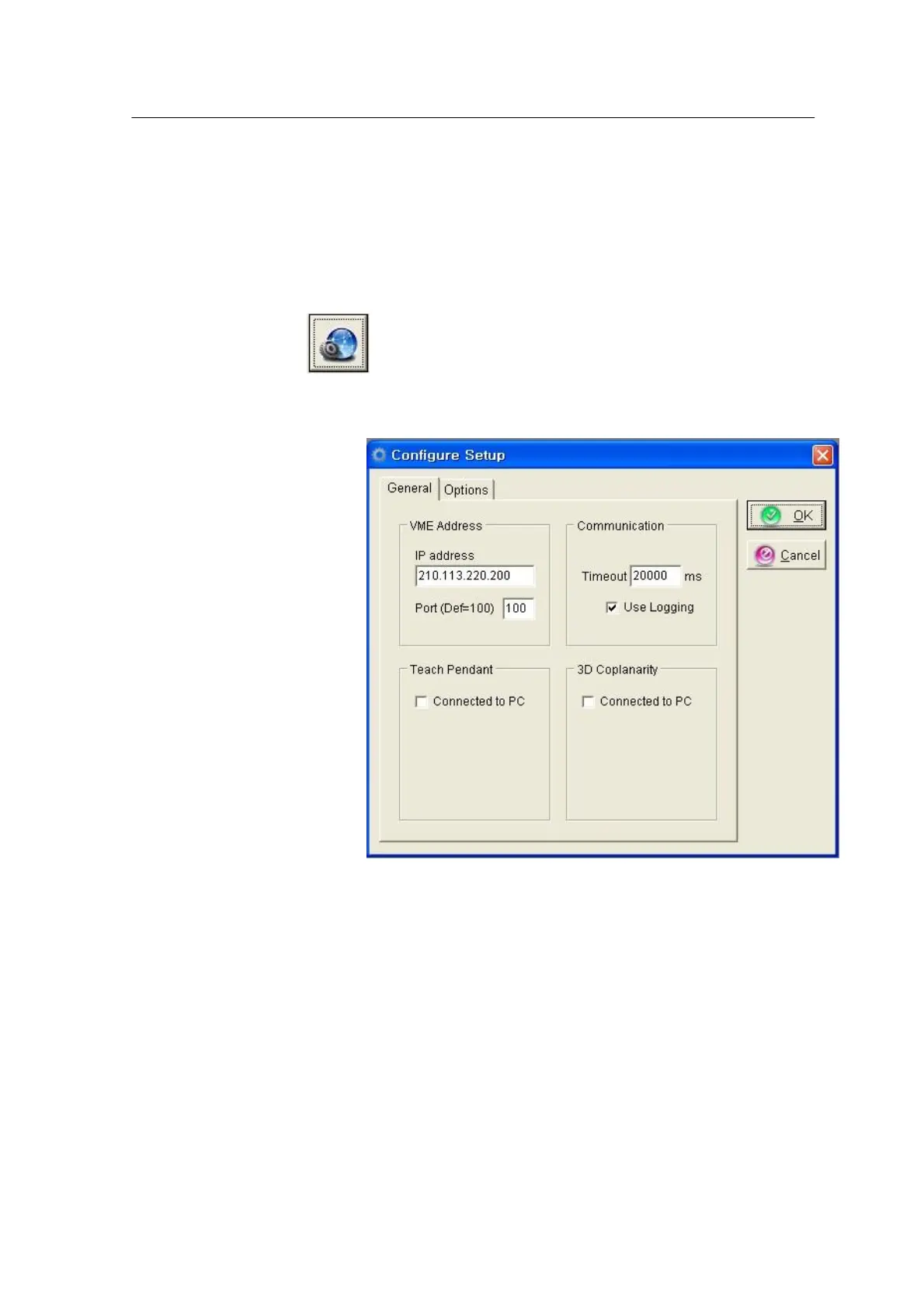
<Figure 3-19 가 Configuration setup window >
Each item in the Configure Setup window is described below:
* IP Address: Enter the IP address of VME to be connected to HWIF.
* Port: Set the communication port of VME.
* Use Logging: When the Use Logging option is checked, all messages
and errors of VME-HWIF and HWIF-Application communications are
logged. The log file is stored in the Alpha\Data\Log directory.
* Communication Timeout: Sets a wait time to connect communication
with VME. A timeout error is returned when communication is not
connected within this time.



 To Next Page