Chapter 6 Programming 6-23
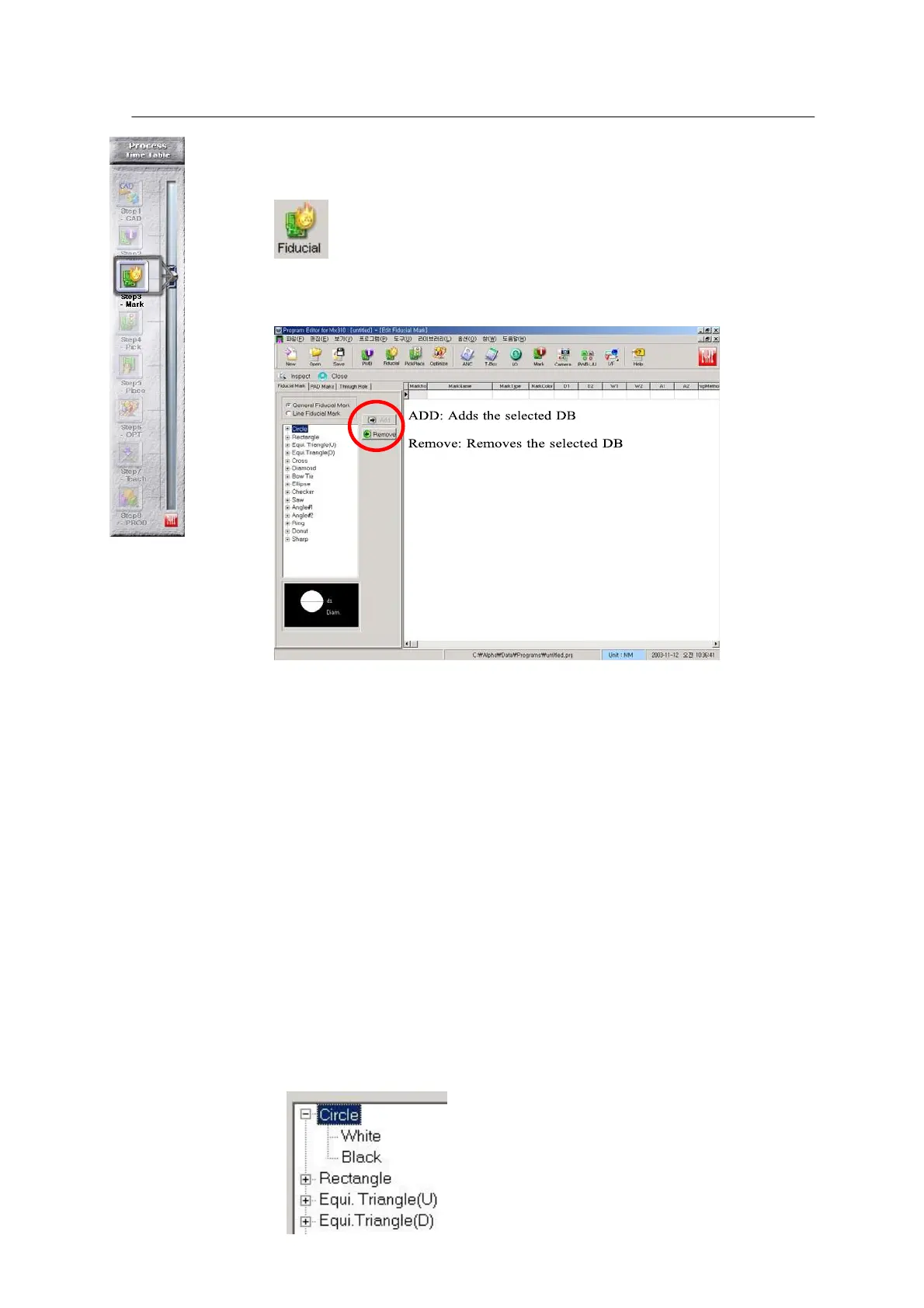
- Enter Fiducial Mark DB.
Choose the Fiducial icon in the main window.
<Figure 6-19 가 Fiducial Information main
window >
Two types of Fiducial Mark are used:
• General Fiducial Mark: General circle type.
• Line Fiducial Mark: Line type
( line-circle, line-rectangle)
PAD Mark is applied when a part pad on PWB is used as a mark. This is not
used at present. Through Hole is used where no mark is given on PWB and a
hole on the PWB is used as a Fiducial Mark.
* Input process
Select mark (General or Through) → ADD→ Inspect → Select Real or
Geometric → Set the size of recognition window box → OK → Select the
Close icon -> Select Mark DB Number in the main window.



 To Next Page