6-22 Mx100/200 Series Operation Manual
Enter the mark
position prior to
recognizing Fiducial
Mark DB.
• Fail Skip: Work
is skipped
when the result
of vision
inspection on
Bad mark of a
block is Fail.
• Multi Good
Skip: Work is
skipped when
the result of
vision
inspection on a
group of Bad
marks of a
board is Good.
This option is
used where
the pitch is not
regular.
• Multi Fail Skip:
Work is
skipped when
the result of
vision
inspection on a
group of Bad
marks of a board is Fail. This option is used where the pitch is not regular.
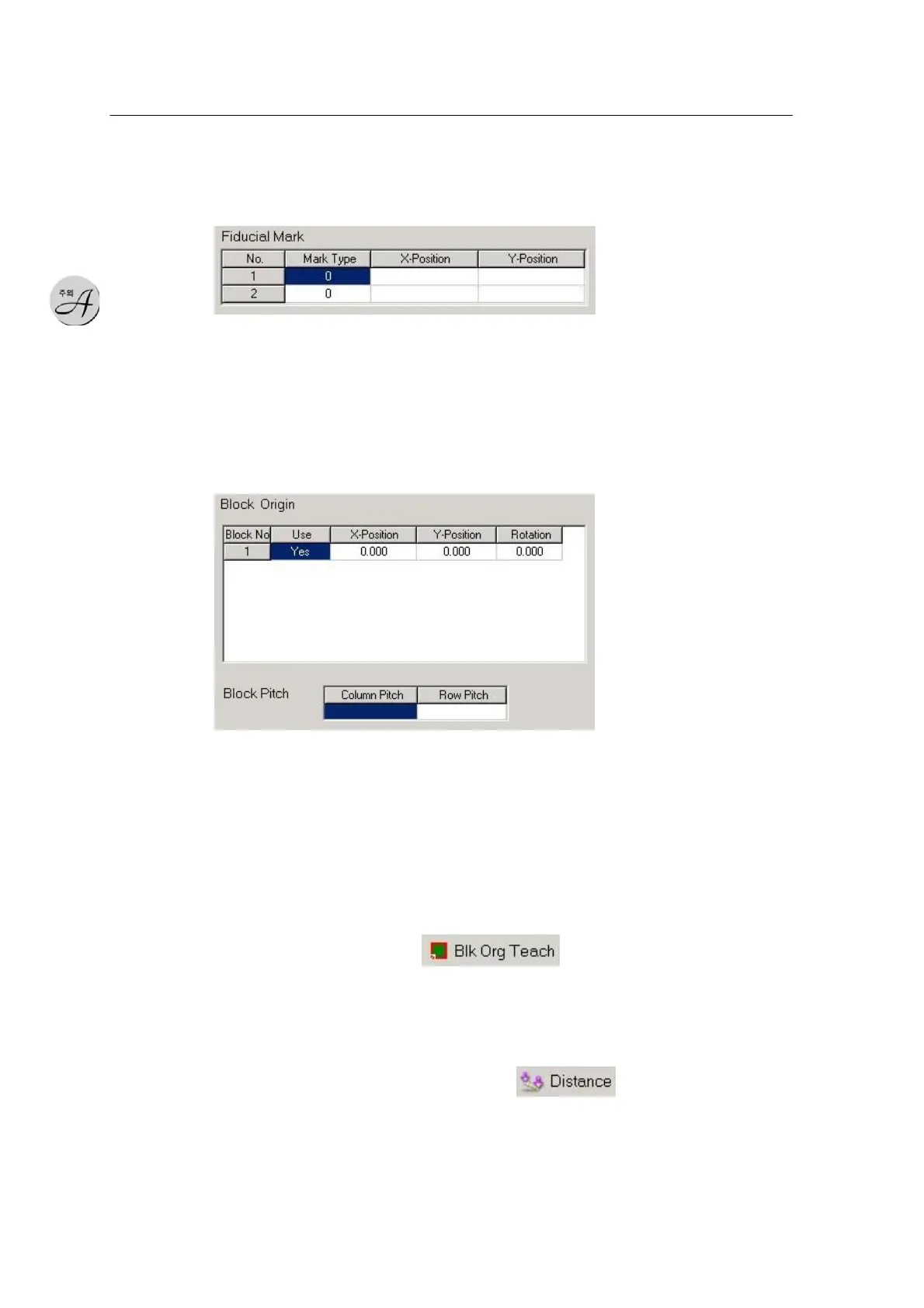
Enter mark data in the Fiducial Mark window.
• Mark DB: Assign Mark DB in the Fiducial Mark setting window.
• X,Y Position: Two marks are used, and X, Y positions are defined for each
mark (camera teaching).
Block Origin is used for a PWB including blocks. Enter the origin for each
block for a PWB including multiple blocks.
• Use: Sets use of block processing ( Yes: Work, No: Skip )
• X,Y, Rotation: Pitch values for each block. For Matrix type, pitch values are
automatically enteredthrough Block Pitch. For Non-matrix type, position
teaching should be done through the camera.
Perform teaching using the icon in the main window.
* Block Pitch: Used to set block pitch in X and Y directions for Matrix type.
Enter Column & Row
Pitch by teaching two points using the icon in the window.
Fiducial Mark DB Edit Fiducial Mark DB



 To Next Page