Chapter 6 Programming
6-73
The PIC function is
convenient to
check the place
points through
Auto after placing
parts on all points
using Step.
Enter
CompDB Edit
in General
mode, modify
DB of the
concerned
part and
perform auto
inspection.
[PIC Function]
Check through the vision monitor the placement position entered in
DB grid of the Pick & Place Data tab and modify the placement
position by teaching, where necessary.
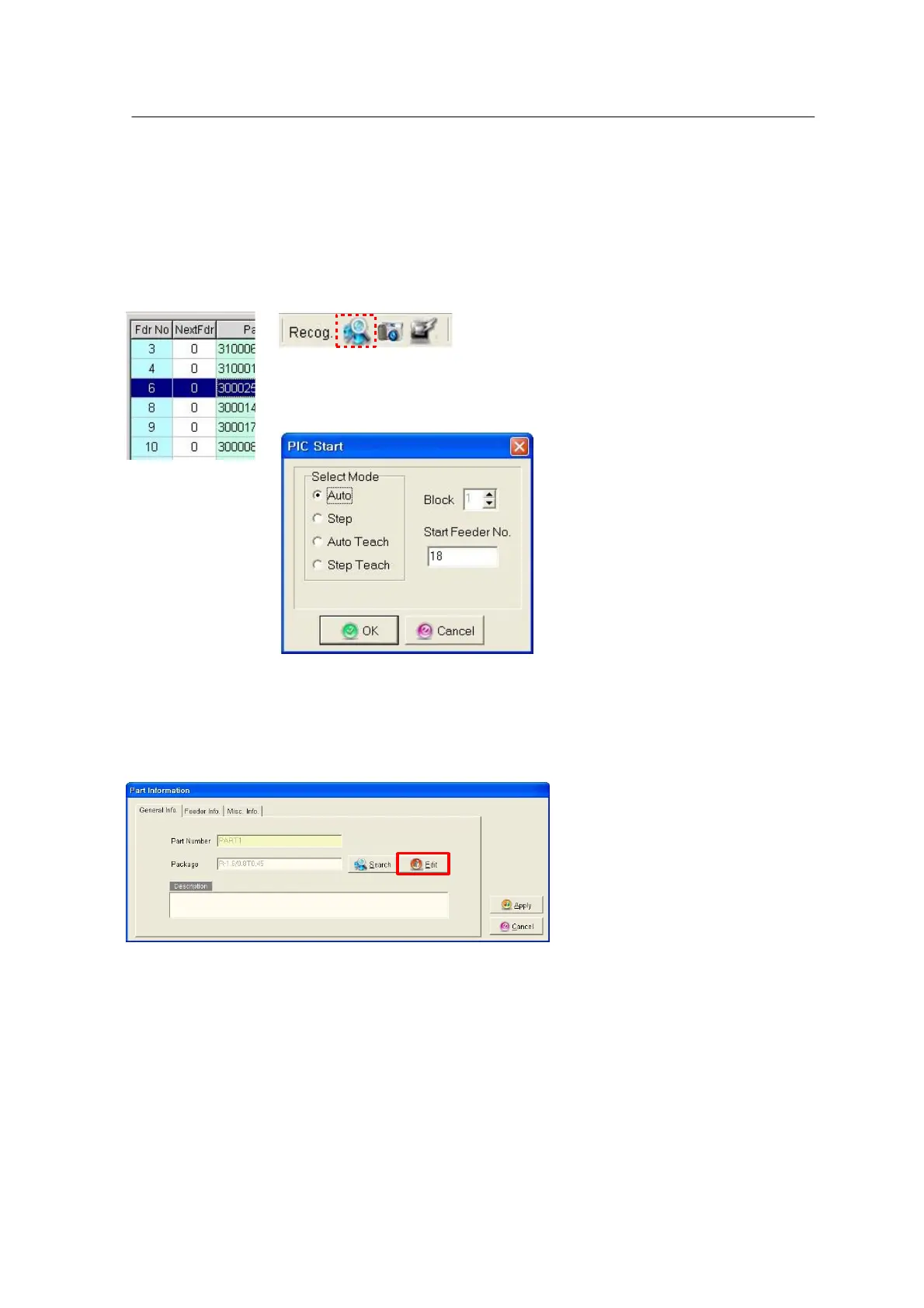
Click a desired placement position of the Place tab and select the
PIC Start icon.
<Figure 6-69 가 PIC Start for Place Data>
• Auto: Displays the place points on the vision monitor while the camera
is sequentially moving to all place points from the number defined in
the Start Point No. box.
• Step: Displays the place point defined in the Start Point No. on the
vision monitor.
• Block: This option is enabled for a block type board and is used to
perform PIC on the place points corresponding to the block.



 To Next Page