6-74 Mx100/200 Series Operation Manual
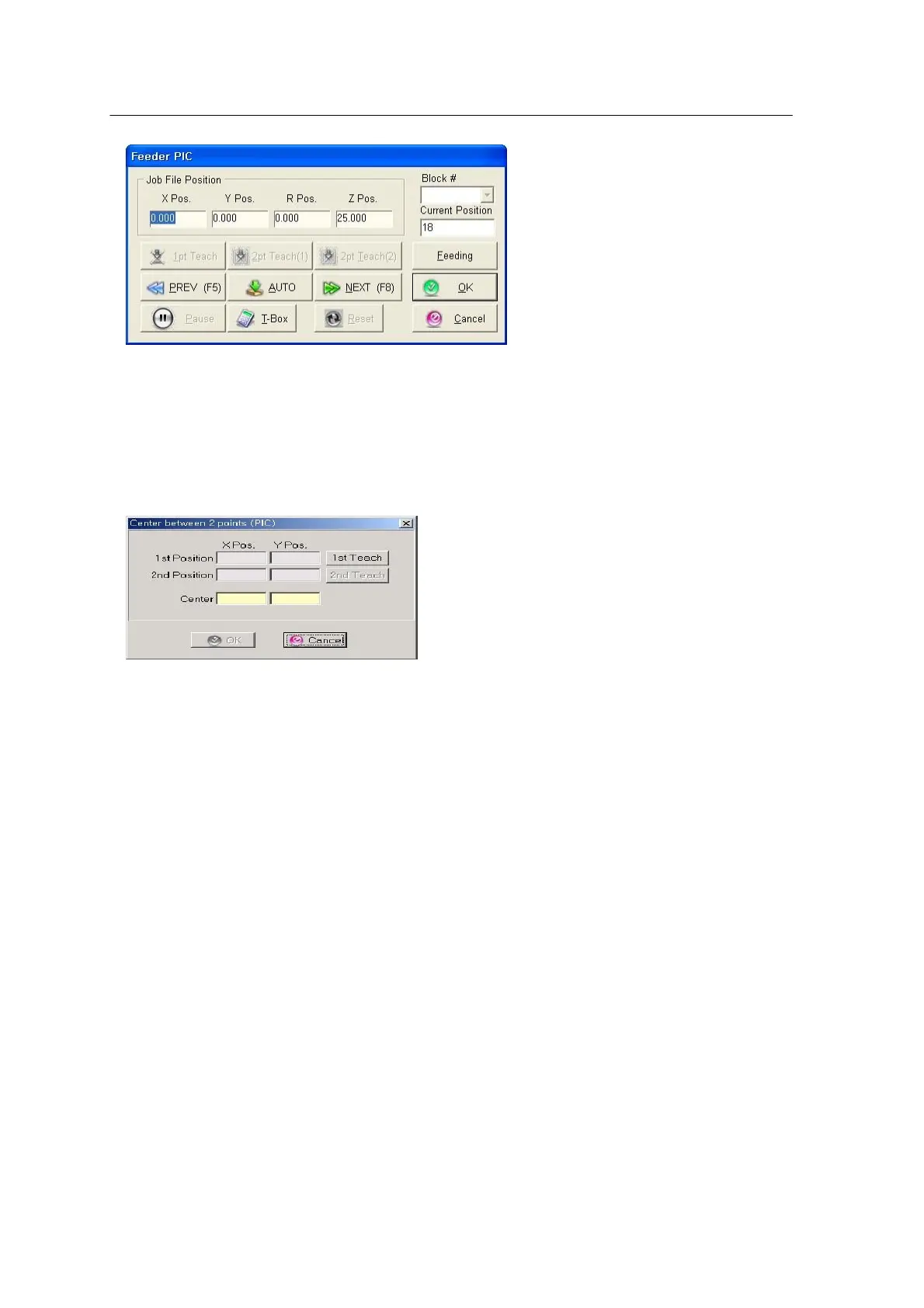
<Figure 6-70 가 PIC running state
window >
• X , Y , R, Z Position: Shows the place position of data defined in the
box.
• 1pt Teach: Reads the current place position.
• 2pt Teaching: Teaches a place position with two points (monitor size,
diagonal)
<Figure 6-71 가 2pt teaching
dialog box >
• dX, dY, dR: Shows offset from the current position.
• RESET: Exits from the PIC mode.
• AUTO: Automatically switches to AUTO mode for succeeding place
data.
• PREV(Previous): Moves to the previous place position.
• NEXT: Moves to the next place position.
Choose desired pick data of the Pick Data tab and click the PIC Start
icon.



 To Next Page