Chapter 6 Programming 6-77
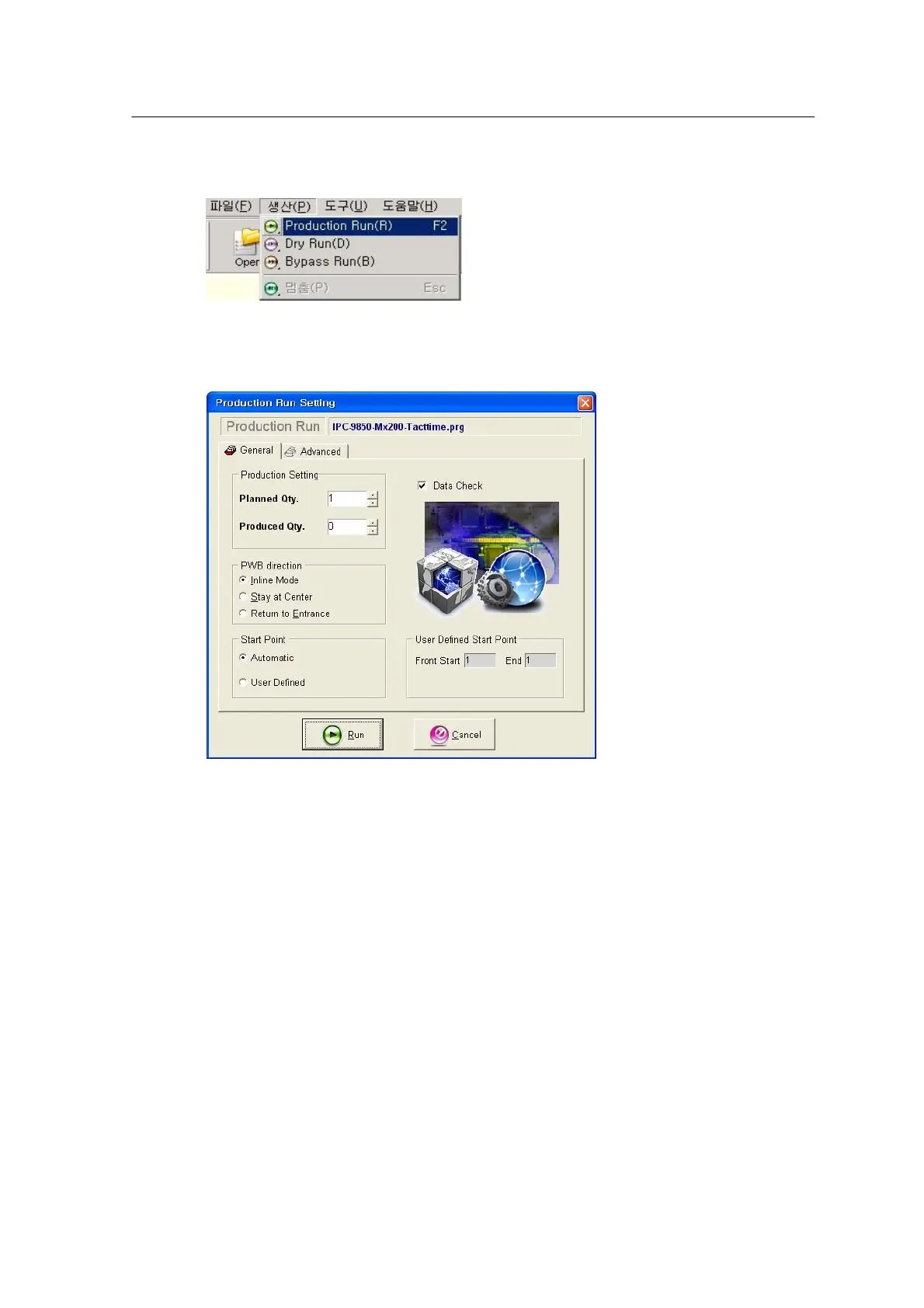
Select the Production Run menu.
<Figure 6-75 가 Production Run menu >
The parameters to be defined in the Production Run main menu are shown below.
<Figure 6-76 가 Production Run main menu>
• Planned Qty: A planned number of PWBs to be produced by Production Run.
• Produced Qty: Number of PWBs produced by Production Run.
• Inline Mode: Used for production in in-line mode.
• Stay at Center: Stays at the placement position after Production Run is completed.
• Return to Entrance: Moves to the inlet conveyor whenever Production Run is completed for
each PWB.
• Automatic: All process from PWB loading to unloading after pick & place is automatically
carried out.
• User Defined: Used when an error occurs during work or when PWB production is not
completed. In that case, start and end points should be defined to search the last index through
the PIC Start function of the Place data and resume production by inserting the index between
start and end points.



 To Next Page