EasyManua.ls Logo

Mirae Mx200 - Page 557

Default Icon
681 pages
Print Icon
To Next Page IconTo Next Page
To Previous Page IconTo Previous Page
Loading...
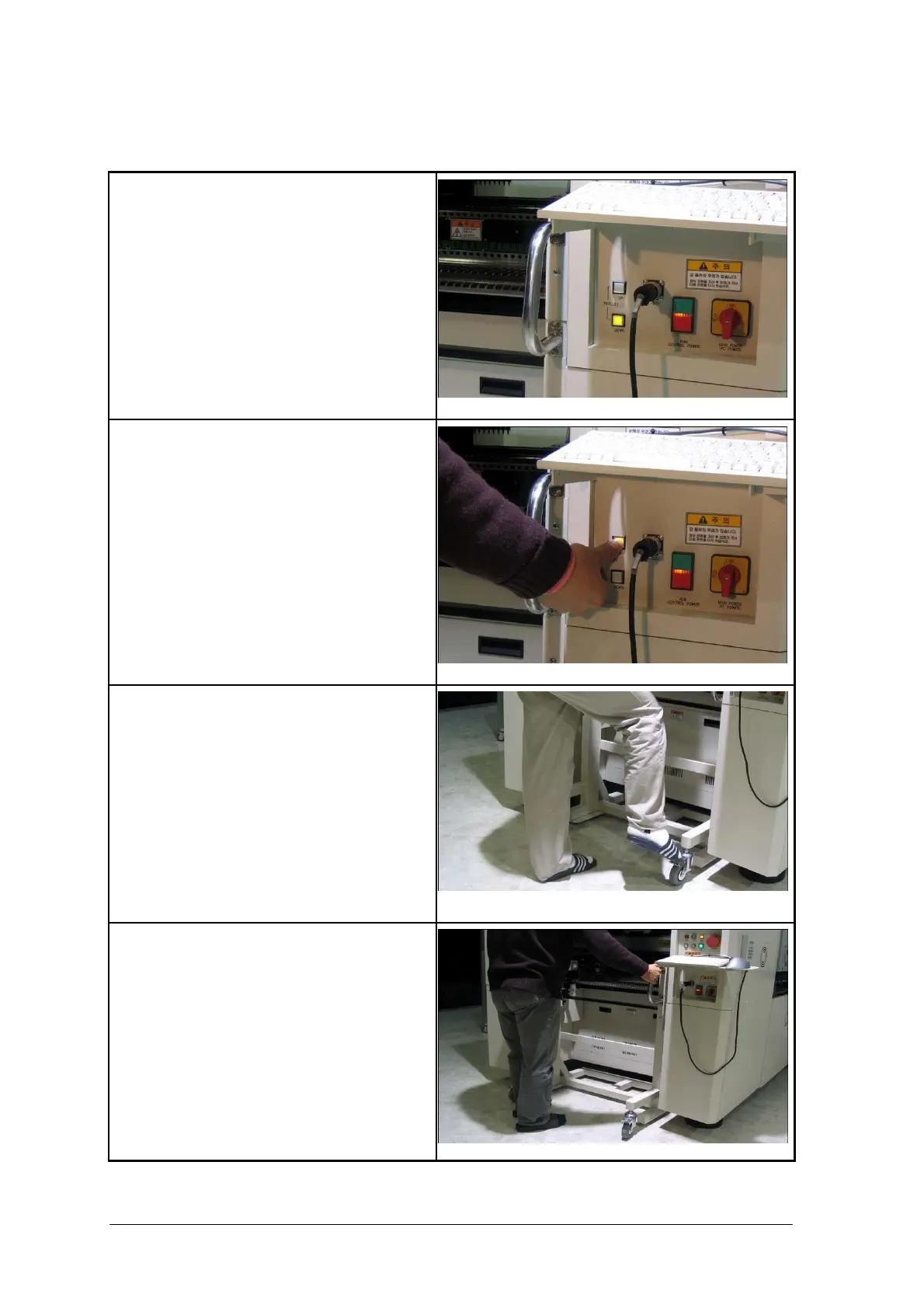
Unlocking C trolley(P45EX, P40EX, P45CX)
1. Stop the equipment. The Trolley Unlock
button LED on the operating panel gets on.
2. Press and hold the Trolley Unlock button
on the operating panel for 0.5 second or
longer. The connector up-down cylinder is
activated, disconnecting the connector. Then,
the feeder base up-down cylinder is
activated, moving down the feeder base onto
the arm. This process is performed
automatically. The Trolley Lock button led
on the operating panel gets on if the process
is finished.

3. Step down the brake on the rear caster to
unlock the trolley.
4. Pull back the trolley slowly.
Chapter 4 User Manual 4-5

Table of Contents

Related product manuals