CHARGERS
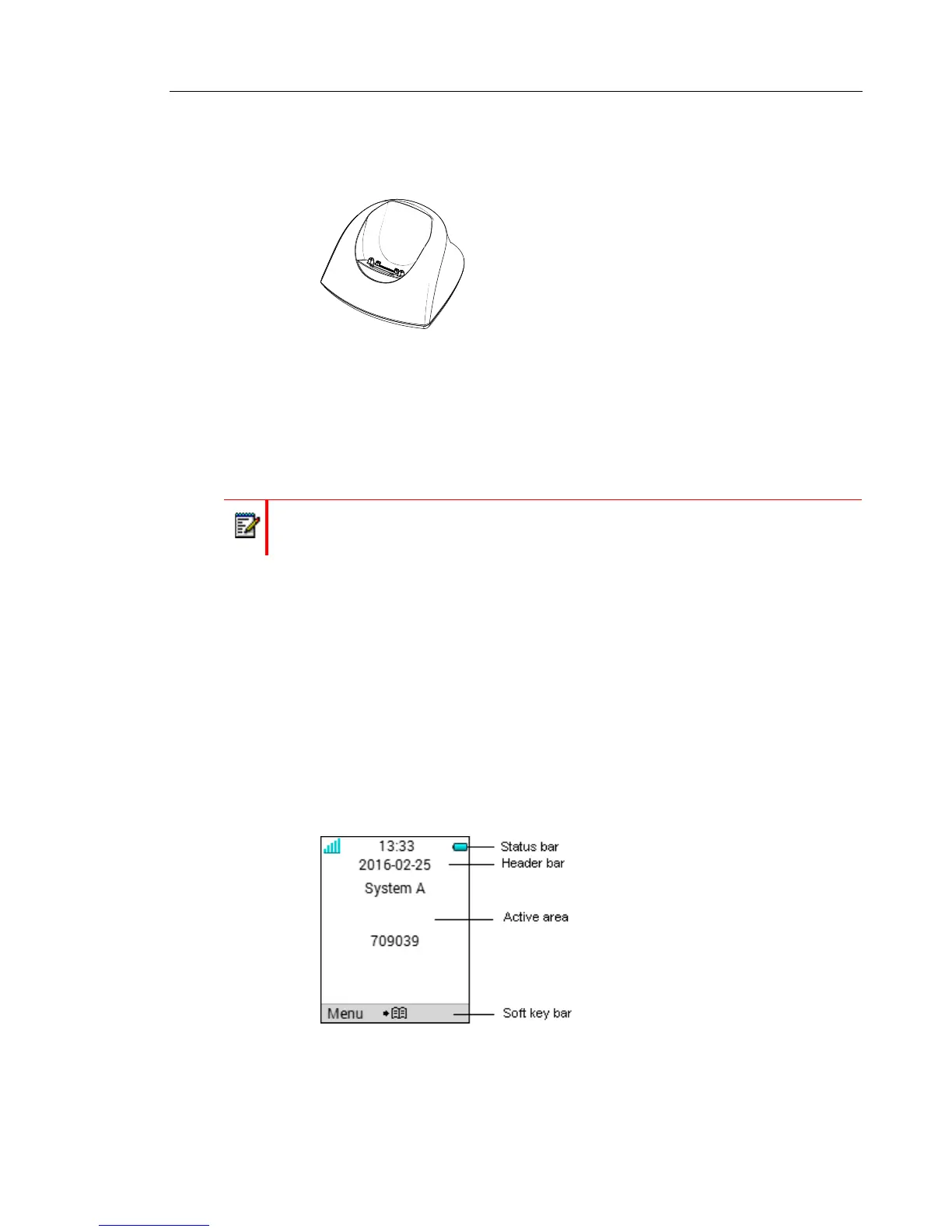
DC3 DESKTOP CHARGER AND DP1 DESKTOP PROGRAMMER
Figure 2: DC3 Desktop Charger and DP1 Desktop Programmer
The DC3 Desktop Charger will only charge the handset, while the DP1 Desktop Programmer
will download new software and synchronize parameters. The handset is fully operational while
placed in the charger.
The DC3 Desktop Charger is delivered with a plug-in power supply and is connected into an
ordinary wall socket.
CR3 CHARGING RACK
The CR3 Charging Rack is used for charging several handsets, to synchronize parameters,
and for software download.
Refer to the Installation and Operation Manual for the CR3 Charging Rack.
ICONS AND TEXT IN THE DISPLAY
All functions and settings available to the user are shown as icons and text in the display. The
icons and text in the display indicate functions and settings to which you have access. The
display normally displays date and time, the Owner ID and handset number. The Owner ID can
manually be set by the user.
Figure 3: Example of a display configuration in standby mode.
Note: Only use the charger within the temperature range of +5° C – +40° C.



 To Next Page