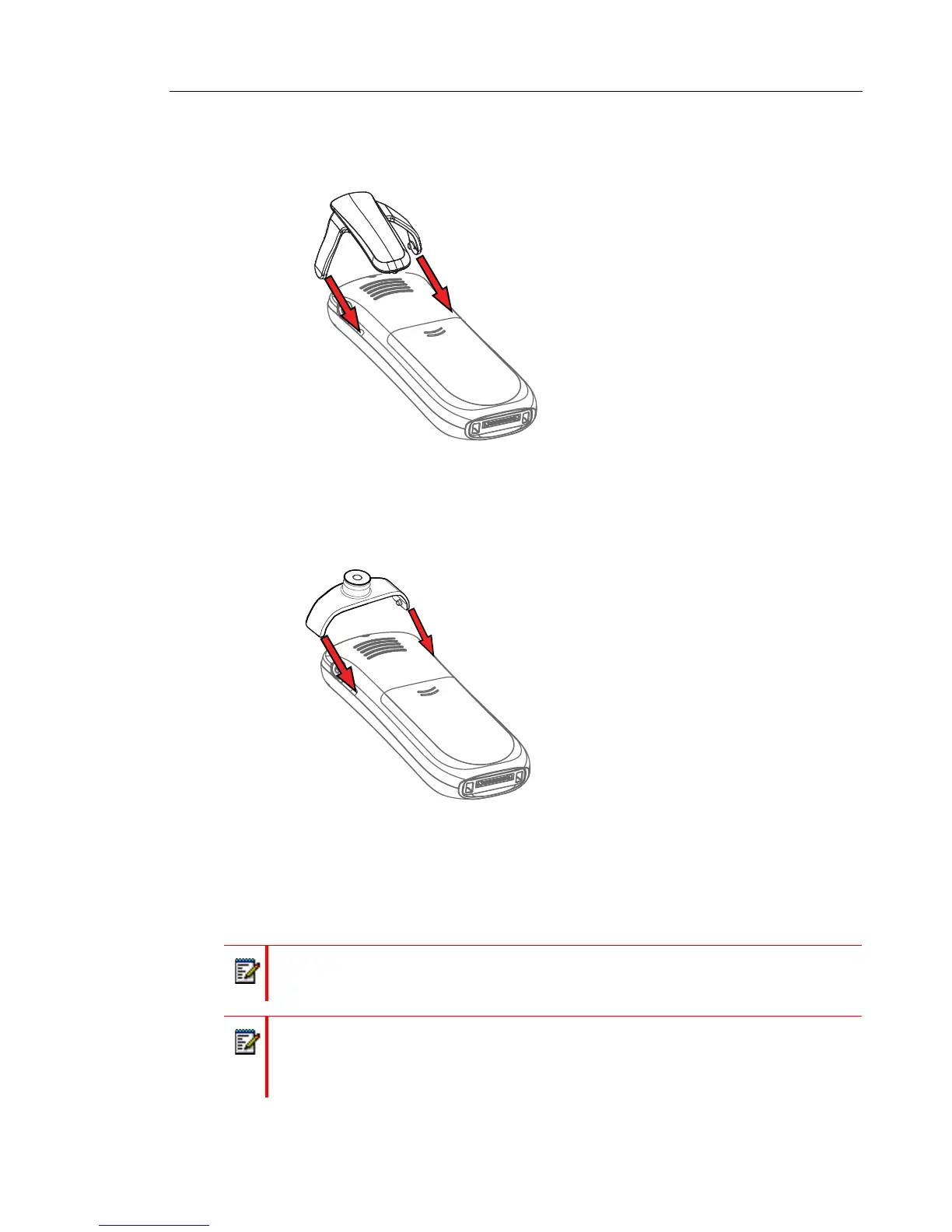
ATTACH THE HINGE-TYPE CLIP
Attach the hinge-type belt clip as described in the illustration below.
Figure 2: Attach the hinge-type clip into position.
ATTACH THE SWIVEL-TYPE CLIP
Attach the swivel-type belt clip as described in the illustration below.
Figure 3: Attach the swivel-type clip into position.
EASY REPLACEMENT
Easy replacement can be used if a handset needs to be replaced due to, for example, a broken
display.
Note: Easy replacement is not supported when using DP1 Desktop Programmer.
Note: If the electrical connection is damaged, it is not possible to follow the Easy
Replacement procedure. Depending on fault, it might work to do a replacement via
WinPDM/Device Manager. Refer to the Configuration Manual for the handset; see
Related Documents on page 74.



 To Next Page