MITEL 6900, 6970, 6800, AND 6700 SIP TERMINALS FOR MIVOICE MX-ONE
23 26/1531-ANF 901 14 Uen S 2019-10-18
11.3 AUTOMATIC LAN ACCESS CONTROL, IEEE802.1X
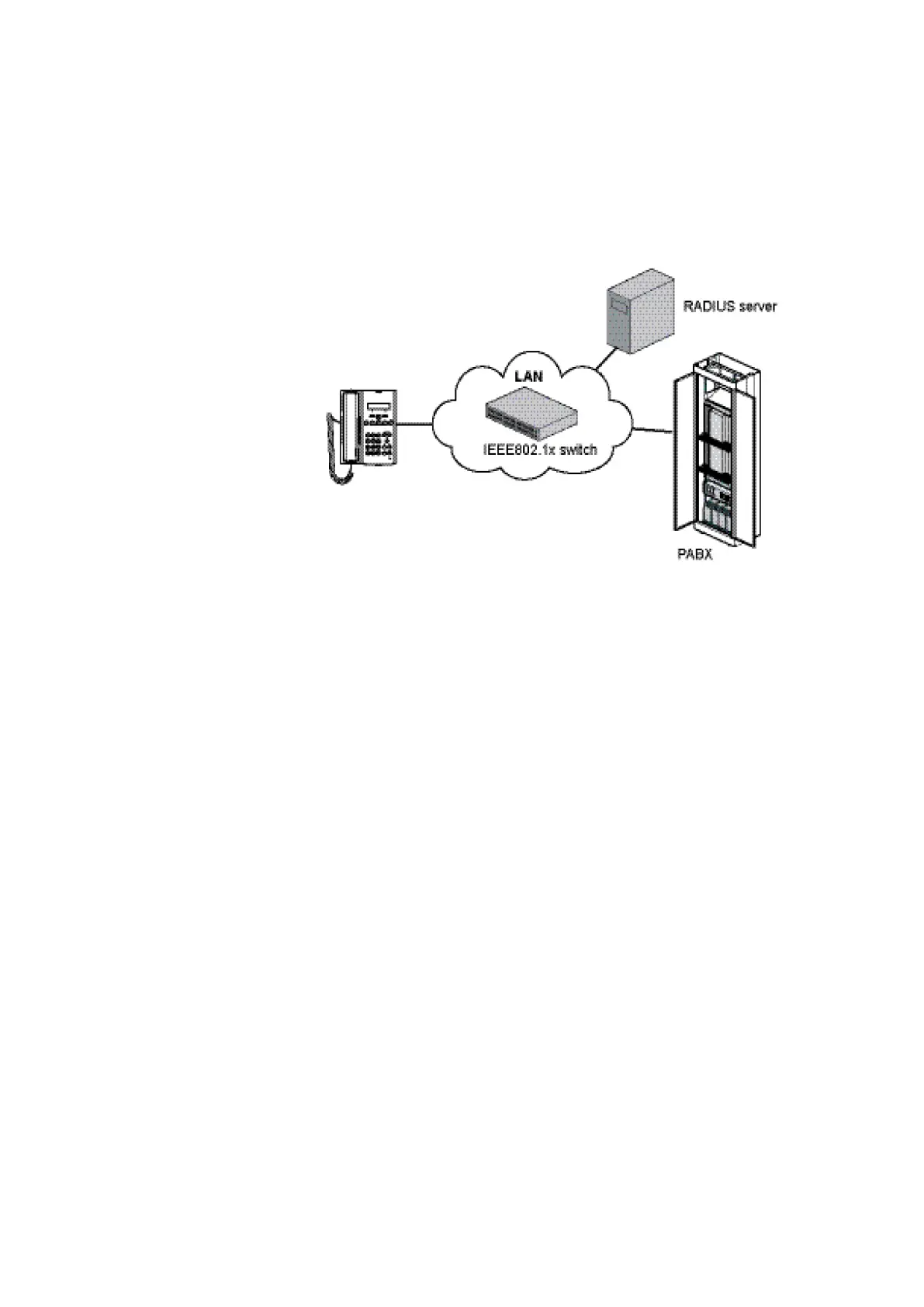
The IEEE802.1x standard is used for port access control authentication. The LAN
switch must support IEEE802.1x signalling and there must be a RADIUS server
handling the authentication. This feature supports both EAP-MD5 and EAP-TLS
protocols.
Figure 3: Components in LAN access control
Below is an example of the settings in the phone configuration file
(aastra.cfg/startup.cfg) when EAP-TLS shall be used:
eap type: 2
identity: Phone_Floor1
802.1x root and intermediate certificates:aastra67xxi/Aastra_Cli-
ent_ca.pem
802.1x local certificate:aastra67xxi/Aastra_Client_cert.pem
802.1x private key: aastra67xxi/Aastra_Client_key.pem
802.1x trusted certificates: aastra67xxi/Aastra_Client_ca.pem
The certificate shall be available on the software server. In the example above they are
stored under the folder aastra67xxi. The certificate files must be loaded into the phones
before IEEE802.1x is activated.
Below is another example showing how to set the parameters in aastra.cfg/startup.cfg
when MD5 shall be used:
eap type: 1
identity: Phone1
md5 password: Anypass
LAN switch
Below is an example how to configure a Cisco switch to enable IEEE802.1x:
aaa authentication dot1x default group radius
dot1x system-auth-control
radius-server host X.X.X.X auth-port 1812 acct-port 1813
radius-server key XXX
Configuration of an access port for IP telephony:
interface FastEthernetx/0/x
description Aastra accessport



 To Next Page