26/1531-ANF 901 14 Uen S 2019-10-18 68
DHCP
SERVER
18.3.3 SET SCOPE OPTIONS
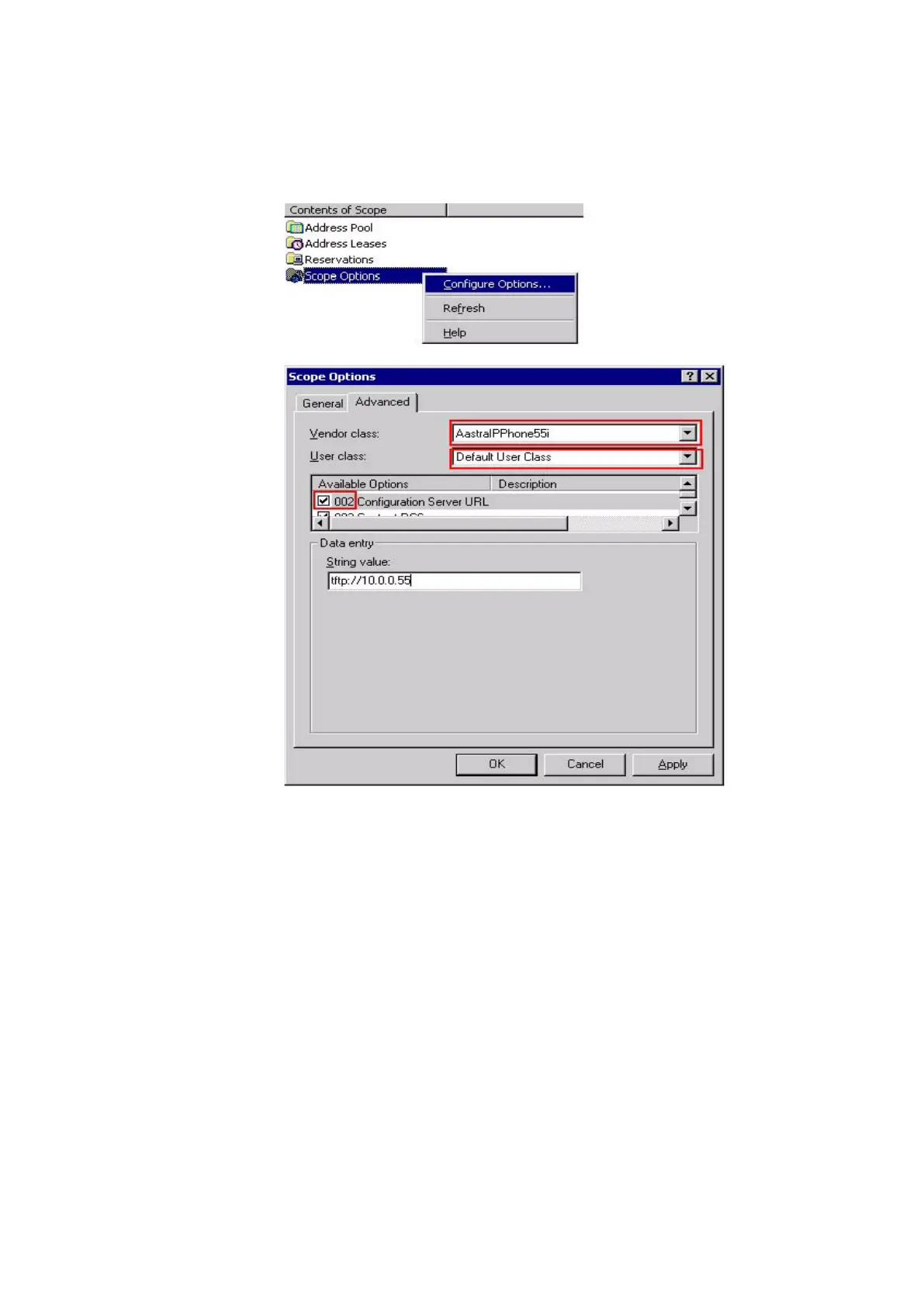
The last step is to set the URL string.
Figure 27: Set Scope Options
Select appropriate Vendor class and set the User class to Default User Class. Activate
option 002 and enter the URL of the software server (configuration server) in the input
field String value.
Repeat this for each phone model that should be served by this DHCP server.
If VLAN identity shall be provided via option 43, repeat this for code 08 and code 09,
see table 8 Options that can be set in option 43. on page 64



 To Next Page