26/1531-ANF 901 14 Uen S 2019-10-18 66
DHCP
SERVER
18.3.2 SET PREDEFINED OPTIONS
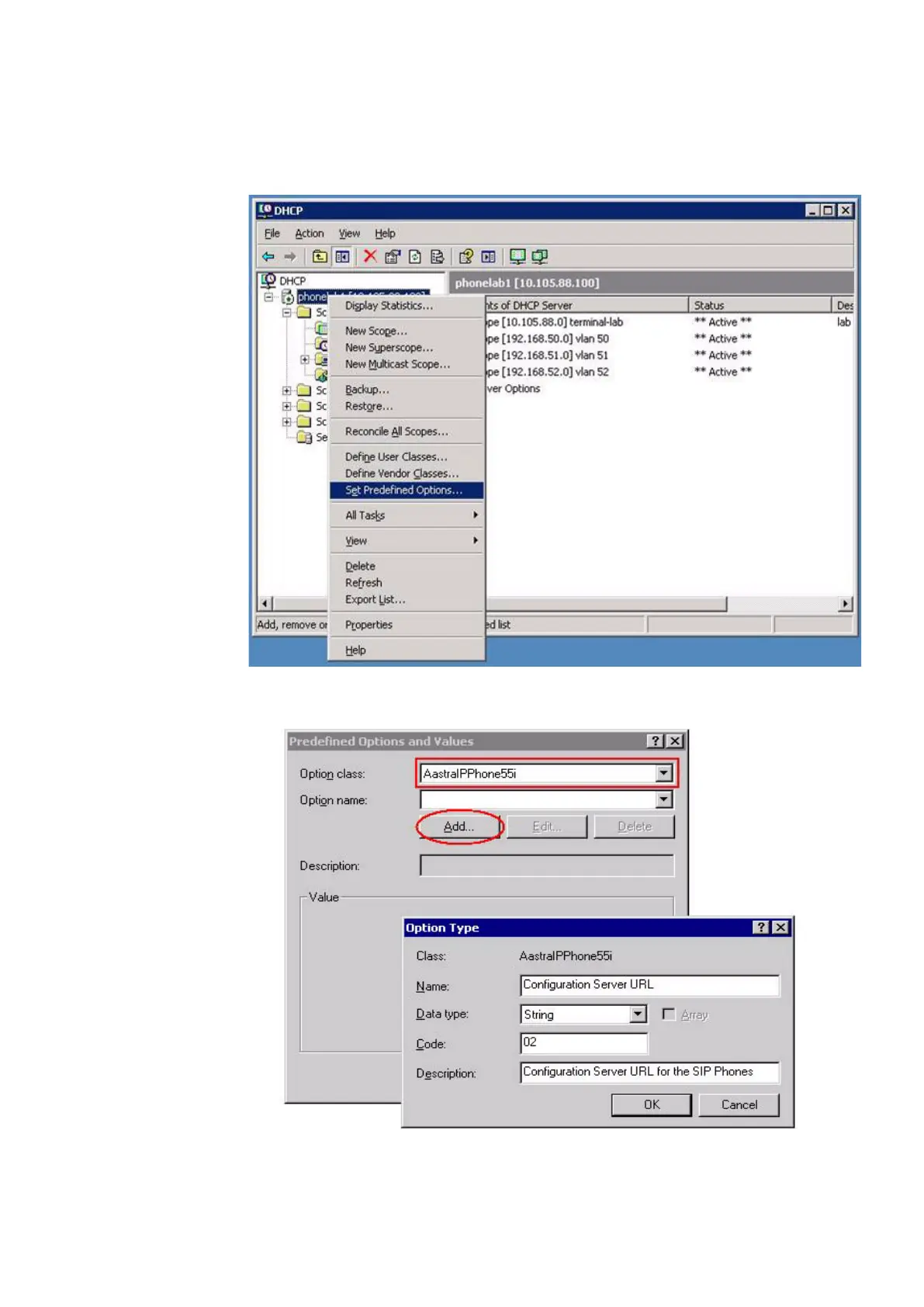
Select Set Predefined Options to get the menu to enter the option 43 data.
Figure 25: Set Predefined Options
Select appropriate option class from the drop down list and press the Add button.
Figure 26: Predefined Options and Values



 To Next Page