7 - 4 MC70 Integrator Guide
.
Tap-and-hold on a WLAN network to open a pop-up menu which provides two options: Connect and Refresh.
Select
Refresh to refresh the WLAN list. Select Connect to create a wireless profile from that network. This
starts the
Profile Editor Wizard which allows you to set the values for the selected network. After editing the
profile, the EDA automatically connects to this new profile.
Profile Editor Wizard
Use the Profile Editor Wizard to create a new profile or edit an existing profile. If editing a profile, the fields
reflect the current settings for that profile. If creating a new profile, the known information for that WLAN
network appears in the fields.
Navigate through the wizard using the
Next and Back buttons. Tap X to quit. On the confirmation dialog box, tap
No to return to the wizard or tap Yes to quit and return to the Manage Profiles window. See Manage Profiles
Application on page 7-20 for instructions on navigating the
Profile Editor Wizard.
Profile ID
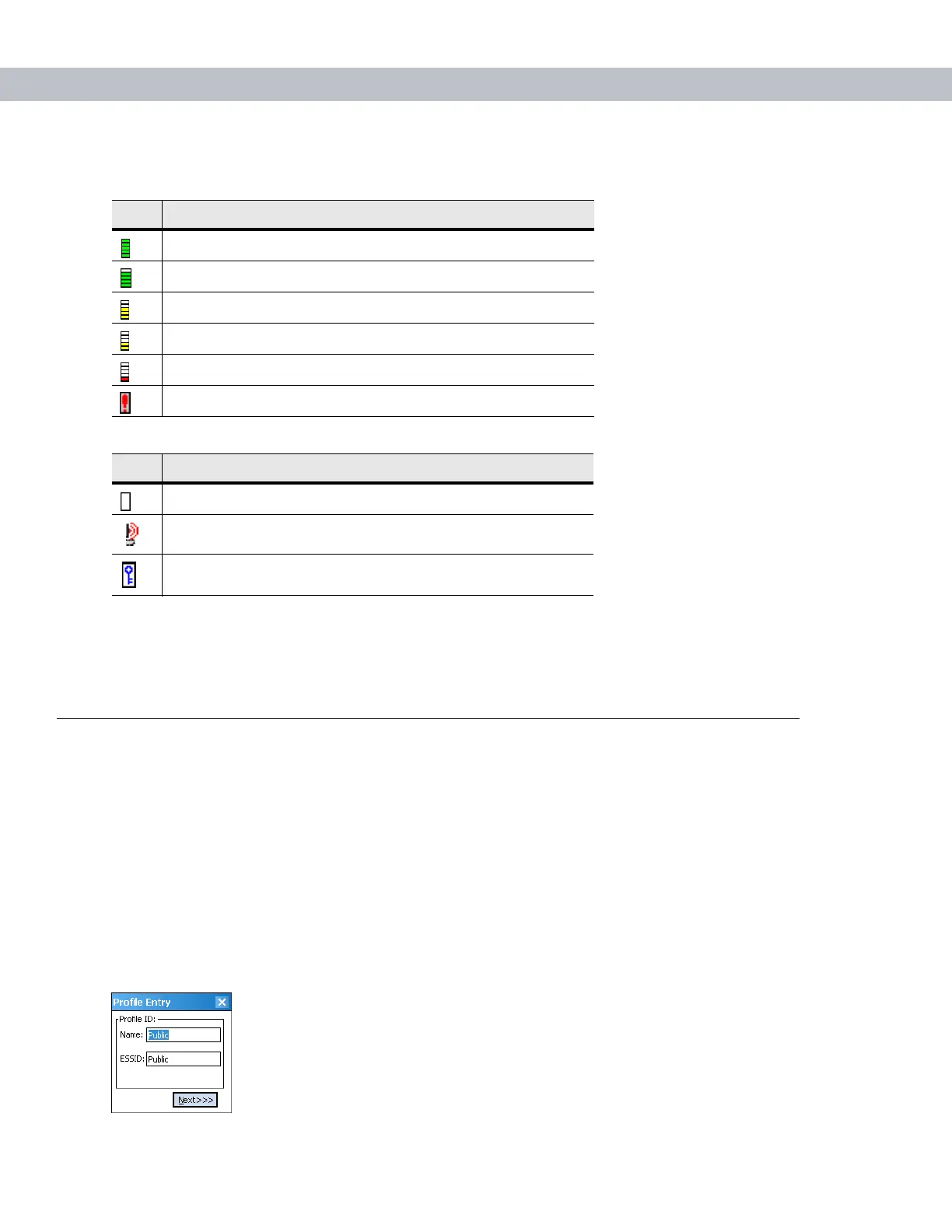
In the Profile ID dialog box in the Profile Editor Wizard, enter the profile name and the ESSID.
Figure 7-5
Profile ID Dialog Box
Table 7-2
Signal Strength Icon
Icon Description
Excellent signal
Very good signal
Good signal
Fair signal
Poor signal
Out of range or no signal
Table 7-3
Encryption Icon
Icon Description
No encryption. WLAN is an infrastructure network.
WLAN is an Ad-Hoc network.
WLAN access is encrypted and requires a password.


 To Next Page
 Loading...





