USER MANUAL OPTIMA 7
MRU GmbH, D-74172 Neckarsulm 28 / 78
► Select Gas measurements.
► Press OK.
The menu Selection meas. program appears.
► Press OK
The menu Fuel type selection appears.
► Press F2.
The menu Fuel type list appears.
► Select the fuel which should be added to the menu Fuel type selec-
tion.
► Press F1.
The selected fuel is marked with a check mark
► Select other fuels if necessary.
► Press OK.
The selected fuels are displayed in the menu Fuel type selection.
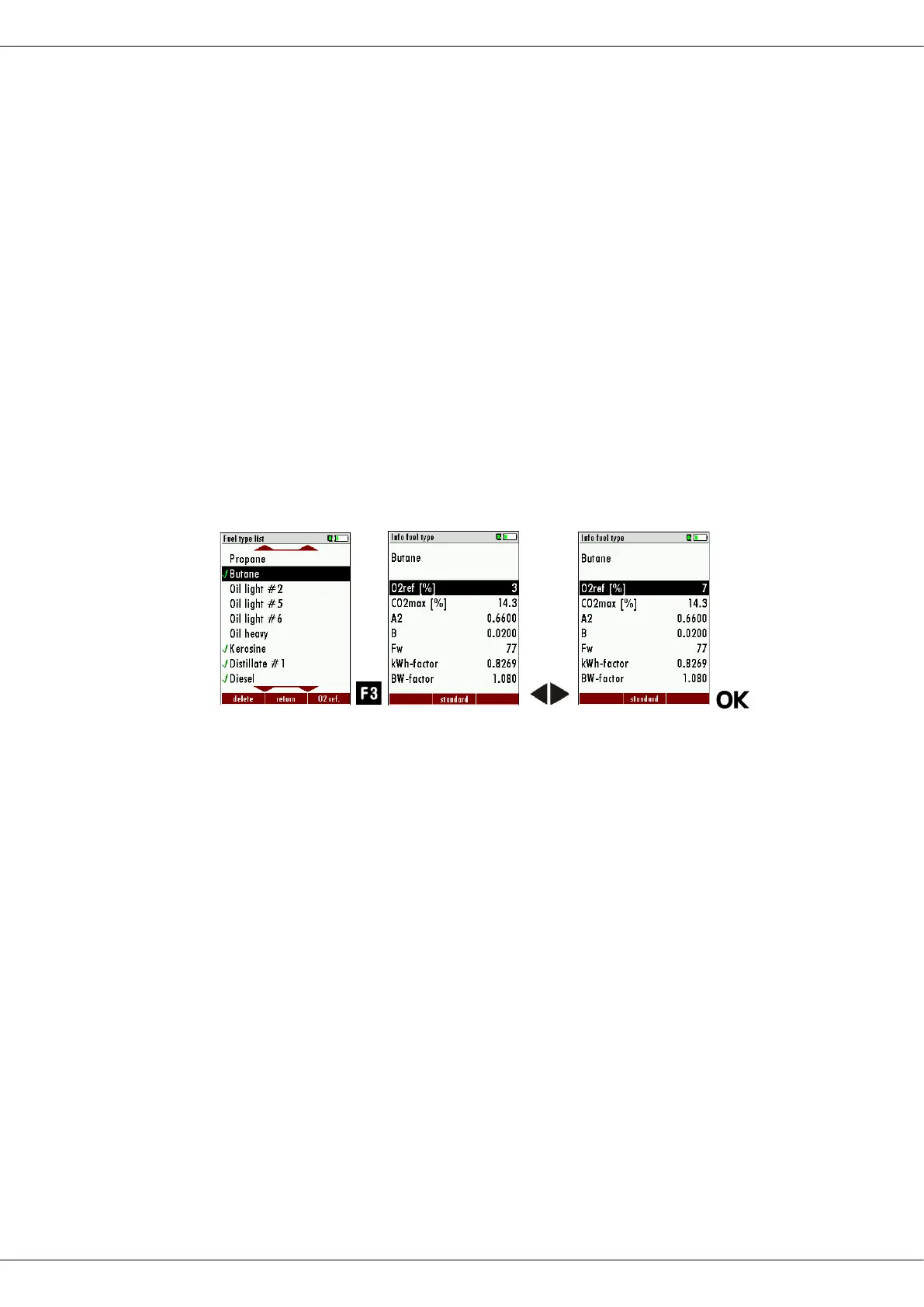
Setting O
2
reference
► Go to the menu Fuel type selection
See also Chapter Adding fuels to fuel type selection, Page 27
► Select the desired fuel.
► Press F3.
The menu fuel type appears.
► Set the desired O2 reference.
► Press OK.
The set O2 reference is saved.



 To Next Page